
A tour of Gun Diary
Everything Gun Diary holds, area by area: firearms, the Garage, ammunition, range days and Range Mode, Zero Check and hunting, groups and targets, shotguns, dope and dope cards, the 27 calculators, search and history, reports and backups, and settings.
Gun Diary keeps a lasting record of your firearms, your shooting and the dope you’ve proven. This tour walks through every part of the app: what each area is for, why you’d use it, and where to find it. Read it once, end to end, and you’ll know what the app can hold before you start; then follow Your first day to set it up.
Steps
-
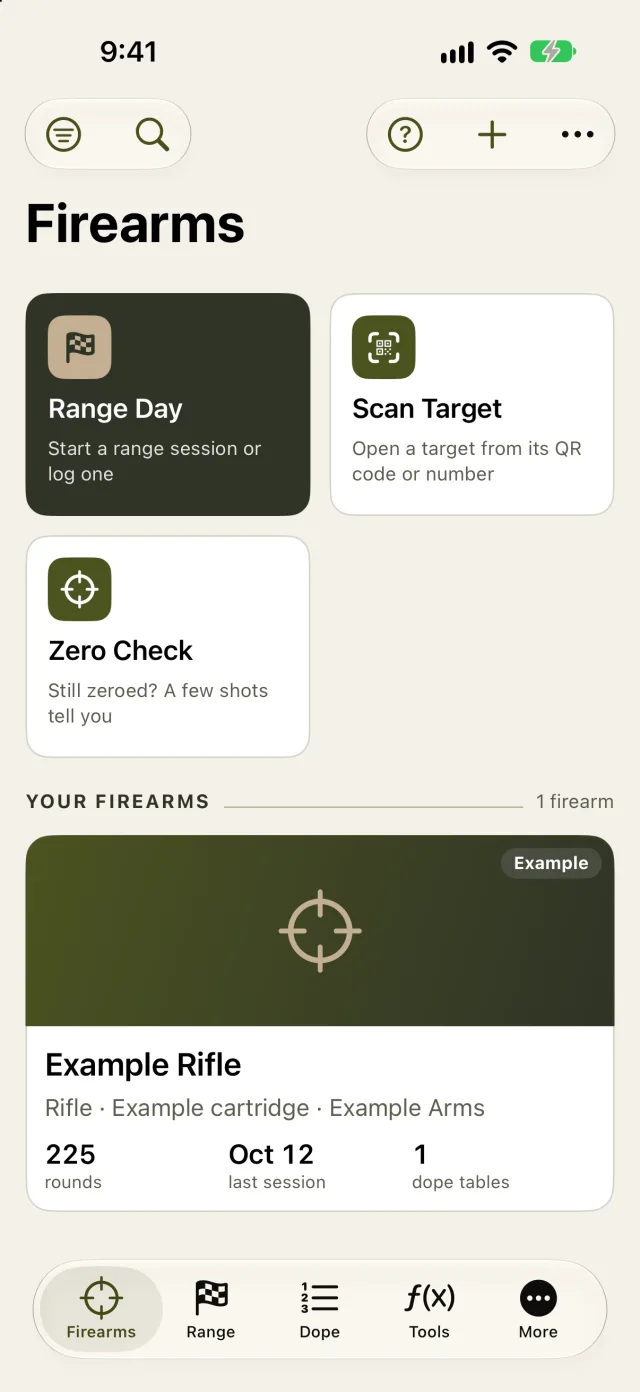
Look at the five tabs at the bottom: Firearms, Range, Dope, Tools and More. On iPad they’re in a sidebar, with Ammo Library and Search added under Also.
-
Firearms: your guns, each with its own dashboard. Tap a firearm to see everything that belongs to it.
-
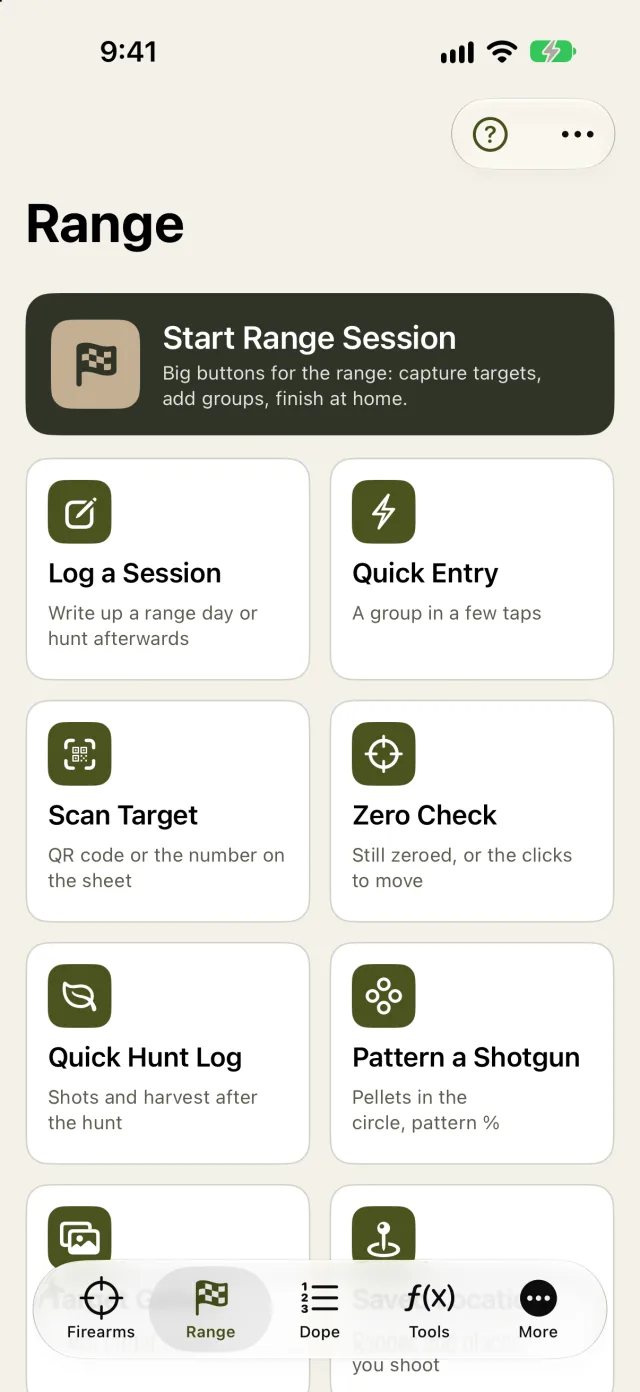
Range: everything about shooting days: Range Mode, logging sessions, Zero Check, Quick Hunt Log, patterning, the target gallery, saved places and target sheets.
-
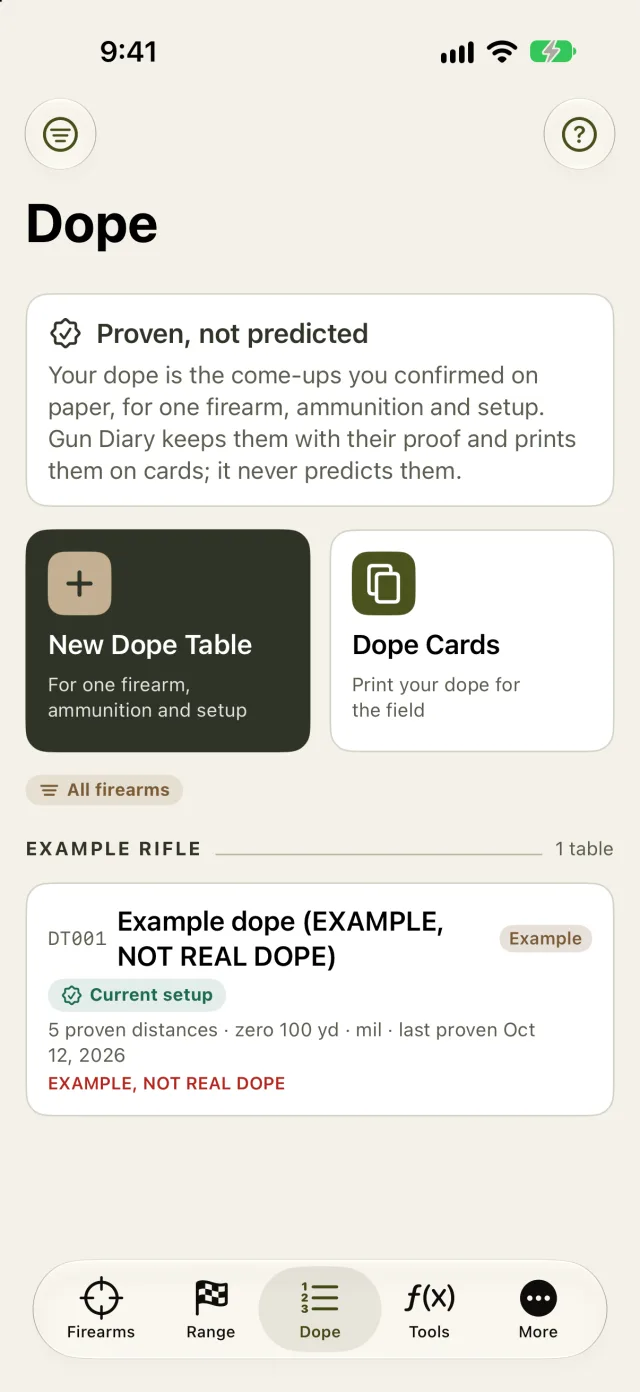
Dope: your dope tables, grouped by firearm, and your dope cards.
-
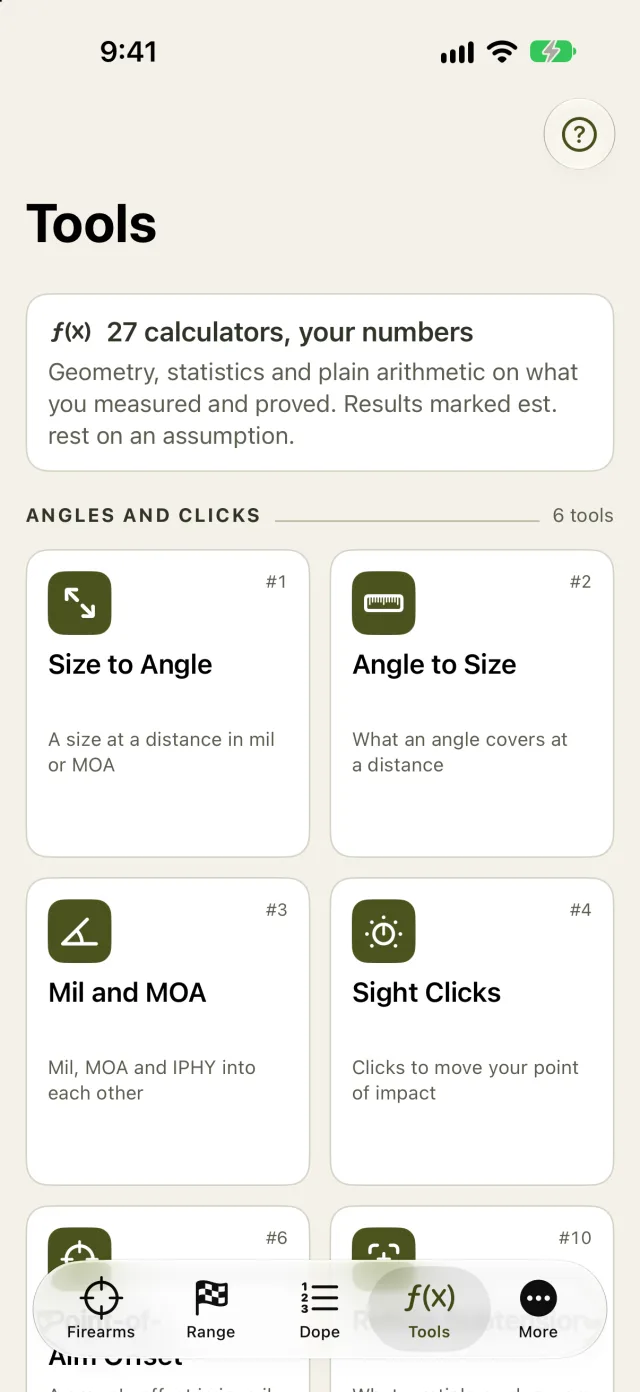
Tools: the 27 calculators, in groups, with a search field.
-
More: the Ammo Library, Search, history and comparison, reports, documents, backups, drafts, Recently Deleted, settings and help.
- Read the areas below in any order. Each ends with the article to read next.
Why it’s useful
A shooting record is only worth keeping if you can find things in it years later and if it answers real questions: which ammunition groups best in this rifle, is it still zeroed, what do I dial at 400 yards, how many rounds are on this barrel, which serial number was the stolen one. Gun Diary is built around those questions, so it holds more than a simple logbook. Knowing what’s there means you’ll record the right things from the first day.
Who uses which areas:
- New gun owners: Firearms, sessions and groups, the Garage’s round counts and cleaning, and the primer (Shooting basics for beginners).
- Hunters: Zero Check before the season, the pocket dope card in the field, Quick Hunt Log after the hunt.
- Target and long-range shooters: groups and targets, Ammo Comparison, dope tables, dope cards and the angle calculators.
- Competitors: sessions with scores and placements, drill runs, hit rate and drill time calculators.
- Shotgunners: shotguns as firearms, pattern records and the pattern % calculator.
- Collectors: firearm details and status, documents, the collection report and the lost or stolen report.
What each area holds
Firearms and status
The Firearms tab is home. Each firearm has a card (photo, name, kind, cartridge, round count, last session, number of dope tables) and a dashboard with everything linked to it: Favorite Ammunition, Shooting Diary, Group History, Dope, Zero History, Hunt Log, Patterns (shotguns), The Garage, Documents, saved views and reports. A firearm can be a rifle, handgun, shotgun, rimfire, muzzleloader or other, and can hold its serial number, purchase details, insured value and marks. Its status records whether it’s still yours: active, sold, traded, gifted, lost, stolen or recovered, with dates, police report and claim numbers (the disposition). Why: everything else in the app hangs off a firearm. Read: Your firearms list, Add a firearm, The firearm dashboard, Change a firearm’s status. Collectors switching from a spreadsheet can import a gun list (Pro).
The Garage
Each firearm’s workshop record: its specs and equipment (optic, mount, trigger, muzzle device, stock, choke, light, sling…) as dated configurations, so an old group keeps the setup it was shot with; the scope’s optic settings (click value, reticle units, focal plane); barrel history; the maintenance log (cleanings, repairs, service); three round counters (lifetime, current barrel, since cleaning) that never count a round twice; safety observations; and documents. Why: when a zero moves or accuracy drops, the Garage shows what changed. Read: The Garage.
Ammunition
The Ammo Library (in More) holds the factory ammunition you buy: maker, product line, cartridge or gauge, bullet weight and type (or shot size and load for shotguns), photos, and its lots. Optional Boxes on Hand is a count of the rounds you have that you keep by hand: add when you buy a box, subtract when you shoot. Sessions don’t subtract from it. Favorite Ammunition names the ammo each firearm likes, with dated changes. Why: lots shoot differently, and you enter each box once and pick it everywhere. Read: The Ammo Library, Lots, Favorite ammunition.
Range days and Range Mode
A session is one trip: date, activity (practice, sight-in, zero check, hunting, competition, patterning, recreational, other), place, weather, the firearms you shot with their rounds fired and ammunition, notes and scores. Start Range Session opens Range Mode (Pro): big buttons for gloves and bright sun, a big number pad for groups, chronograph strings, one-tap quick notes, Undo, and an end-of-session check of what’s missing. Log a Session writes a trip up afterwards; Quick Entry adds one group or note in a few taps. Weather can be filled in from Apple Weather. Saved Locations remembers your ranges. Why: the session is where round counts come from and what explains a result later. Read: The Range tab, Range Mode, Log a session.
Zero Check and hunting
Zero Check answers one question before a hunt: is this rifle still zeroed? Enter a few shots (typed, or tapped on a photo with Pro), and it says “still zeroed” within your tolerance or the clicks to move, and can mark the cold bore shot. Each check is kept in the firearm’s Zero History. Quick Hunt Log records shots and harvests after the hunt with big buttons; the Hunt Log lists them by season. Gun Diary is used before and after a hunt, never during. Read: Zero Check, Quick Hunt Log.
Groups, targets and photos
A group is the core result: distance, size, shots, ammunition and lot, point of impact offset, chronograph readings, weather and notes. A target photo can hold several groups, each in its own region; photos can be cropped, rotated and drawn on with the original kept. With Pro you can measure a group from its photo, tap each shot hole for full statistics (mean radius and more), and print QR target sheets that open the right record when scanned. Read: Record a group, A target and its groups, Target gallery.
Shotguns
Shotguns are firearms like any other (round counts, cleaning, sessions), plus pattern records: distance, choke, ammunition, circle size, pellets in the circle and pellets per shell, giving the pattern percentage. Read: Pattern a shotgun.
Confirmed dope and dope cards
The Dope tab holds dope tables: for one firearm, ammunition and setup, the come-up you proved at each distance, with the groups that proved it, the date and conditions. A group with an offset can be saved straight into a table (Save as Dope). In-between rows are estimated by a straight line between proven rows and marked “est.”. When the scope, mount or barrel changes, older tables are marked as an earlier setup so you never carry stale numbers. Proven wind and lead holds sit with the table. Dope cards print your table at the size you carry: the pocket card is free; every other size, styles and several guns per sheet are Pro. Gun Diary never predicts dope. Read: What confirmed dope is, Dope tables, Make a dope card.
The 27 calculators
The Tools tab: angles and clicks (size to angle, mil and MOA, sight clicks, reticle subtension), groups and velocity statistics, sight-in and re-zero, calculators that use your own dope (holdover, in-between rows, scaled wind holds, hold-on distances, elevation left), range estimate, shot angle and cant, lead, energy and recoil, competition (hit rate, drill times and hit factor), shotgun pattern %, round counts and a unit converter. They do geometry and arithmetic on your numbers; none is a ballistic solver. Results that rest on an assumption are tagged “est.”. Read: The Tools tab, About estimates.
Search, history and comparison
Search finds anything (names, serial numbers, codes, notes, dope, documents). Group History lists groups by any filter with averages. Ammo Comparison answers the factory shooter’s question, which ammunition or lot groups best in this firearm. Saved Views (Pro) keep a filter you use often. Read: Search, Group history, Ammo comparison.
Reports, backup and export
Reports turn your records into PDFs (Pro) and spreadsheets (CSV, free except the collection report): firearm history, round counts, maintenance, safety observations, dope tables, zero history, hunt log, patterns, competition and drills, and the collection report (PDF and spreadsheet both Pro). The Lost or Stolen Report is free. Backup and Export makes a full backup file and Export All Data gives every record as spreadsheets, free, always. Read: Reports, Back up and restore, Export all your data.
Settings and your data
Settings shows iCloud sync and holds the starting units, Range Mode and Zero Check settings, the Example Rifle, support and the About section (About Estimates, Privacy Policy, Terms of Use, version). Who can see your records: Your records and your privacy. Personalize Your Diary hides features you don’t use. Drafts keeps unfinished records, Recently Deleted keeps deletions for 30 days, and finished groups and sessions keep a change history. The Reference Library keeps manuals, receipts and warranties linked to your firearms, free. Read: Settings, Personalize your diary.
Example
A deer hunter’s year in Gun Diary: in August, adds the rifle, its scope in the Garage, and two boxes of ammunition with their lots. At the range, logs a sight-in session and four groups, and saves the 100 and 200 yd results as dope. Prints a pocket dope card. The week before the season, runs a Zero Check (still zeroed, cold bore shot marked). After the hunt, a Quick Hunt Log with one shot at 180 yd and the harvest. In winter, a cleaning in the Garage and a backup. Every one of those records is on the rifle’s dashboard.
Tips
- You don’t need every area. Turn off what you won’t use in More > Personalize Your Diary: Boxes on Hand, Competition and Drills, Hunting, Dope and Dope Cards, Shotgun Patterns, Reference Library, Target Sheets.
- The firearm dashboard is the shortcut. Almost everything about one gun is one tap from its dashboard.
- Almost every screen has a ? at the top that opens its article. Camera screens don’t; their help is on the screen that opens them.
- Most of the app is free. See Free and Pro for exactly what Pro adds.
What it affects
Reading the tour changes nothing. As you use the app, records link to each other: a session adds to round counters, a group can prove a dope row, an equipment change marks older dope as an earlier setup. The articles for each area explain those links in their “What it affects” sections.
If something goes wrong
- I can’t find Ammo Library or Search on iPhone. They’re in the More tab (on iPad, in the sidebar). Search is also the magnifying glass at the top of the Firearms tab.
- An area described here is missing. It may be turned off in Personalize Your Diary. Turn it back on; its records were kept.
- A button opens the Pro screen. That feature is part of Gun Diary Pro. See Free and Pro.
Related
- Next: Your first day.
- Explore the Example Rifle, The More tab, Free and Pro.
- New to shooting? Shooting basics for beginners.
- Learning paths: New gun owner, Sighting in a new scope, Testing factory ammo, Building your dope card, Before and after the hunt, Keeping your collection’s records, Shotgun patterning, Keeping your records safe.
- Words used here: dope, disposition, configuration, click value, lot, session, zero, cold bore, group, point of impact, mean radius, choke, pattern percentage, come-up, mil, MOA.
Gun Diary keeps records you enter and does arithmetic on them. It never predicts a trajectory; confirm every hold by shooting it at the range, and always know your target and what is beyond it.
Still stuck? In the app, open More > Help > Contact Support, or More > Settings > Support, which also has Send Error Log (the error log helps us find the problem), or email contact@setriksoftware.com. You can also browse the Help Center or the messages the app can show.