
Change a firearm's status
Record that a gun was sold, traded, given away, lost, stolen or recovered, with the date, who it went to, the police report and insurance claim numbers, and a note; its records stay in your diary.
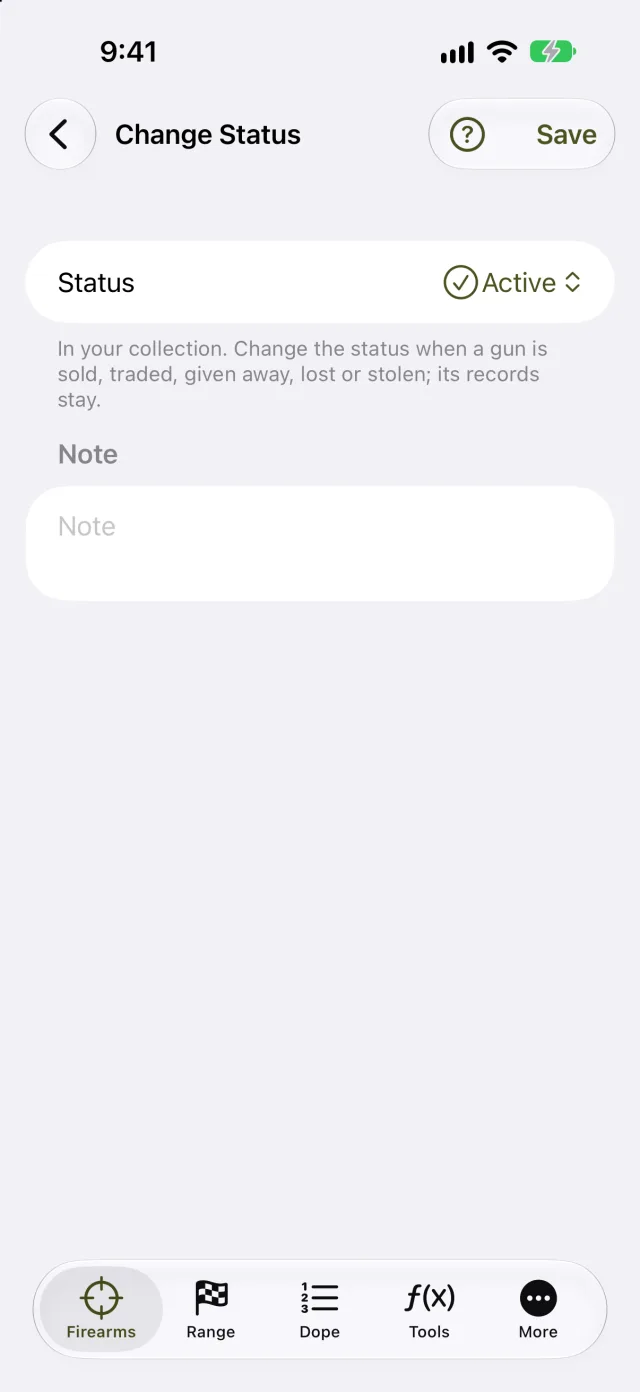
A gun’s disposition is what happened to it when it left your collection. Change Status records it: Active (still yours), Sold, Traded, Gifted, Lost, Stolen or Recovered, with the date, who it went to, the police report and insurance claim numbers, and a note. The gun and every record shot with it stay in your diary; guns that are gone just move behind the Filter button on the Firearms tab.
Steps
Record a sale, trade or gift
- Open the firearm from the Firearms tab.
- Tap ••• at the top right, then Change Status.
-
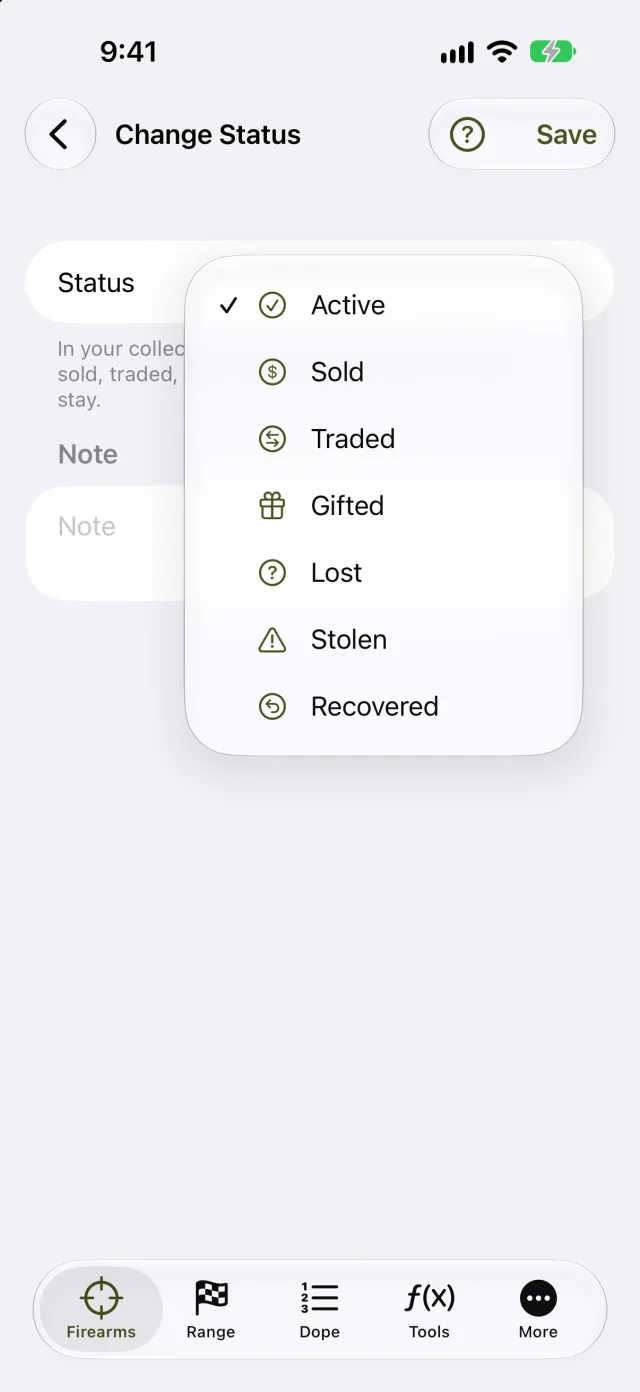
Tap Status and pick Sold, Traded or Gifted.
-
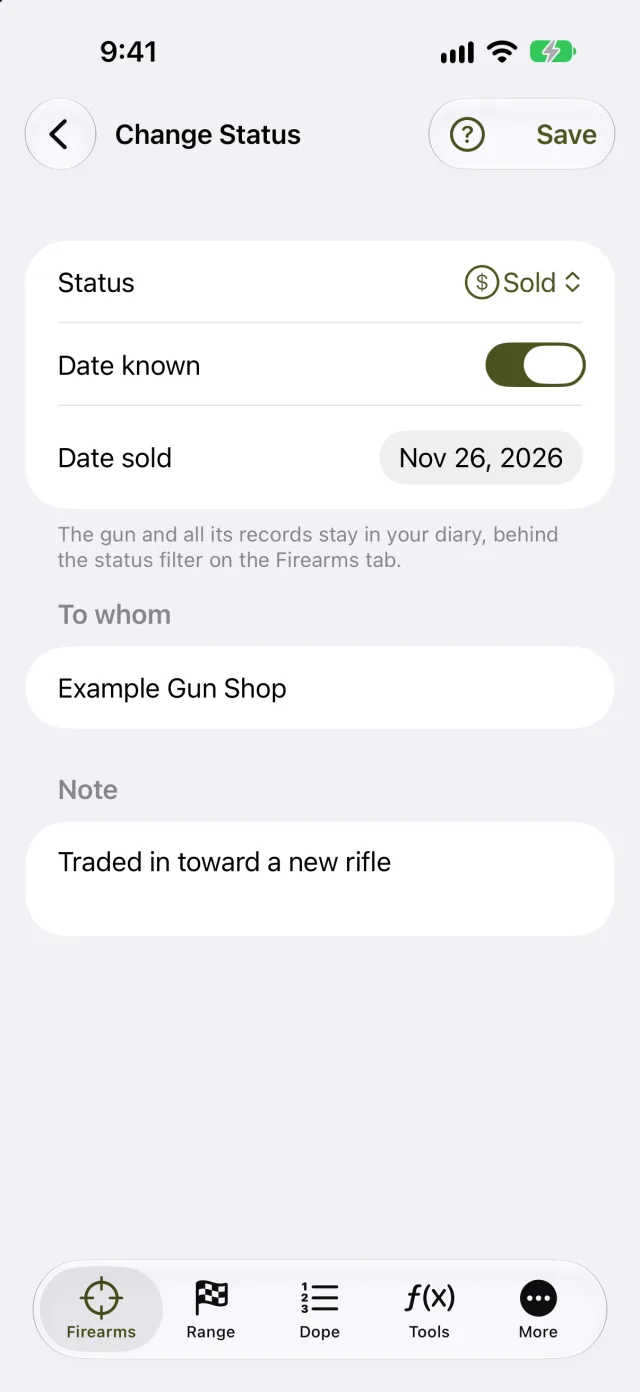
Date known is on: set the date (Date sold, Date traded or Date given). Turn Date known off if you don’t know it.
- Under To whom, type the person’s or shop’s name.
- Optional: add a Note (price, bill of sale, what you traded it for).
-
Tap Save.
Record a lost or stolen gun
- Open the firearm > ••• > Change Status.
- Pick Lost or Stolen under Status.
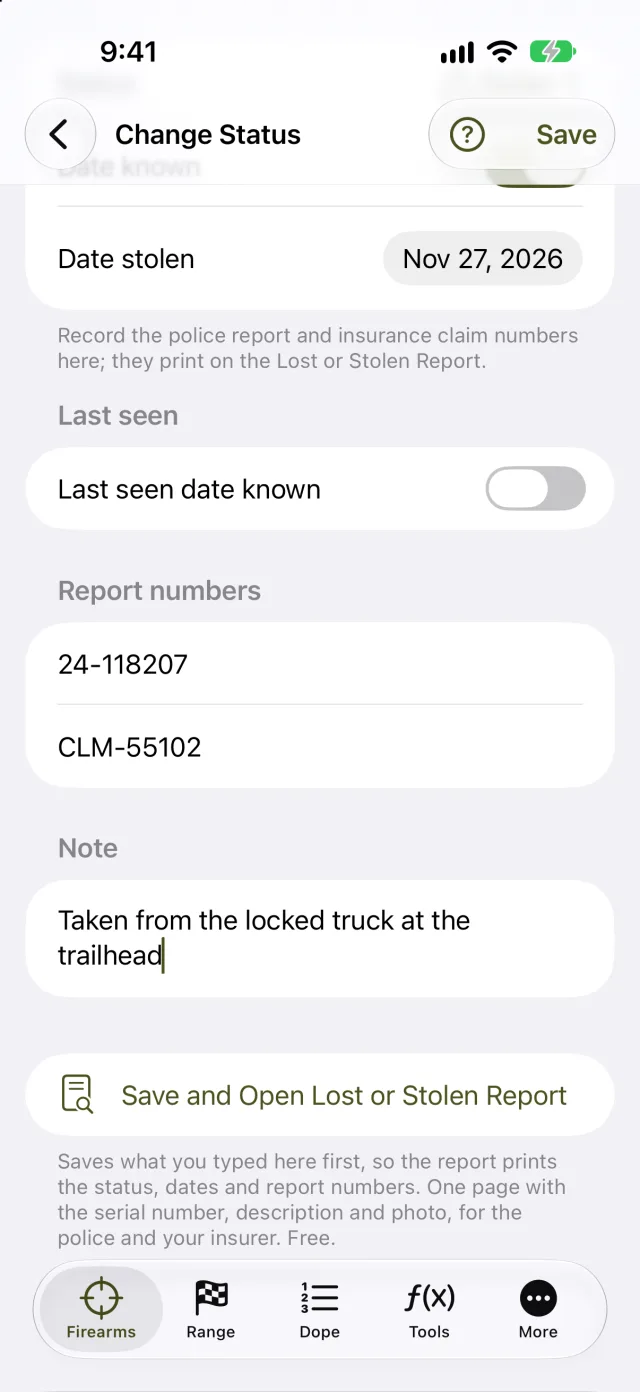
- Set Date lost or Date stolen (or turn Date known off).
- Under Last seen, turn on Last seen date known and pick the date you last saw it, if it’s different.
- Under Report numbers, type the Police report number and the Insurance claim number as soon as you have them.
-
Add a Note (where it was kept, what else was taken).
-
Tap Save and Open Lost or Stolen Report at the bottom: it saves what you typed first, so the one-page report for the police and your insurer (free) prints the status, dates and report numbers. Or tap Save and make the report later from the dashboard (Reports > Lost or Stolen Report (free)).
Record a recovered gun
- Open the firearm > ••• > Change Status.
- Pick Recovered and set Date recovered. The police report and claim numbers you typed are kept.
- Tap Save. A recovered gun shows on the Firearms tab again.
Put a gun back to Active
- Open the firearm > ••• > Change Status > Status > Active.
- Tap Save. The date, to whom, last seen and report numbers are cleared; the note is kept.
Finding a gun that’s gone: on the Firearms tab a line reads, for example, “1 firearm sold, traded, given away, lost or stolen is behind the Filter button.” Tap Filter (top left) and under Status pick Every status, or the one status you want.
Why it’s useful
A collection’s history includes where each gun went. Years later you may need to know who bought a rifle and when, or prove a gun was reported stolen. Deleting the gun would throw that record away along with every session and group shot with it; a status keeps both.
Who uses it, and how:
- Collectors and traders record every sale and trade with the date and buyer, building a complete history of the collection; the collection report shows each gun’s status.
- Anyone whose gun is lost or stolen records the date, last-seen date, police report and claim numbers in one place and makes the lost or stolen report for the police and the insurer in a minute, when it matters most.
- Families passing guns down mark a gun Gifted to the son or daughter who has it now, with the date.
- Hunters and shooters who sell an old rifle keep its dope and groups to compare with the new one.
- Recovered guns get their history back in the main list, with the old report numbers kept for the insurer.
Gun Diary records what you enter; it doesn’t report anything to anyone or give legal advice. Follow your local rules for transfers and for reporting a loss or theft.
What each option means
What each status does:
- Active: in your collection; on the Firearms tab.
- Sold, Traded, Gifted: gone from the collection; hidden behind the status filter; a brown status chip on its card.
- Lost, Stolen: hidden behind the status filter; a red chip; the report numbers print on the lost or stolen report.
- Recovered: back on the Firearms tab, with a brown chip and its report numbers kept.
What’s kept when you switch: only the fields the new status asks for. Switching Stolen to Recovered keeps the report numbers but clears the last-seen date; switching to Sold clears the report numbers; switching to Active clears everything except the note.
Before you change a lost or stolen gun to Sold, Traded, Gifted or Active, copy the police report and claim numbers into the Note. They’re cleared when you tap Save. (Changing it to Recovered keeps them.)
Example
On March 3, 2026 you sell your old .243 (F003) to a friend.
- F003 > ••• > Change Status.
- Status: Sold. Date sold: March 3, 2026.
- To whom: Pat Smith. Note: “Bill of sale in Documents“.
- Save.
The dashboard header now reads “Sold Mar 3, 2026 to Pat Smith”. The Firearms tab no longer shows the .243 and says “1 firearm sold, traded, given away, lost or stolen is behind the Filter button.” Its 40 groups and its dope table are still there for comparison.
Tips
- Fill in the report numbers the day you get them. The lost or stolen report is only as good as what’s in it.
- Attach the bill of sale or police report in the gun’s Documents; the lost or stolen report lists documents on file.
- Use Archive, not a status, for a gun you still own but don’t shoot. See Edit, archive or delete a firearm.
- Tap the status line in the dashboard header to come straight back to this screen.
What it affects
- The Firearms tab: sold, traded, gifted, lost and stolen guns leave the main list; Recovered and Active guns show. See Your firearms list.
- The firearm’s card and dashboard: a status chip and the status line.
- Reports: the lost or stolen report prints the status, last seen date, police report and claim numbers and the note; the collection report (Pro) shows each gun’s status. See Lost or stolen report and Collection report.
- The free version: a gun with any status (sold, lost or stolen too) still counts toward the free diary’s one firearm. A deleted gun doesn’t. See “My only gun was stolen or sold” below.
- Session pickers: sold, traded, gifted, lost and stolen guns are still offered when you log a session; only archived and deleted ones are left out.
- Records shot with the gun: unchanged. Sessions, groups, dope and Garage records stay.
If something goes wrong
- The gun vanished from the Firearms tab. That’s expected for Sold, Traded, Gifted, Lost and Stolen. Tap Filter > Every status to see it.
- My changes didn’t save. This screen has no Cancel: tap Save before going back. Going back without Save leaves the old status.
- The report numbers disappeared. The status was changed to one that doesn’t ask for them (Sold, Traded, Gifted or Active). Change it back and type them again.
- I don’t see the Save and Open Lost or Stolen Report row. It shows only for Lost and Stolen. For any gun, the report is also under Reports on the dashboard as Lost or Stolen Report (free) (if Reports isn’t there, it’s hidden: ••• > Arrange Dashboard).
- My only gun was stolen (or sold), and the free diary won’t let me add the new one. Every firearm that isn’t deleted counts toward the free one-firearm limit, whatever its status. Either buy Gun Diary Pro and keep the old record (best after a theft), or keep a copy and then delete it: make its Lost or Stolen Report, a full backup, and write the report and claim numbers somewhere safe; then ••• > Delete Firearm. It waits in Recently Deleted for 30 days, no longer counts, and + adds your new gun. Don’t delete it without that copy: the theft record goes with it.
Related
- Next: Lost or stolen report.
- Your firearms list, The firearm dashboard, Collection report, Firearm documents.
- Learning path: Keeping your collection’s records.
- Words used here: disposition, serial number.
Guides on this topic
Still stuck? In the app, open More > Help > Contact Support, or More > Settings > Support, which also has Send Error Log (the error log helps us find the problem), or email contact@setriksoftware.com. You can also browse the Help Center or the messages the app can show.