
Range sessions and Range Mode
Built for gloves, bright sun and one hand
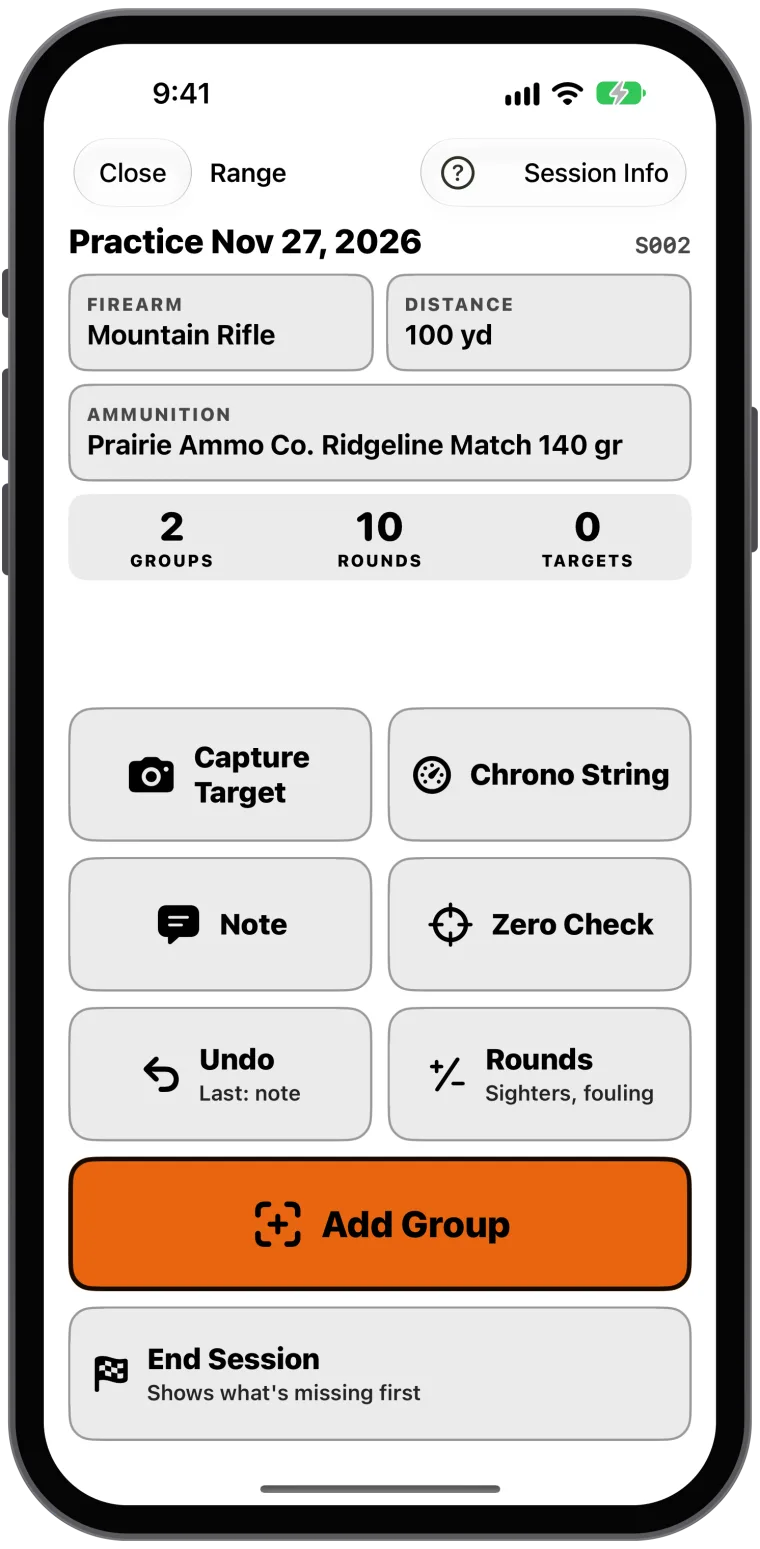
A session records one range day: the firearms you shot, the rounds each fired, the ammunition and lot, where, and the weather. Range Mode (Pro) puts it all on big buttons at the bench; finish the details at home.
Practice, sight-in, zero check, hunting, competition, patterning, recreational, or your own activity.
Works with no signal. Only Fill In Current Weather needs a connection.
Coming soon to the App Store
One firearm free, forever · For iPhone and iPad · Requires iOS 26 or later
Range Mode
Two taps plus the number
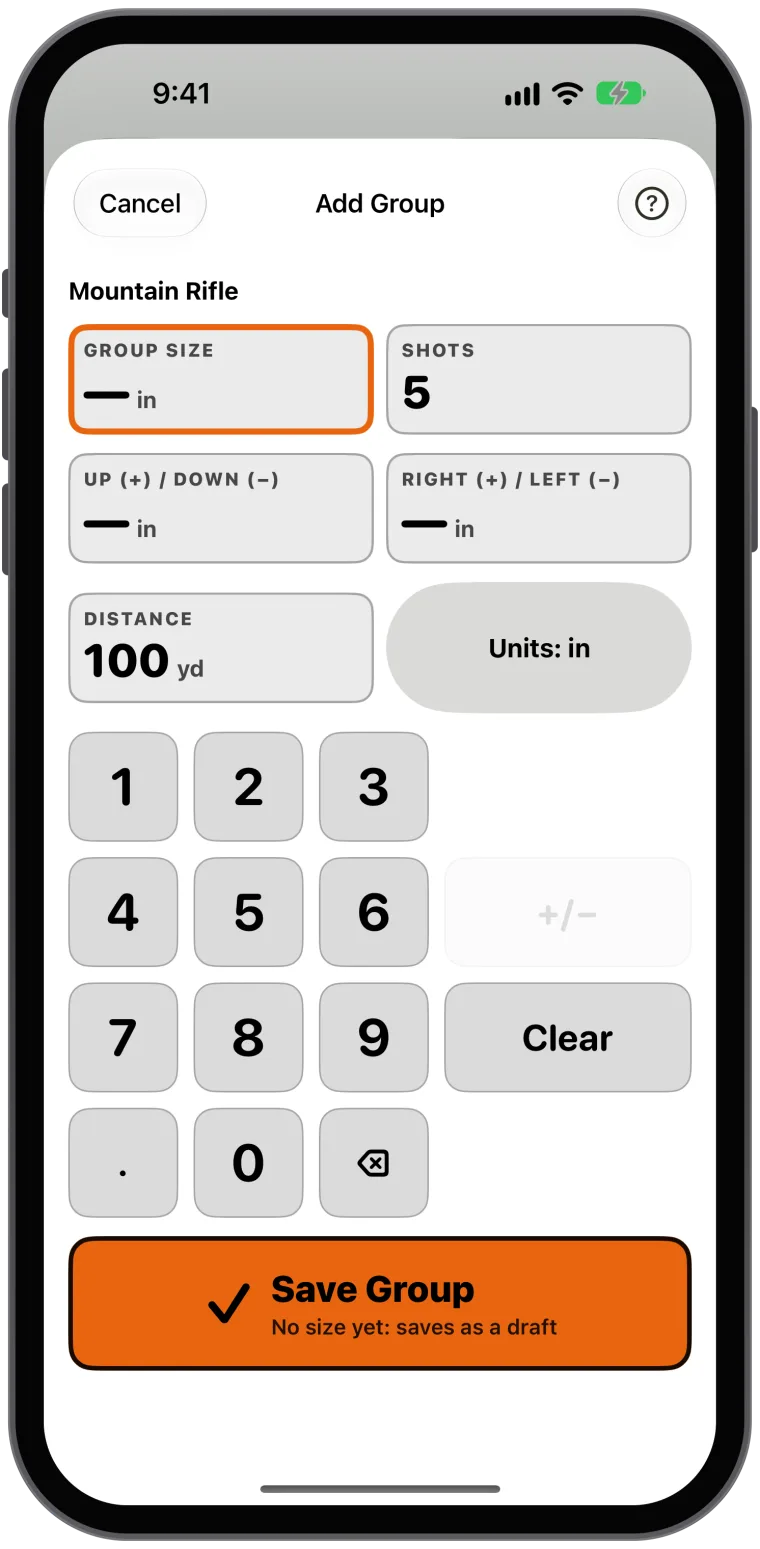
Main buttons about 88 pt tall, a big number pad and every main action in the bottom half for the thumb. Black on white by default, even in dark mode. A haptic tap confirms each save, and the screen stays awake while Range Mode is open.
Add Group: group size, shots, optional up/down and right/left offset, distance and units.
Chrono String: one velocity per shot, with a running average, SD and ES.
Undo steps back through everything added this session, one item at a time.
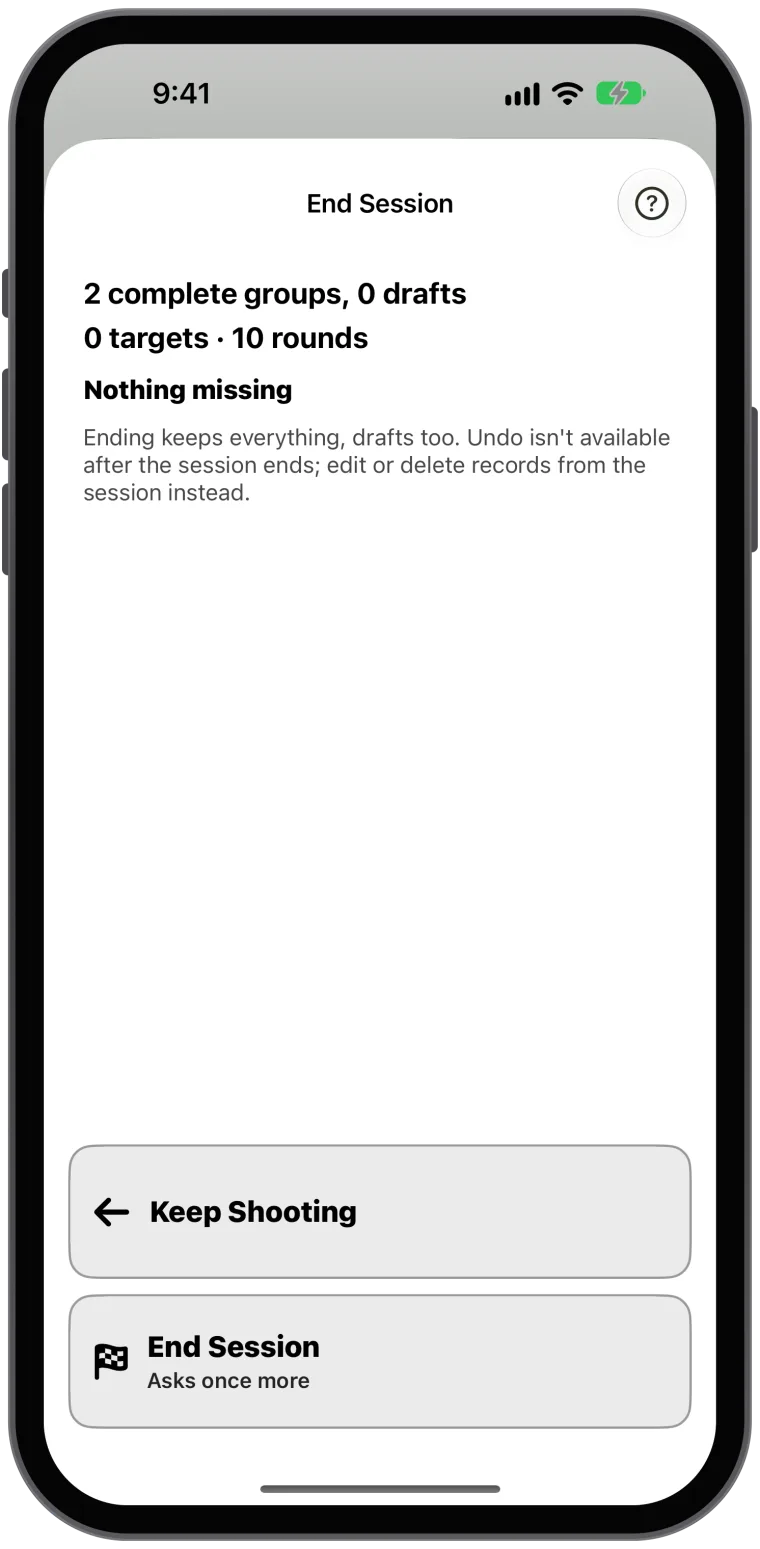
End Session
Rounds counted for you, nothing missed
Group shots, chrono strings, zero check shots and sighters fill each firearm’s rounds fired. End Session shows the counts and anything still missing, like a group with no size, and ends only on a second deliberate tap.
Quick notes in one tap: Called flyer, Cold bore, Wind gust, Malfunction, Sights adjusted, Mirage. Or dictate your own.
Autosaves: nothing is lost on a lock or a call.
Close leaves the session unfinished to resume later.
Log a Session
Log a Session and Quick Entry, free
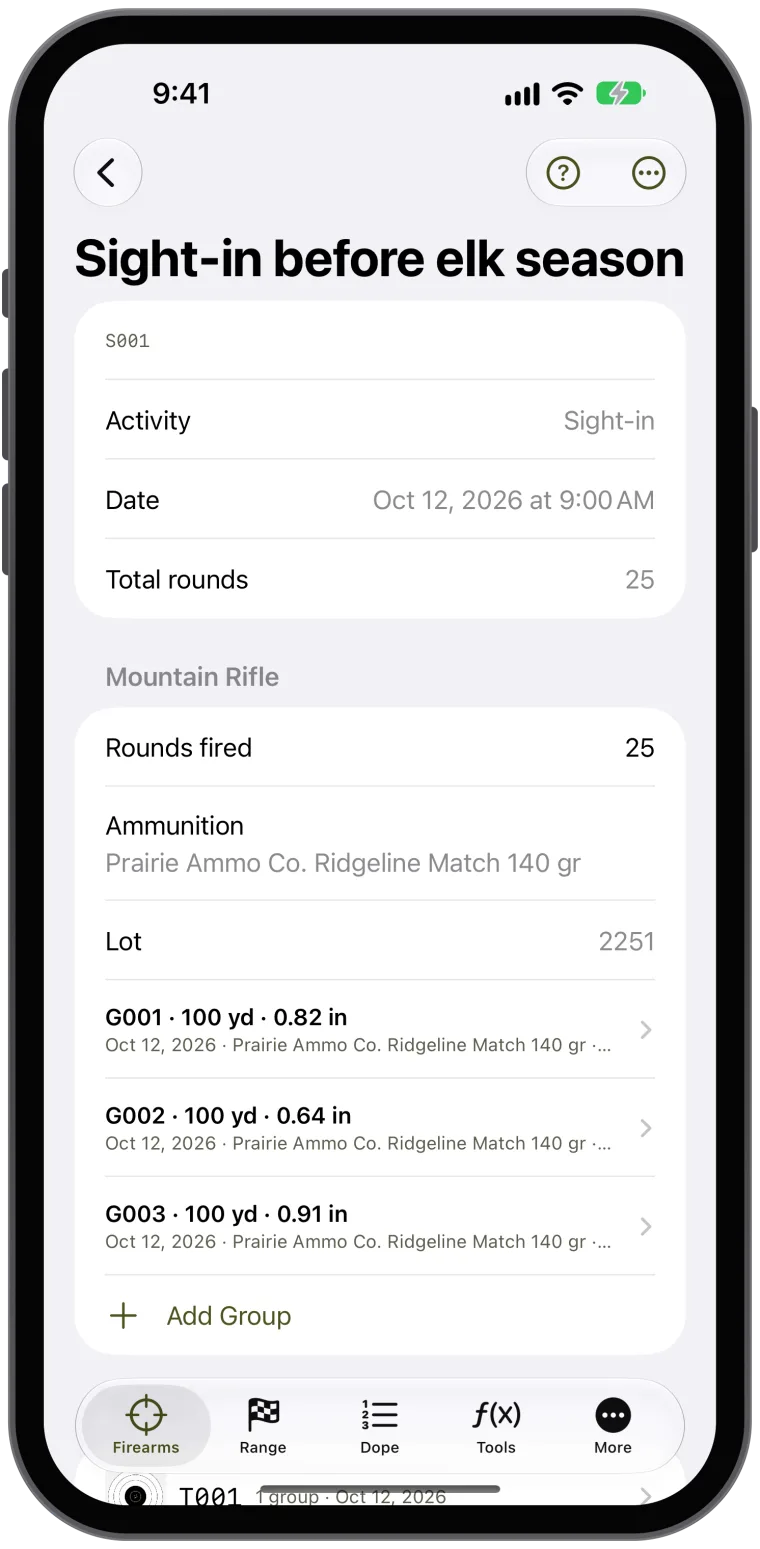
Without Range Mode you log the same records with Log a Session and Quick Entry. Quick Entry starts a group with today, the firearm’s setup and its last distance, ammunition and shots, and saves it as a draft at once.
Weather from Apple Weather in one tap, or typed in; saved with the session and never changed later.
Saved locations for the places you shoot; a map pin only when you tap for one.
Several firearms in one session, each with its own rounds and ammunition.
Step-by-step help
How it works in the app
Tap-by-tap steps from the Help Center. In the app, the ? on each screen opens the article for that screen.
Range Mode
A full-screen page of big, high-contrast buttons for the bench, made for one hand, gloves and bright sun: add groups, capture targets, log chronograph strings, notes, rounds and zero checks, undo anything, and finish the details at home.
Read the steps"Range Mode: add a group"
Record a group at the bench in two taps plus the number, on a big number pad: size, shots, offset from your aim and distance, with the firearm, ammunition and target carried over.
Read the steps"Range Mode: chrono string"
Type each velocity from your chronograph on a big pad and watch the average, SD and extreme spread build as you go; save the string on the last group or on its own.
Read the stepsEnd a session
Finish a Range Mode session: see what you recorded and what's still missing, then end it with two deliberate taps.
Read the stepsLog a session
Write up a range day, hunt or match on the full session form: activity, date, place, each firearm's rounds and ammunition, weather, photos, tags and notes.
Read the stepsQuick Entry
Jot down one group in a few taps without starting a session first, or jump to a firearm's Shooting Diary; the group saves as a draft right away.
Read the stepsFree, with Range Mode in Pro
Unlimited sessions, groups and photos, Log a Session, Quick Entry and saved locations are free. Range Mode (big buttons at the range, finish at home) comes with Gun Diary Pro. See what each plan includes.
Gun Diary keeps the records you enter. It never predicts bullet drop, wind or a trajectory; your dope is what you proved on paper. Always follow safe firearm handling.
Keep exploring
More of what Gun Diary does
Or see every Gun Diary feature on one page.
Confirmed dope and dope cards
The come-ups you proved at each distance, with the proof, printed as a card for the stock, the scope cap or your pocket.
See dope cardsZero Check and the hunt log
A few shots before the season: “Still zeroed”, or the clicks to dial. Log the shot and the harvest after.
See Zero Check27 calculators
Clicks, mil and MOA, mil-ranging, holdover from your dope, hit chance from your own groups and more. No ballistic solver.
See the calculatorsGroups and target photos
Several groups on one target photo, each its own record; measure from the photo or tap every hole with Pro.
See groups and targetsAmmunition and Ammo Comparison
Factory ammo by maker, product and lot, boxes on hand, and which ammo your rifle groups best, from your own groups.
See ammunitionFirearms and The Garage
Each firearm’s status, dated setups, barrels, round counts that add themselves up, cleanings, repairs and paperwork.
See The GarageRecord it at the range, finish it at home
Your range day log on the iPhone in your pocket. One firearm free, forever.
Coming soon to the App Store