
Zero Check and the hunt log
Know it’s still zeroed before the season opens
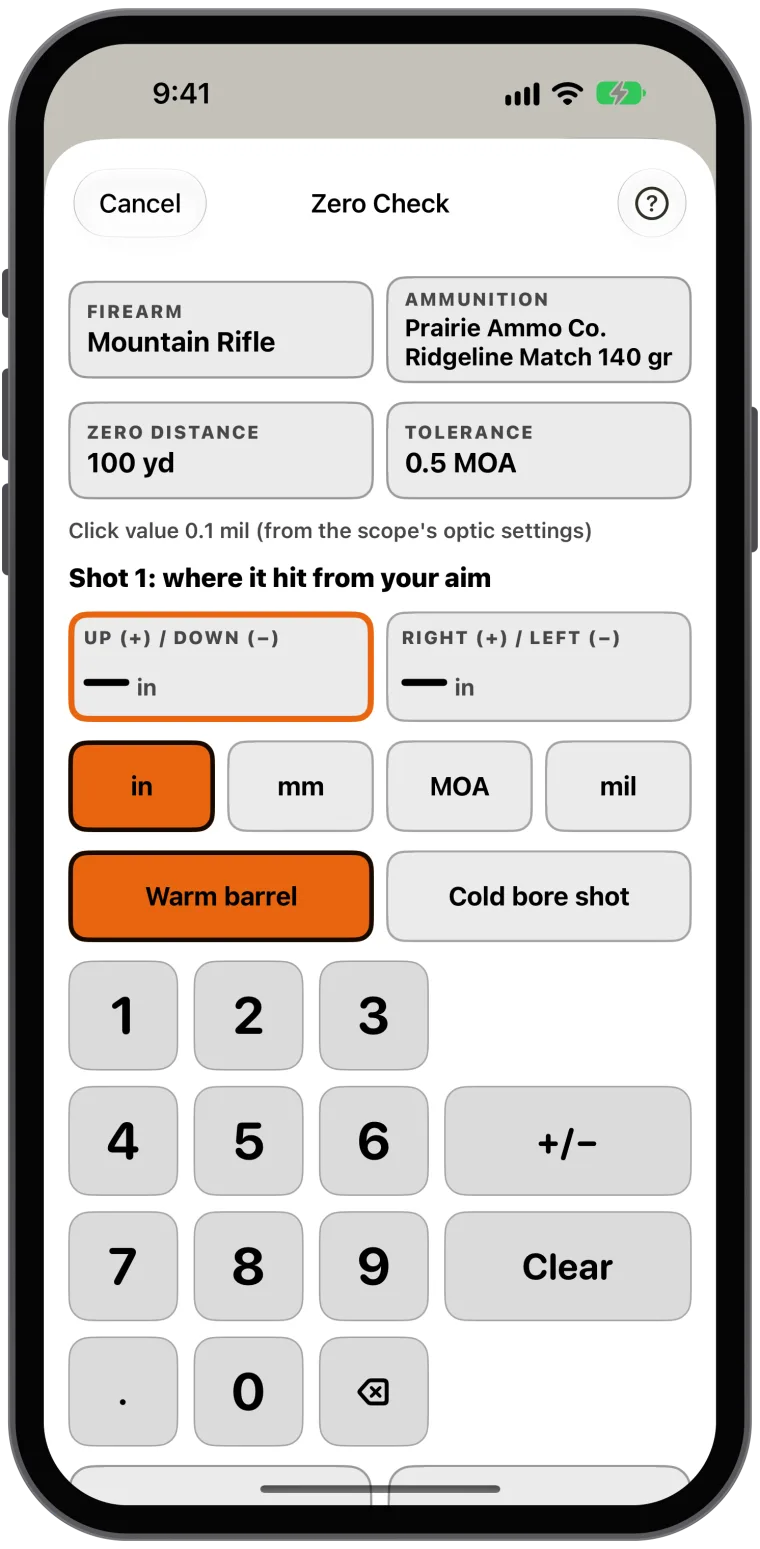
A zero check before hunting takes a few shots: type where each one hit and Zero Check says “Still zeroed” or “Out of tolerance”, with the clicks to dial. After the hunt, the Quick Hunt Log takes a few big taps per shot and the harvest.
The cold bore shot is marked and shown on its own.
Gun Diary isn’t for use during a hunt: Zero Check before, Quick Hunt Log after.
Coming soon to the App Store
One firearm free, forever · For iPhone and iPad · Requires iOS 26 or later
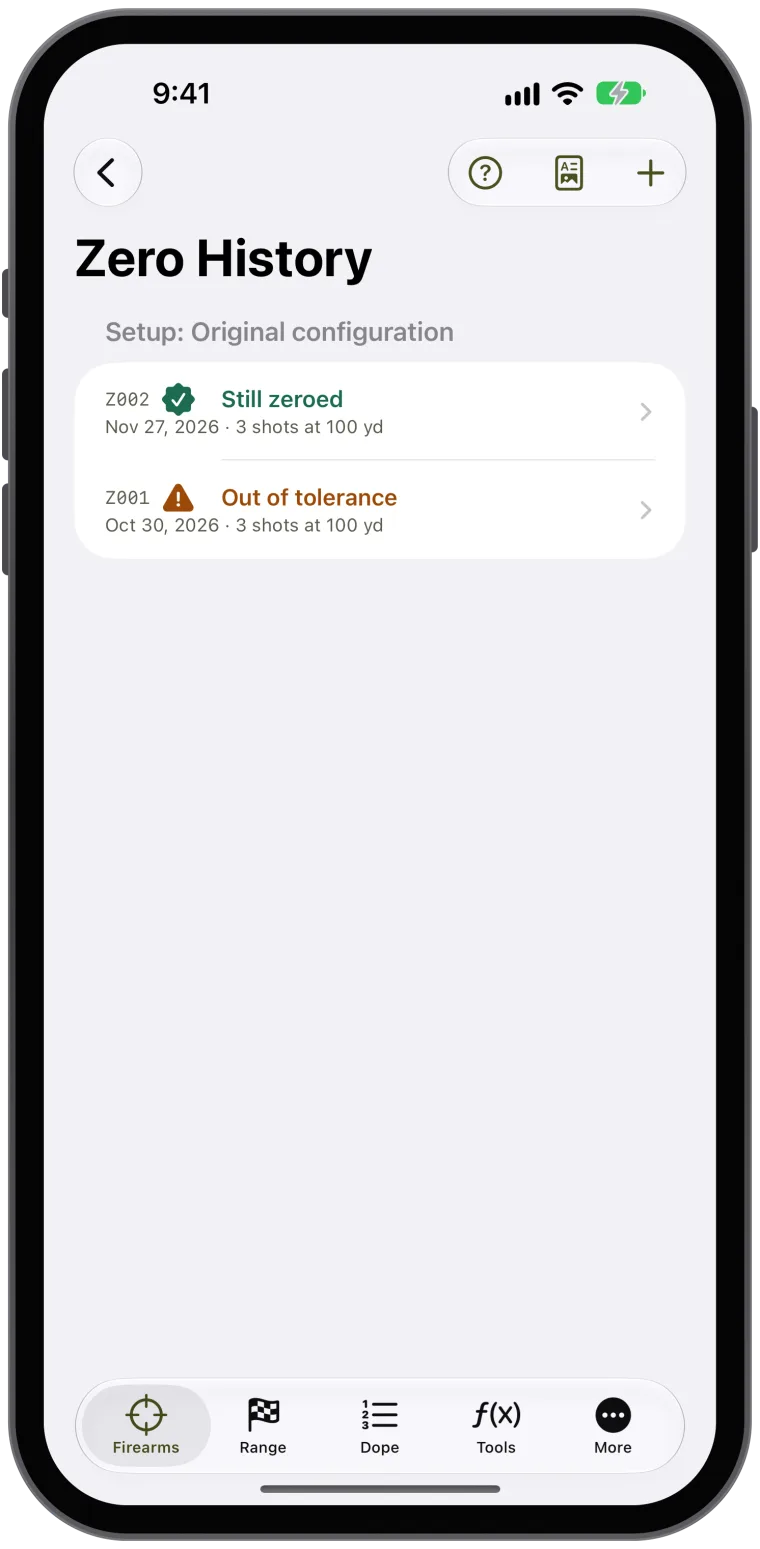
Zero History
A zero record you can look back on
Save Zero Check keeps a zero record on the firearm: each shot, the group center, its distance from your aim in MOA and the clicks (“Down 3 clicks, Left 1 click”). Zero History lists every check, newest first, grouped by setup.
Tolerance set in Settings (0.5 MOA to start), in MOA or mil.
Mark Not adjusted yet or I dialed it.
Up to 10 shots, typed on the big pad, or tapped on a target photo with Pro.
Quick Hunt Log
The shot and the harvest, linked to your dope
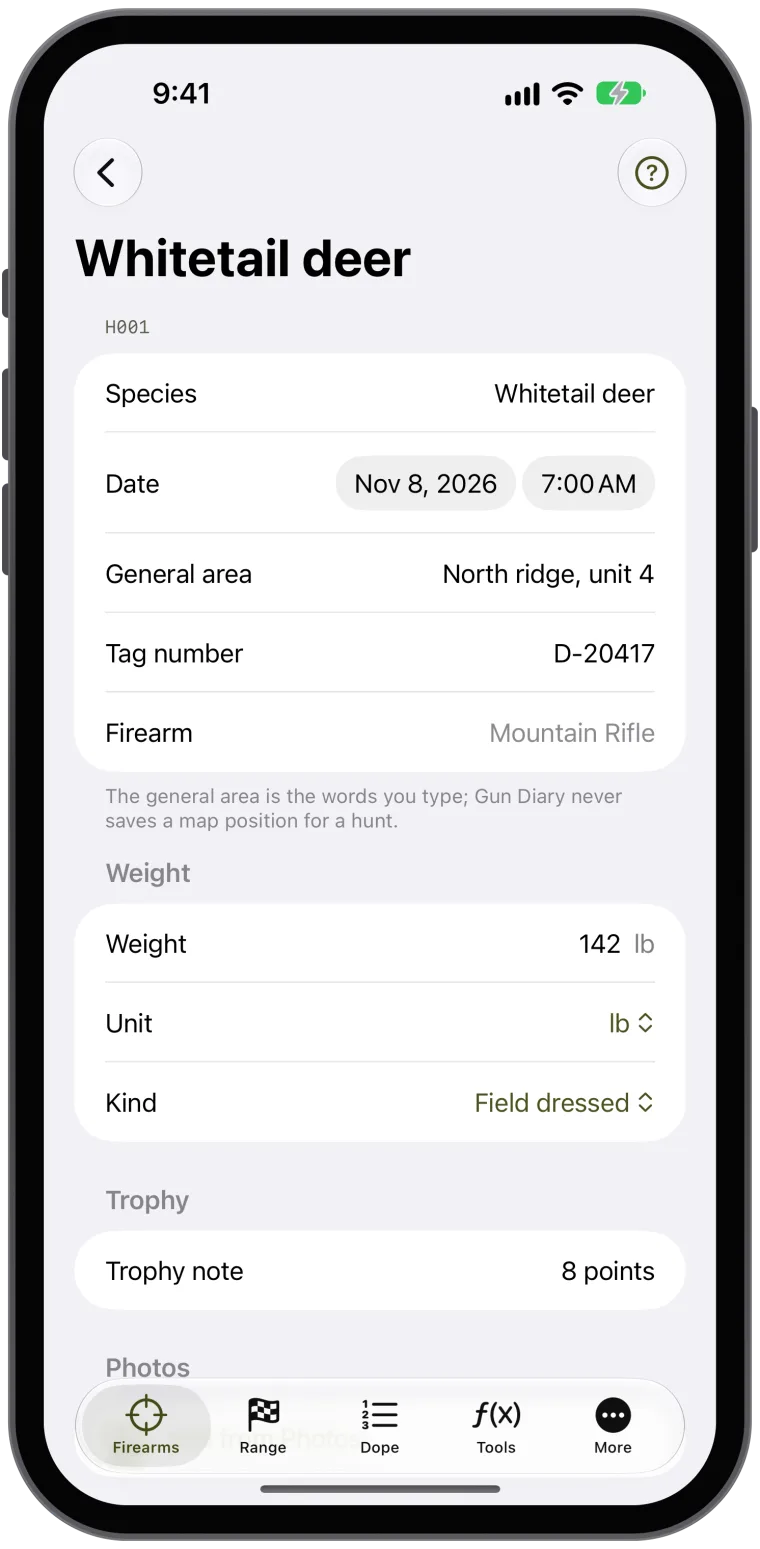
After the hunt, add each shot (hit, miss or not sure, distance, position, follow-up shots, the hold or dope used) and the harvest: species, tag number, weight, a trophy note and photos.
General area in words, never a map position.
Hunt Log per firearm and for all firearms, by season, with a species filter.
The Hunt Log report prints the general area only: a spreadsheet (CSV) free, a PDF with Pro.
Step-by-step help
How it works in the app
Tap-by-tap steps from the Help Center. In the app, the ? on each screen opens the article for that screen.
Zero Check
Fire a few shots at your zero distance, type (or, with Pro, tap on a photo) where each one hit, and see at once whether the rifle is still zeroed or how many clicks to move the sight; the result is saved as the firearm's zero record.
Read the stepsZero history
See every Zero Check a firearm has had, grouped by its setup, and open any zero record for its shots, result, clicks and session; edit, print or delete it.
Read the steps"Calculator #9: Zero and Sight-In Helper"
Type where each shot hit and the helper finds the group's center, says whether you're zeroed within your tolerance, and gives the clicks to dial if not.
Read the stepsQuick Hunt Log
After the hunt, log each shot (result, distance, position, follow-ups and the hold or dope row you used) and the harvest (species, tag number, weight, photos) in a few big taps; it saves a hunting session.
Read the stepsHunt log
Every hunt by season, for one firearm or all of them, with shots and harvests; filter by species, open a harvest to edit its details and photos, and print the hunt log report.
Read the stepsUsing your dope in the field
Go from your dope card to the shot: check your zero first, read the card's rows, dial the clicks or hold with the reticle, and know what to do at a distance between rows.
Read the stepsFree, with photo taps in Pro
Zero Check with typed shots, Zero History, Quick Hunt Log and the hunt log are free. Tapping Zero Check shots on a target photo, and the PDF reports, come with Gun Diary Pro. See what each plan includes.
Gun Diary keeps the records you enter. It never predicts bullet drop, wind or a trajectory; your dope is what you proved on paper. Always follow safe firearm handling.
Keep exploring
More of what Gun Diary does
Or see every Gun Diary feature on one page.
Confirmed dope and dope cards
The come-ups you proved at each distance, with the proof, printed as a card for the stock, the scope cap or your pocket.
See dope cardsRange sessions and Range Mode
Log a range day in seconds; Range Mode gives gloved hands big buttons, a big number pad and Undo.
See Range Mode27 calculators
Clicks, mil and MOA, mil-ranging, holdover from your dope, hit chance from your own groups and more. No ballistic solver.
See the calculatorsGroups and target photos
Several groups on one target photo, each its own record; measure from the photo or tap every hole with Pro.
See groups and targetsAmmunition and Ammo Comparison
Factory ammo by maker, product and lot, boxes on hand, and which ammo your rifle groups best, from your own groups.
See ammunitionFirearms and The Garage
Each firearm’s status, dated setups, barrels, round counts that add themselves up, cleanings, repairs and paperwork.
See The GarageStill zeroed? A few shots tell you
Zero Check and the hunt log are free. One firearm free, forever.
Coming soon to the App Store