
Collection and lost or stolen reports
If the worst happens, the report is ready
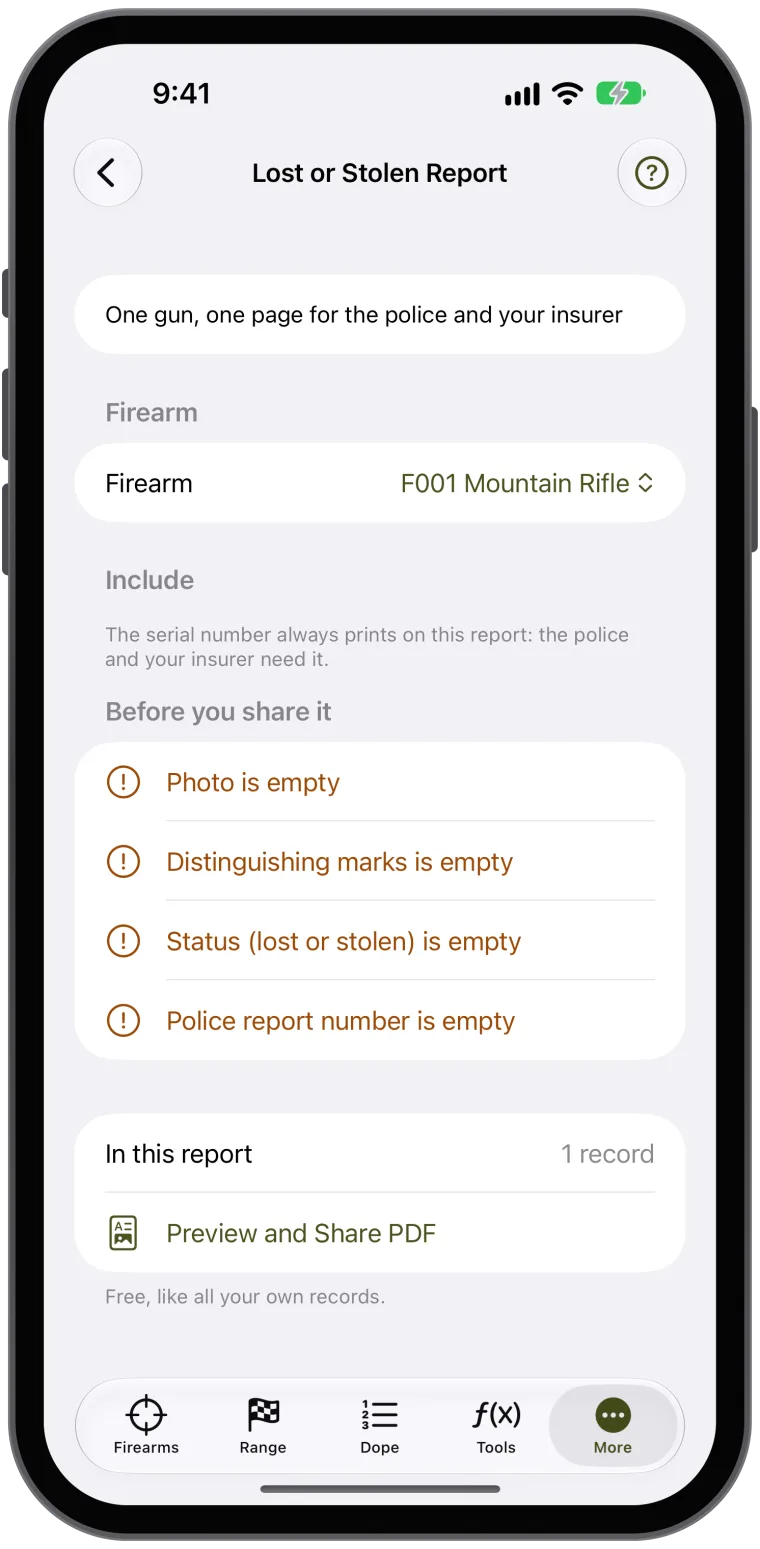
Keep each gun’s serial number, maker, model, finish, distinguishing marks, purchase details, insured value and documents. The collection report is a firearm inventory for insurance, and the lost or stolen report gives the police one page per gun.
The lost or stolen report is free, and a checklist shows what’s still empty before you share it.
Serial numbers print only on the collection and lost or stolen reports unless you switch them on elsewhere.
Coming soon to the App Store
One firearm free, forever · For iPhone and iPad · Requires iOS 26 or later
Collection report
Every gun, for your insurer
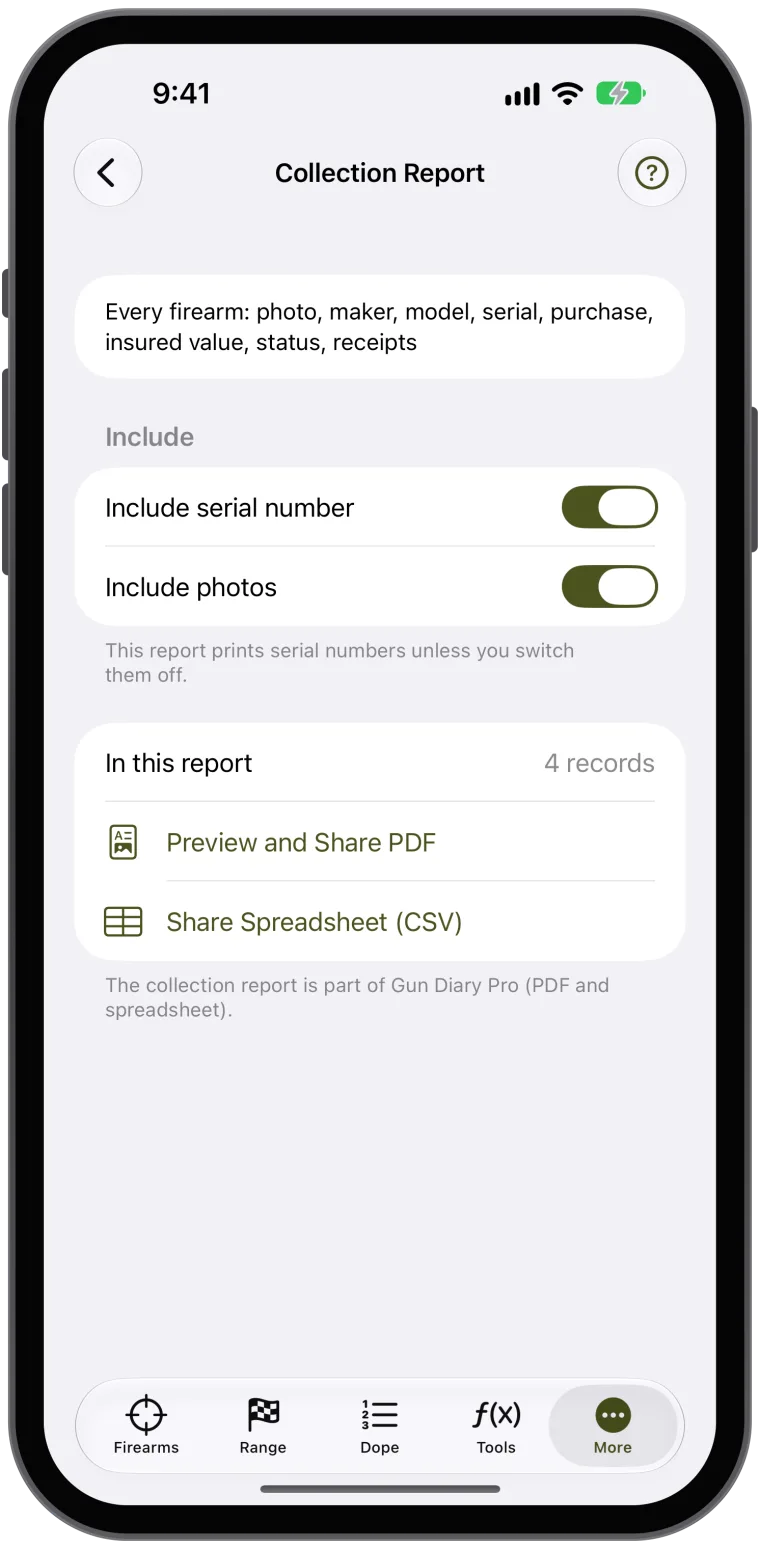
With Pro, the collection report gives a summary table with totals, then a section per firearm with photo, maker, model, serial, purchase details, insured value, status and documents on file, as a PDF or a spreadsheet.
Include serial number and Include photos, both on to start.
Status: active, sold, traded, gifted, lost, stolen or recovered, with dates and police report and insurance claim numbers.
Import a gun list
Bring your gun list from a spreadsheet
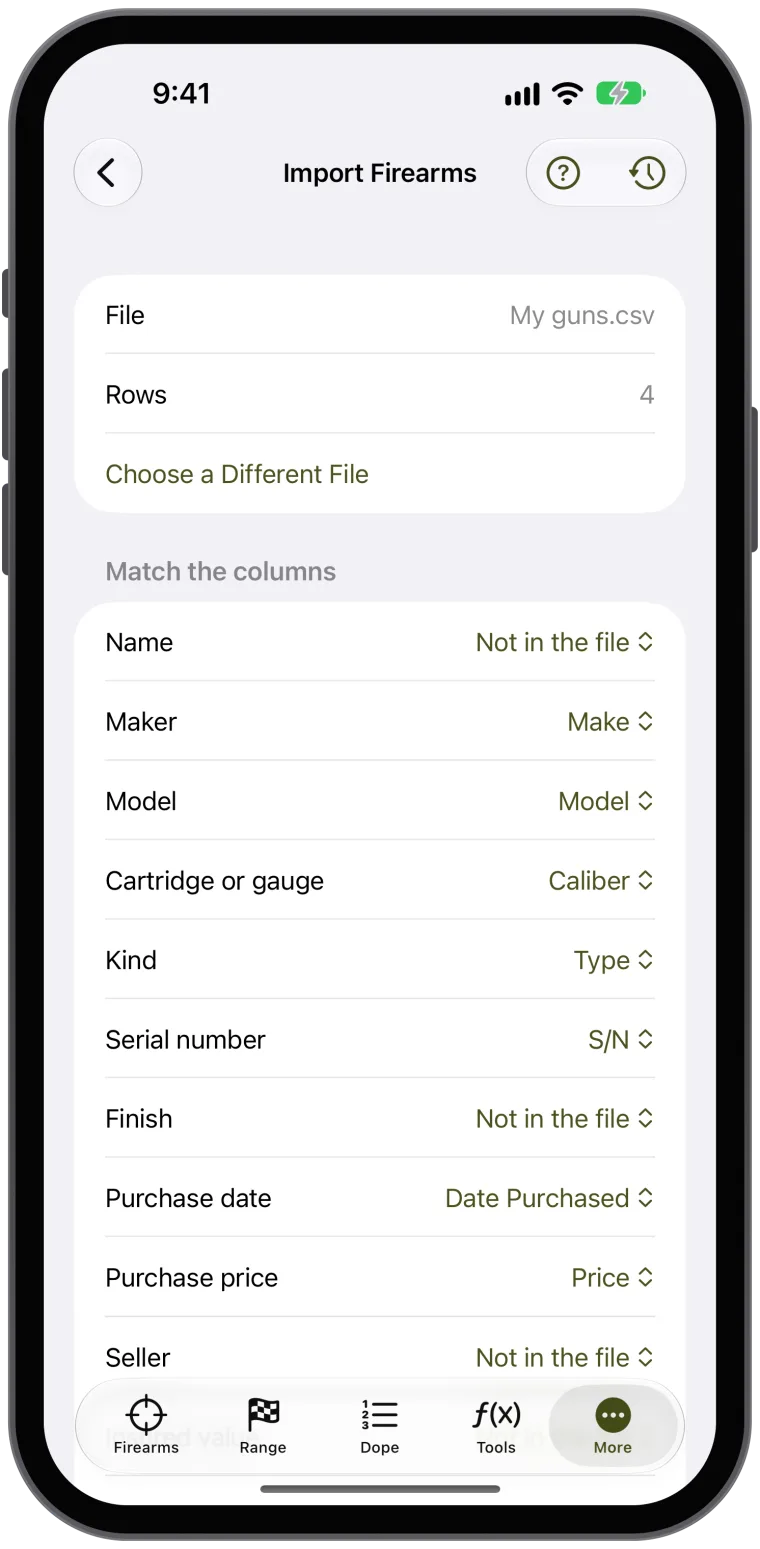
With Pro, choose a CSV file and Gun Diary matches the columns by name (“Serial #”, “S/N”, “Caliber”, “Make” and more). Check the preview and every row with a problem, then import.
Possible duplicates are skipped unless you choose to import them anyway.
Share a Template gives a ready CSV; free users can choose a file and see the preview.
Remove an import’s firearms later, in two steps.
Step-by-step help
How it works in the app
Tap-by-tap steps from the Help Center. In the app, the ? on each screen opens the article for that screen.
Change a firearm's status
Record that a gun was sold, traded, given away, lost, stolen or recovered, with the date, who it went to, the police report and insurance claim numbers, and a note; its records stay in your diary.
Read the stepsLost or stolen report
Make a free one-page report for one firearm, with its serial number, description, photo, police report and claim numbers and purchase details, to hand to the police and your insurer.
Read the stepsCollection report
One document listing every firearm you own, with photo, maker, model, serial number, purchase details, insured value, status and receipts, for your insurer, your records or your estate.
Read the stepsImport a gun list
Bring a whole collection in from a spreadsheet (CSV): get the template, match your columns, check every row in the preview, fix problem rows, skip or keep possible duplicates, import, and remove an import that went wrong.
Read the stepsAdd a firearm
Create a home for a rifle, handgun, shotgun or any other gun with just a name, then add its photo, maker, model, cartridge or gauge, serial number, purchase details and the rounds it fired before this diary whenever you like.
Read the stepsFirearm documents
Keep a firearm's paperwork with it: attach receipts, owner's manuals, warranties, insurance papers, appraisals and scanned notes as PDF, image or text files, open them any time, and find them again in the Reference Library.
Read the stepsFree, with the collection report in Pro
Firearm status and the lost or stolen report (PDF) are free. The collection report (PDF and spreadsheet), Import a Gun List from a spreadsheet and unlimited firearms come with Gun Diary Pro. See what each plan includes.
Gun Diary keeps the records you enter. It never predicts bullet drop, wind or a trajectory; your dope is what you proved on paper. Always follow safe firearm handling.
Keep exploring
More of what Gun Diary does
Or see every Gun Diary feature on one page.
Confirmed dope and dope cards
The come-ups you proved at each distance, with the proof, printed as a card for the stock, the scope cap or your pocket.
See dope cardsRange sessions and Range Mode
Log a range day in seconds; Range Mode gives gloved hands big buttons, a big number pad and Undo.
See Range ModeZero Check and the hunt log
A few shots before the season: “Still zeroed”, or the clicks to dial. Log the shot and the harvest after.
See Zero Check27 calculators
Clicks, mil and MOA, mil-ranging, holdover from your dope, hit chance from your own groups and more. No ballistic solver.
See the calculatorsGroups and target photos
Several groups on one target photo, each its own record; measure from the photo or tap every hole with Pro.
See groups and targetsAmmunition and Ammo Comparison
Factory ammo by maker, product and lot, boxes on hand, and which ammo your rifle groups best, from your own groups.
See ammunitionReady before you need it
Serial numbers, photos and paperwork in one place. One firearm free.
Coming soon to the App Store