
"Calculator #15: Lead for Moving Targets"
See how far ahead of a walking or running target to hold, from its speed and the bullet's time of flight, in inches, mil and MOA.
Lead for Moving Targets (calculator #15) shows how far in front of a moving target the bullet must be aimed: the target’s speed times the bullet’s time of flight, times how directly the target crosses your line of sight. You get the lead in inches and as an angle (mil and MOA) for holding in the reticle. It’s an estimate, marked est., and when Gun Diary has to work out the time of flight for you, the result is marked “at least” because the real lead is bigger.
Steps
- Tap the Tools tab. Under Angles and movement, tap Lead for Moving Targets.
-
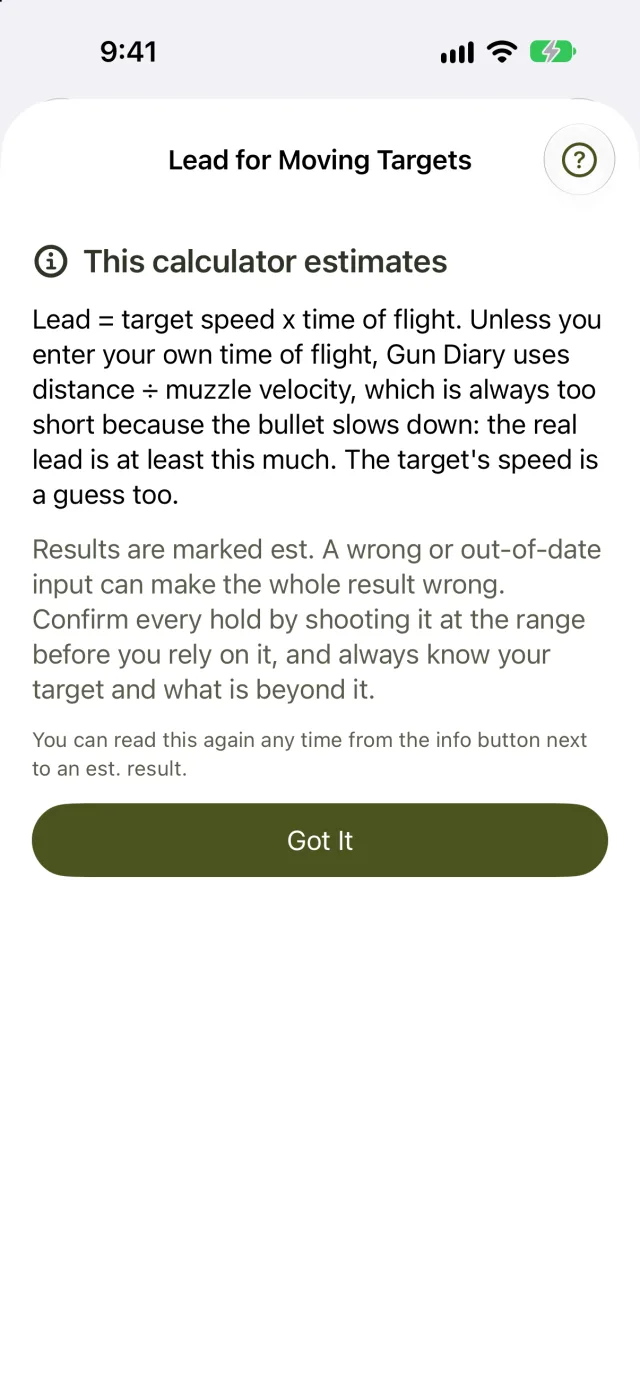
The first time, a note titled This calculator estimates explains the assumptions. Read it and tap Got It. It’s also in About estimates.
-
In The target, pick a Preset (a speed, like Walk, 3 mph) or type the Target speed in mph. Pick the Direction the target is moving across your view. The angle is between the target’s path and your line of sight: 90° is straight across (Full), 45° is quartering, 30° is mostly toward or away from you (Half).
- In Time of flight, type the Distance and pick the Distance unit.
-
If you have your own time of flight for that distance (from your notes or a chart you trust), type it in Your time of flight (seconds). If not, leave it blank and type your Muzzle velocity (measured) in fps, ideally from your own chronograph.
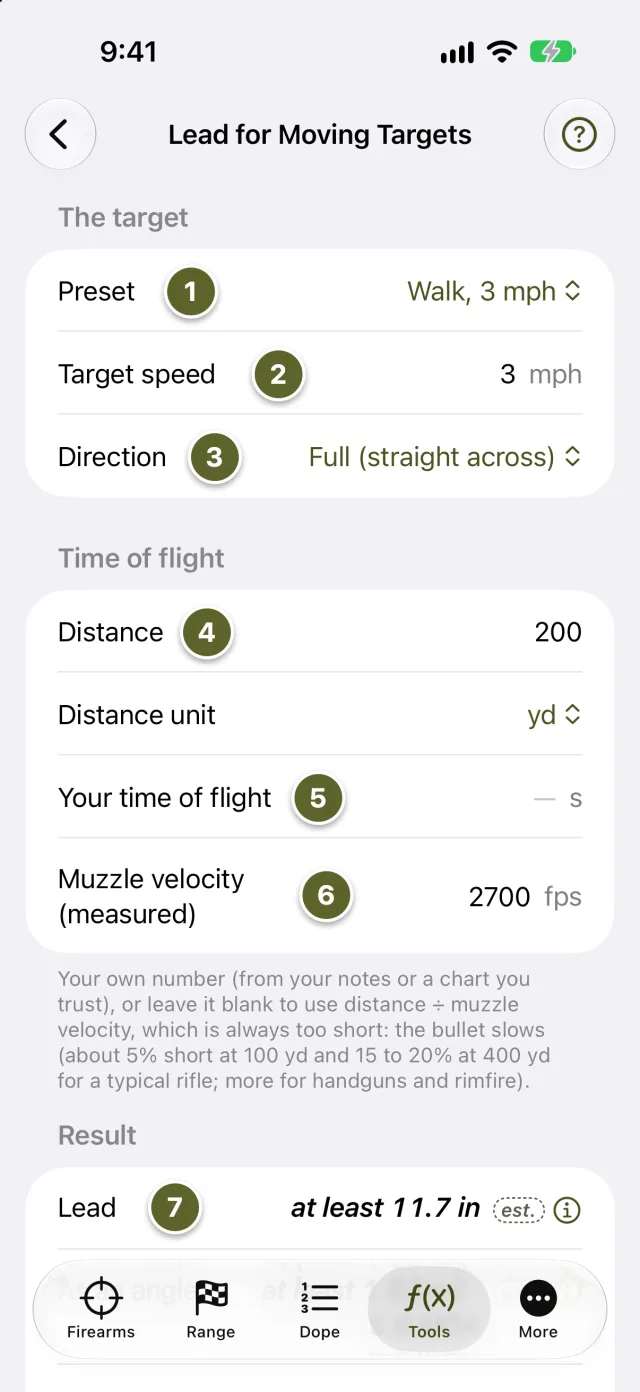
Numbers on the picture: 1 Preset, 2 Target speed, 3 Direction, 4 Distance, 5 Your time of flight, 6 Muzzle velocity (measured), 7 the Lead result.
-
Scroll to Result: Lead (inches), As an angle (mil and MOA) and Time of flight used.
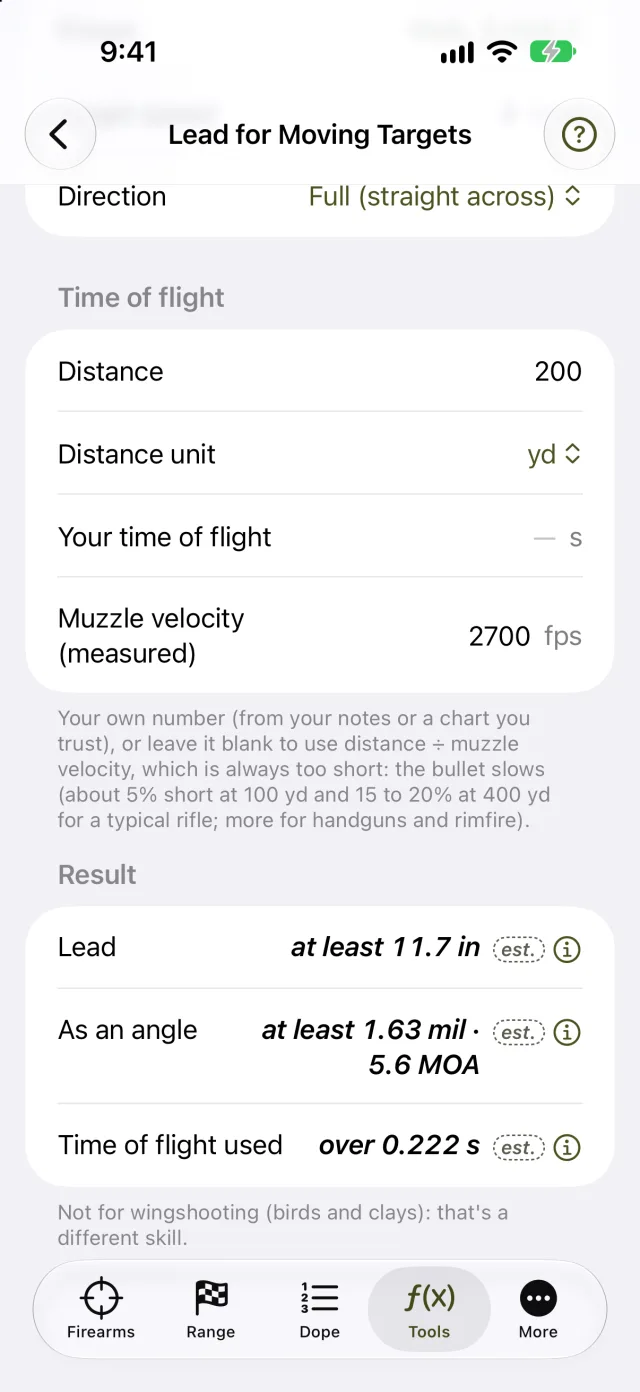
Nothing is saved; change any number and the result changes at once.
Why it’s useful
A bullet takes a measurable fraction of a second to arrive, and a walking animal or a moving target keeps going in that time. Holding dead center on a mover is a common reason for a hit too far back or a clean miss. This calculator turns that into a number you can practice with and remember.
Who uses it, and how:
- Hunters: see how much lead a walking deer or a trotting hog needs at your usual distances, so you know when a shot is reasonable and when it’s better to wait for the animal to stop.
- Predator and hog hunters: animals that rarely stand still; the presets by speed give a quick feel for the numbers.
- Moving-target shooters and competitors: stages with movers need a hold in mil or MOA; As an angle gives it in your reticle’s units.
- Long-range shooters: the time of flight at distance makes even a slow walk a big lead; working through it shows why.
- New shooters: it shows plainly that lead depends on distance, bullet speed and the target’s direction, not just on the target.
Once a lead hold works at the range, record it as a proven hold on your dope table.
What each option means
What it assumes (the one-time note): lead = target speed x time of flight. Unless you enter your own time of flight, Gun Diary uses distance ÷ muzzle velocity, which is always too short because the bullet slows down: the real lead is at least this much. The footnote gives the size of the error: about 5% short at 100 yd and 15 to 20% at 400 yd for a typical rifle, more for handguns and rimfire. Gun Diary never works out how the bullet slows (that would need a ballistic solver, which the app doesn’t have).
It’s not for wingshooting (birds and clays): that’s a different skill, as the footnote says.
Example
- Open the calculator: it starts with Walk, 3 mph, Full (straight across), 200 yd and 2700 fps. Lead shows at least 11.7 in est., and Time of flight used over 0.222 s (600 ft ÷ 2700 fps).
- Change Distance to 300. The lead becomes at least 17.6 in (at least 1.63 mil · 5.6 MOA), from a time of over 0.333 s. This is the app’s tested example.
- Your notes say the real time of flight of your load at 300 yd is 0.4 s. Type 0.4 in Your time of flight: the lead becomes 21.1 in, no longer “at least”. Switch Direction to Half (30°) and it halves to 10.6 in.
- A trotting hog quartering at 200 yd: Trot, 8 mph, Quartering (45°), 200 yd, 2700 fps gives at least 22.1 in (at least 3.07 mil · 10.6 MOA). That’s a lot of lead; many hunters would wait.
Tips
- Use your own time of flight when you have it. It removes the “at least”. It can come from your notes or a chart you trust; Gun Diary doesn’t predict one.
- Measure your velocity. A chronograph number beats the box. See Velocity Statistics.
- Think in your reticle. As an angle in mil or MOA is what you actually hold. Learn which reticle mark is your “walking” lead at your usual distance.
- Practice on a mover. A lead that worked on a moving target is worth more than any calculation; save it as a proven hold.
- Speeds are rough. An animal’s speed is a guess; use the result to judge whether a shot is reasonable, not as a precise aiming point.
What it affects
Nothing. The calculator saves nothing and changes no records. Lead holds you prove go in a dope table’s holds yourself; see Proven holds.
If something goes wrong
- “Type the speed, and a time of flight or the distance and velocity.” Fill in Target speed, and either Your time of flight or both Distance and Muzzle velocity (measured).
- The muzzle velocity row disappeared. You typed Your time of flight. Clear it to bring the velocity back.
- The Preset shows Typed. You typed a speed that isn’t a preset. Pick a preset to go back to one.
- As an angle is missing. It needs a Distance; with only your own time of flight, the lead shows in inches only.
- The lead seems small compared to experience. Without your own time of flight it’s always short (“at least”); the real lead is bigger, more so at long range and with slow bullets.
Related
- Next: Energy, Momentum, Power Factor.
- About estimates.
- Proven holds: save a lead that worked.
- Scaled Wind Holds, Velocity Statistics, Mil and MOA.
- The Tools tab.
- Words used here: lead, time of flight, muzzle velocity, hold, mil, MOA, chronograph.
Gun Diary keeps records you enter and does arithmetic on them. It never predicts a trajectory; confirm every hold by shooting it at the range, and always know your target and what is beyond it.
Still stuck? In the app, open More > Help > Contact Support, or More > Settings > Support, which also has Send Error Log (the error log helps us find the problem), or email contact@setriksoftware.com. You can also browse the Help Center or the messages the app can show.