
"Calculator #19: Re-Zero Shift"
See what every proven come-up on a dope table becomes if you move your zero to a new distance, before you go to the range to confirm it.
Re-Zero Shift (calculator #19) answers “if I zero this rifle at a different distance, what will my come-ups be?” It takes the proven come-ups on a dope table and subtracts the come-up at the new zero distance from each one. For come-ups you dial on the same scope that’s exact arithmetic, not a prediction. You still confirm the new zero at the range.
Steps
- Open it one of two ways:
- Tools tab > under Sight-in and zero, tap Re-Zero Shift; or
- Dope tab > a dope table > Calculators for This Table > Re-Zero Shift. The table is picked for you.
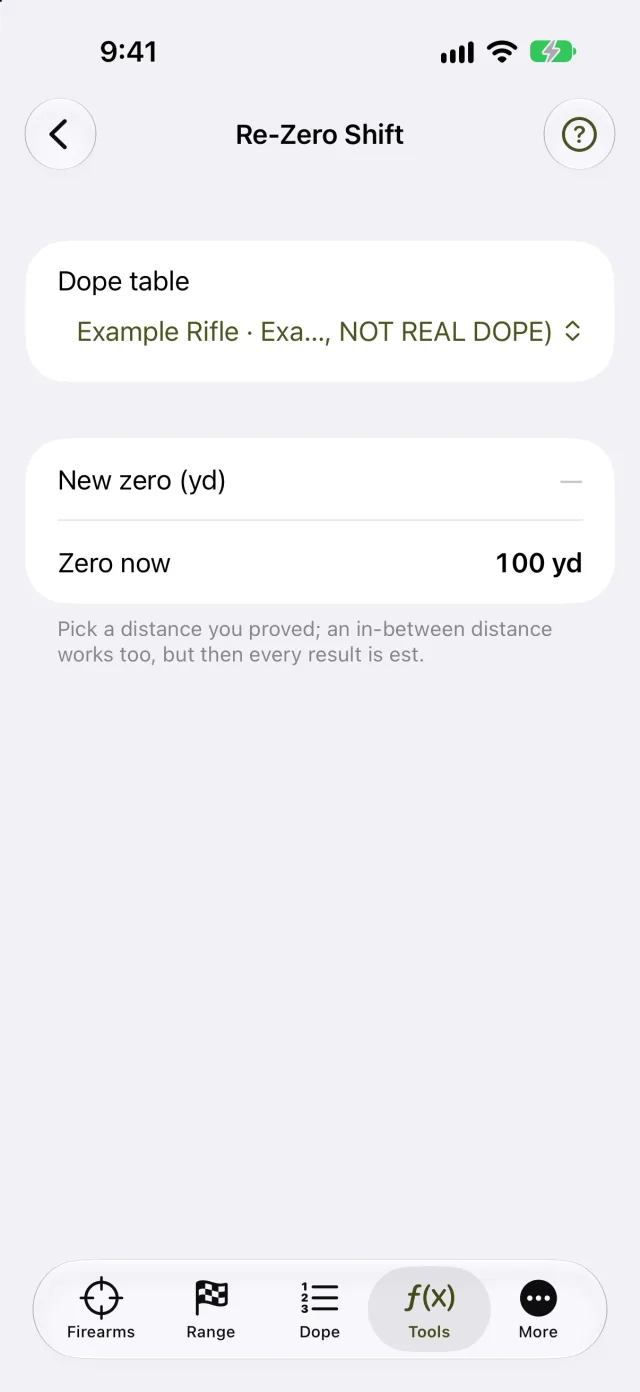
- Check the Dope table at the top. Tap it to pick another. Opened from the Tools tab, it starts on your first current-setup table (your own before the Example). Tables for an earlier setup show “(earlier setup)” after their name.
-
Zero now shows the table’s current zero distance. Type the New zero distance (in the table’s unit, like New zero (yd)).
-
Come-ups after the re-zero lists each proven distance with its new come-up. The footnote says how much was taken off: “Each proven come-up less the 1 mil at 200 yd.”
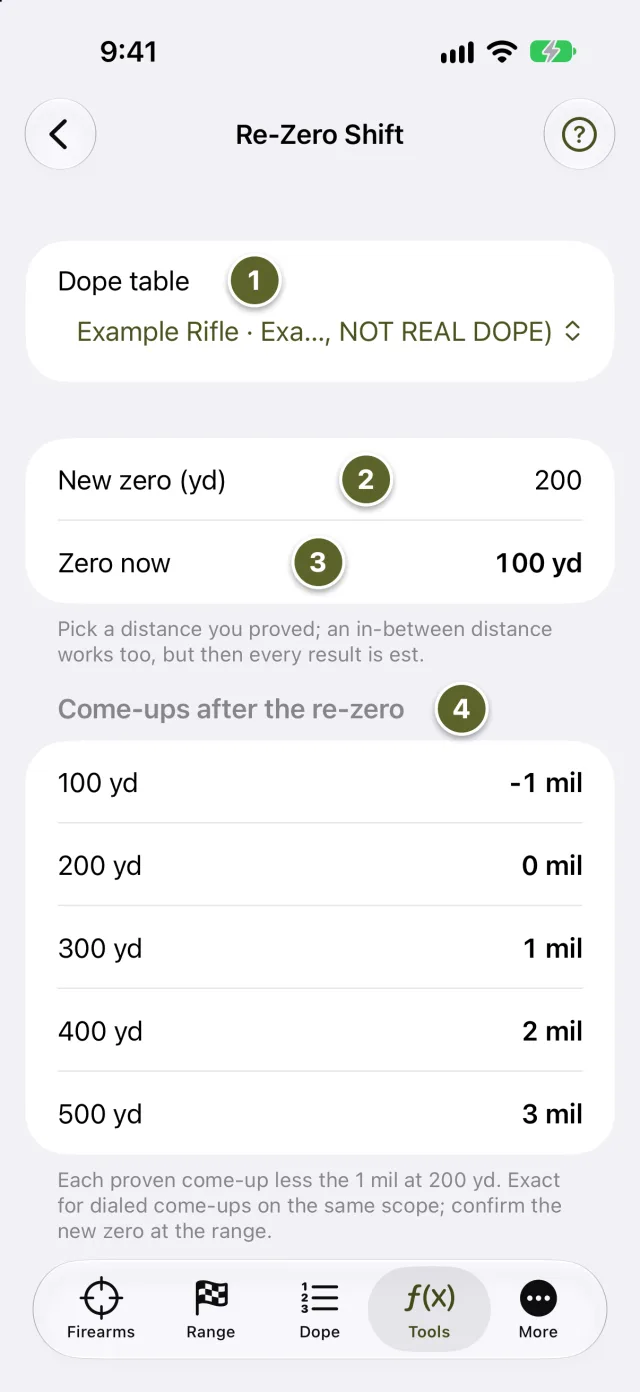
Numbers on the picture: 1 Dope table, 2 New zero (yd), 3 Zero now, 4 Come-ups after the re-zero.
-
If you go ahead, re-zero the rifle at the range, confirm each distance you shoot, and record the proven rows on a new or updated table.
Nothing here is saved; your dope table is not changed.
Why it’s useful
Many shooters change their zero distance at some point: a hunter moves from a 100 yd zero to 200 so a center hold works farther out, or a long-range shooter moves to a 100 m zero when changing ranges. Every come-up on the card then changes. This calculator shows the new numbers from the dope you already proved, so you know what to expect before you spend ammunition.
Who uses it, and how:
- Hunters: see how a 200 yd zero changes the come-ups (and how much the closer distances now need to dial down). Pair it with Hold-On Distances to see where a center hold stays on target.
- Long-range and PRS shooters: plan a zero change and check, with Elevation Left, that the scope still has the travel for the far rows.
- Shooters moving between yard and meter ranges: see what a zero at a different distance means for the table.
- New shooters: it makes clear that a come-up is always measured from the zero: change the zero and every number shifts by the same amount.
What each option means
How it works: new come-up = old come-up – come-up at the new zero distance. If the new zero is a proven row, every result is exact for dialed come-ups on the same scope. If it falls between two proven rows (at most 200 yd or 200 m apart), the come-up there is an in-between estimate (see In-Between Rows calculator), so every result is marked est. (the note under New zero says so: “an in-between distance works too, but then every result is est.”). Only proven rows are shifted; in-between rows aren’t listed.
Example
On the Example table (100 yd: 0, 200 yd: 1, 300 yd: 2, 400 yd: 3, 500 yd: 4 mil; zero 100 yd):
- Type 200 in New zero (yd).
- Come-ups after the re-zero shows 100 yd: -1 mil, 200 yd: 0 mil, 300 yd: 1 mil, 400 yd: 2 mil, 500 yd: 3 mil. At 100 yd you’d dial down 1 mil.
Your own Mountain Rifle table with 100 yd: 0, 200 yd: 0.5, 300 yd: 1.4 mil (the app’s tested example):
- New zero (yd) 200 gives -0.5, 0, 0.9 mil. Exact, no est.
- New zero (yd) 150 (between two proven rows 100 yd apart): the come-up there is 0.25 mil est., so the rows become -0.25, 0.25, 1.15 mil, each marked est.
- New zero (yd) 400 (past your last proven row): “No proven or in-between value at 400 yd on this table.” Gun Diary never estimates past your last proven distance.
Tips
- Choose a new zero you proved. Then the shift is exact, not an estimate.
- Check the far end. After a re-zero, the far rows need less dialing, so a scope near the end of its travel may now reach farther: check with Elevation Left.
- Confirm, then record. After re-zeroing, shoot a Zero Check and prove a few distances before you trust the shifted numbers on a card.
- Holds in the reticle shift the same way on a first focal plane scope; on second focal plane, holds depend on the magnification (see Holdover from Your Dope).
What it affects
Nothing. The dope table, its zero distance and its rows stay as they are. If you re-zero, update the table’s zero and add the proven rows yourself on the dope table; a new zero is also worth a new entry in Zero history.
If something goes wrong
- “Pick a dope table above. Tables are on the Dope tab.” There’s no table picked, or you have none. Make one on the Dope tab first.
- “No proven or in-between value at 400 yd on this table.” The new zero is past your first or last proven row, or between two rows more than 200 apart. Pick a distance you proved, or prove one nearby.
- Every result says est. The new zero isn’t a proven row, so its come-up was estimated. Pick a proven distance for an exact shift.
- A result is negative. That distance is closer than the new zero: you’d dial down that much. That’s correct.
- My table isn’t in the list. Archived tables and tables in Recently Deleted aren’t listed.
Related
- Next: Scaled Wind Holds.
- A dope table, Zero Check, Zero history, Earlier setup.
- In-Between Rows calculator, Elevation Left, Hold-On Distances.
- About estimates, What confirmed dope is, The Tools tab.
- Learning path: Building your dope card.
- Words used here: come-up, zero, dope, in-between row, mil.
Gun Diary keeps records you enter and does arithmetic on them. It never predicts a trajectory; confirm every hold by shooting it at the range, and always know your target and what is beyond it.
Guides on this topic
Still stuck? In the app, open More > Help > Contact Support, or More > Settings > Support, which also has Send Error Log (the error log helps us find the problem), or email contact@setriksoftware.com. You can also browse the Help Center or the messages the app can show.