
"Calculator #14: Uphill, Downhill and Cant"
Work out which distance's dope to use for an uphill or downhill shot, and how far a tilted rifle moves the shot sideways and down.
Uphill, Downhill and Cant (calculator #14) does two small jobs for shots that aren’t on flat ground or aren’t fired with a level rifle. The top half turns the distance your rangefinder shows along a slope into the distance whose dope you should use (the “rifleman’s rule“). The bottom half shows how much a tilted (canted) rifle pushes a dialed come-up sideways and down. Both results are estimates, marked est.
Steps
- Tap the Tools tab. Under Angles and movement, tap Uphill, Downhill and Cant. (Or type “cant” in Search calculators.)
-
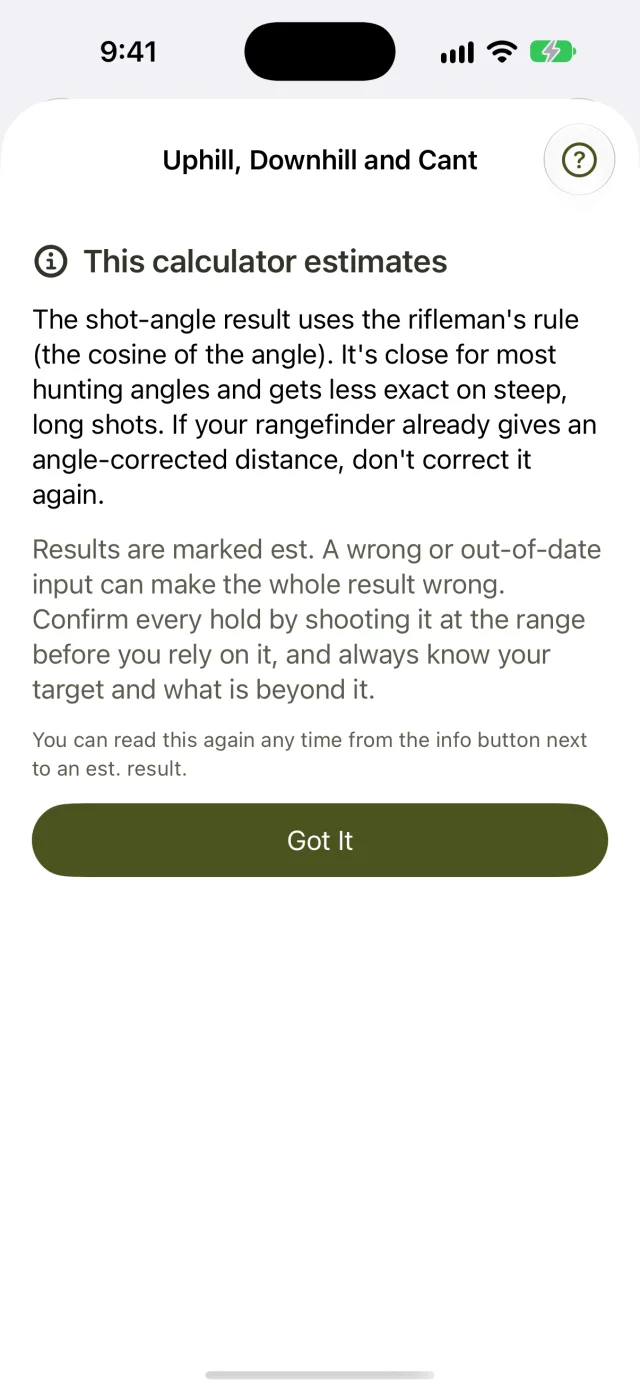
The first time you open it, a note titled This calculator estimates explains what the results assume. Read it and tap Got It. It doesn’t show again; the same wording is in About estimates.
-
In Uphill or downhill, type the Line-of-sight distance (what the rangefinder or map says along the slope) and the Shot angle (°, up or down). Shoot it as shows the distance to use from your dope table.
-
In Cant (rifle tilted), type the Come-up dialed, pick its Unit (mil or MOA) and type the Cant (°): positive when the rifle leans right, negative (with the minus key) when it leans left. Moves sideways and Hits lower by show the effect.
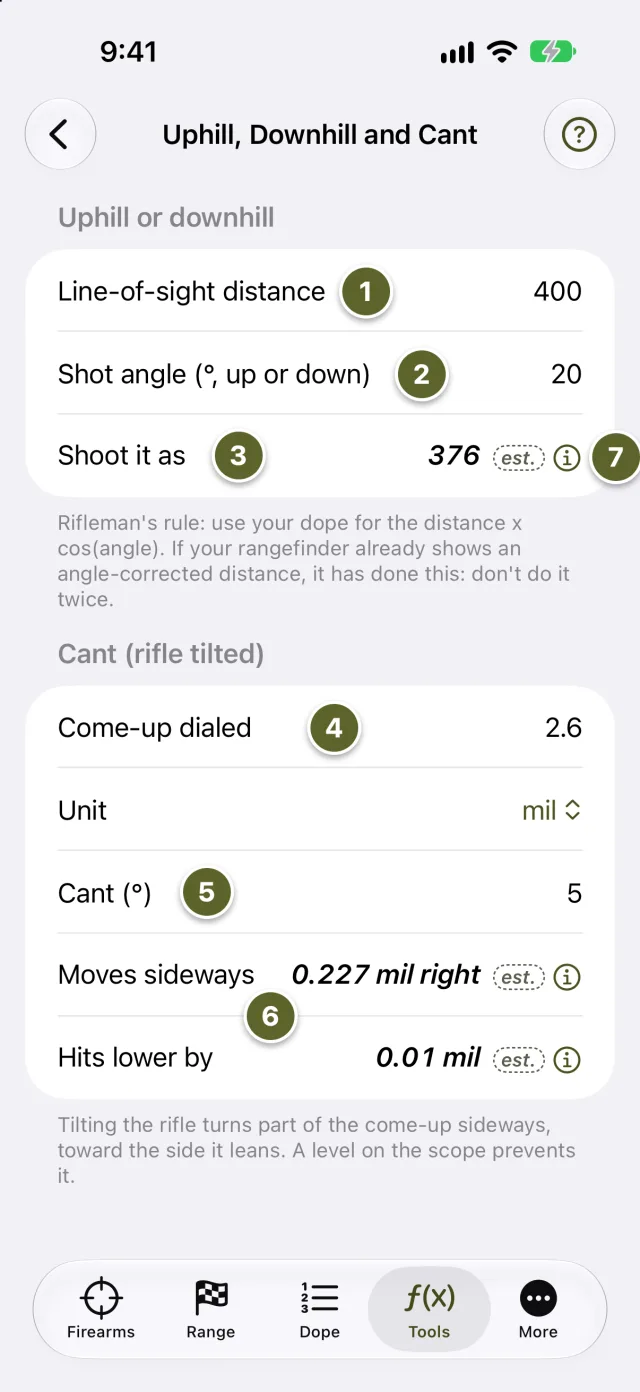
Numbers on the picture: 1 Line-of-sight distance, 2 Shot angle (°, up or down), 3 Shoot it as, 4 Come-up dialed, 5 Cant (°), 6 Moves sideways and Hits lower by, 7 the info button next to est.
-
Tap the info button next to any est. to read About estimates. Tap the ? at the top for this article.
Nothing on this screen is saved: it’s a scratch pad. Change a number and the results change at once.
Why it’s useful
Gravity only pulls a bullet down over the horizontal part of the distance. On a steep uphill or downhill shot, the line of sight is longer than the flat distance, so using the dope for the line-of-sight distance makes the shot go high. The rifleman’s rule is the classic correction: use the dope for the distance times the cosine of the angle.
Who uses it, and how:
- Mountain and western hunters: a sheep or elk across a canyon at a steep angle. Check the corrected distance before the season, at home, for the angles you expect, and write a few on your dope card.
- Tree-stand and hillside hunters: at short distances the correction is tiny; the calculator shows you that it is, so you can stop worrying about it.
- Long-range and competition shooters: cant is a quiet cause of misses at distance. The cant half shows why a scope level matters: the more you dial, the more a small tilt throws the shot sideways.
- New shooters: it’s an easy way to see what “cant” and “shot angle” really do, with your own numbers.
- Anyone with an angle-compensating rangefinder: the footnote reminds you not to correct twice.
What each option means
What it assumes (from the one-time note): the shot-angle result uses the rifleman’s rule. It’s close for most hunting angles and gets less exact on steep, long shots. If your rangefinder already gives an angle-corrected distance, don’t correct it again. The cant result assumes the rifle was zeroed level, so only the dialed come-up is turned sideways.
Example
The worked example the screen opens with (it’s also the app’s tested example):
- Line-of-sight distance 400, Shot angle (°, up or down) 20. Shoot it as shows 376 est. (400 x cos 20° = 375.9). If your dope table has 375 or 380, use that row; between rows, see In-Between Rows calculator.
- Come-up dialed 2.6 mil, Cant (°) 5. Moves sideways shows 0.227 mil right est. and Hits lower by 0.01 mil est.
A second check, for a Mountain Rifle in 6.5 Creedmoor on a steep canyon shot: line of sight 450 yd at 25° down gives 408. With 3.4 mil dialed and a 3° lean to the left (type -3), the shot moves 0.178 mil left and drops 0.005 mil: the sideways part matters, the drop doesn’t. The app’s tests check 500 at 30° = 433 and 10 mil at 5° = 0.872 sideways, 0.038 lower.
Tips
- Use it before the hunt, not during it. Work out the corrected distances for the angles you expect and put them on your card.
- Check your rangefinder’s mode. Many show an angle-corrected distance (sometimes called “horizontal” or “shoot as” distance). If yours does, use that number directly and skip the top half.
- A scope level pays for itself. The cant numbers grow with the come-up: at 10 mil, 5° of cant is almost 0.9 mil sideways, enough to miss a small target.
- Small angles don’t matter much. Under about 10°, the corrected distance is within 2% of the line of sight.
- Confirm on steel. If you hunt steep country, prove a few angled shots at the range and save them as dope rows.
What it affects
Nothing. This calculator saves nothing and changes no records, counters or dope tables. It works only from the numbers you type.
If something goes wrong
- Shoot it as is empty. Both Line-of-sight distance and Shot angle (°, up or down) need a number.
- The cant result shows “right” but my rifle leans left. Type the cant with a minus sign (-5). Positive means a right lean.
- Hits lower by shows 0. The drop from a small cant is tiny; with a small come-up it rounds to zero. That’s correct.
- The distance looks too short. You may have typed a distance your rangefinder already corrected. Correct only once.
- The note at the start didn’t show. It shows once only. Read it any time in About estimates, or from the info button next to est.
Related
- Next: Lead for Moving Targets.
- About estimates: what est. means and why every estimate must be confirmed.
- Hold-On Distances, Holdover from Your Dope, In-Between Rows calculator.
- What confirmed dope is, A dope table, Optic settings.
- The Tools tab.
- Words used here: dope, come-up, cant, line of sight, mil, MOA.
Gun Diary keeps records you enter and does arithmetic on them. It never predicts a trajectory; confirm every hold by shooting it at the range, and always know your target and what is beyond it.
Still stuck? In the app, open More > Help > Contact Support, or More > Settings > Support, which also has Send Error Log (the error log helps us find the problem), or email contact@setriksoftware.com. You can also browse the Help Center or the messages the app can show.