
"Calculator #13: Unit Converter"
Convert length, weight, velocity, distance, temperature and pressure between the units shooters use, and reach the five angle tools from the same screen.
The Unit Converter (calculator #13) converts a number between the units shooters run into: inches and millimeters, grains and grams, feet per second and meters per second, yards and meters, Fahrenheit and Celsius, inches of mercury and hectopascals. The same screen also holds the five angle tools (#1 to #5), so one Convert menu reaches them all.
Steps
-
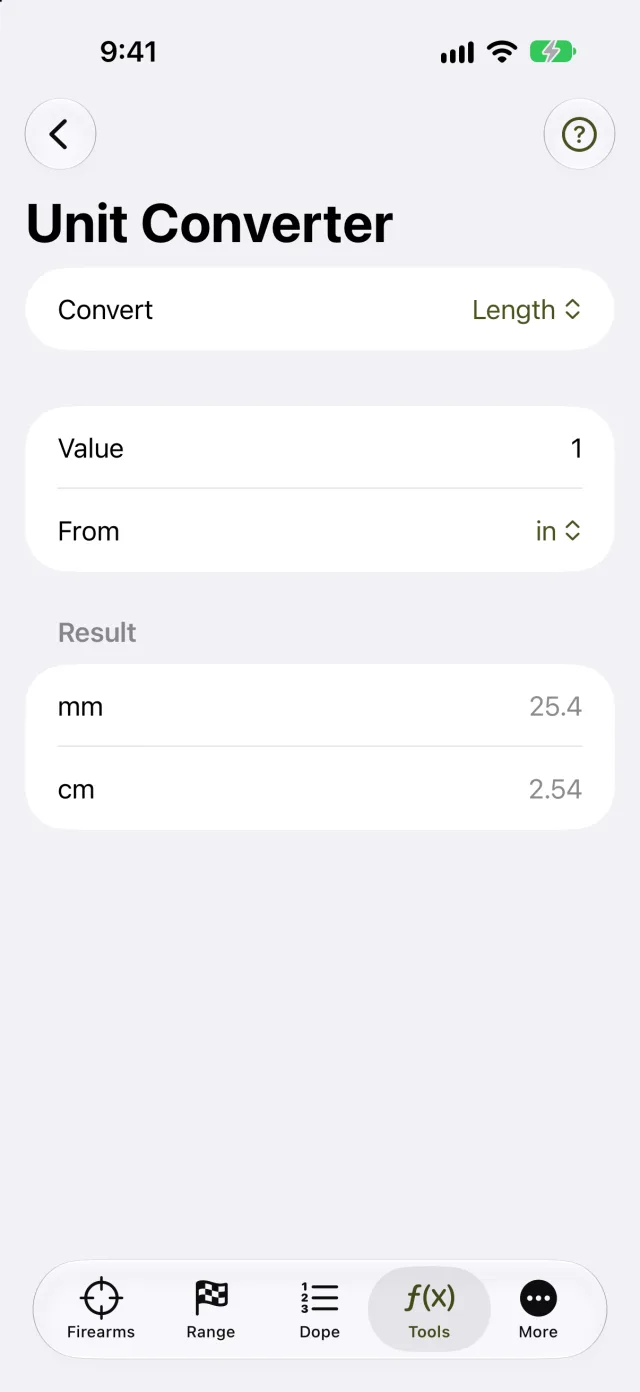
On the Tools tab, under Units, tap Unit Converter. It opens on Length.
-
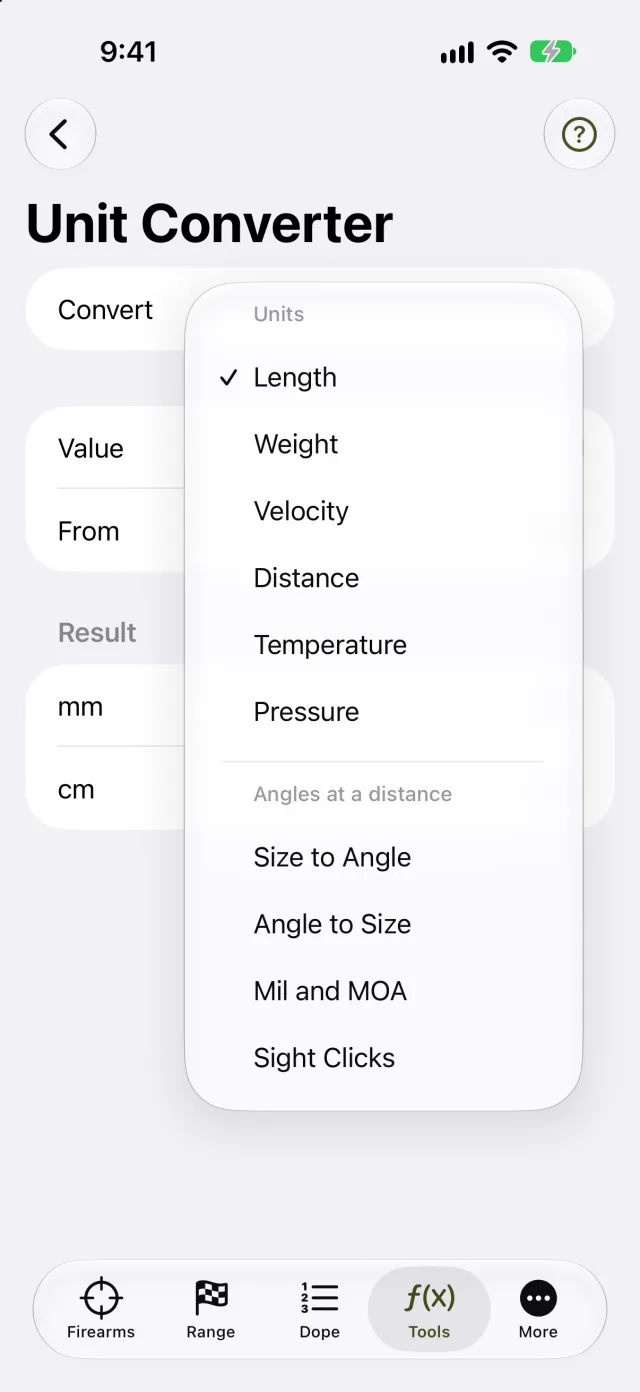
Tap Convert and pick what to convert. Under Units: Length, Weight, Velocity, Distance, Temperature, Pressure. Under Angles at a distance: Size to Angle, Angle to Size, Mil and MOA, Sight Clicks, Range Estimate.
-
Type the Value (negative numbers are allowed, for temperatures).
- Pick the unit it’s in, under From.
- Read Result: the value in every other unit of that kind, up to four decimals.
From a group record, Open in Unit Converter opens this screen on Sight Clicks with the group’s point-of-aim offset and distance filled in; tap Done to go back to the group. See A group record.
Why it’s useful
Shooting mixes unit systems constantly: bullets in grains and grams, chronographs in fps or m/s, ranges in yards or meters, a weather app in hPa while an older book wants inches of mercury. Having one converter that already knows the shooting units (grains, fps, inHg) saves hunting for a general-purpose app.
Who uses it, and how:
- Hunters and travelers: yards on a rangefinder, meters on a European range; Fahrenheit at home, Celsius abroad.
- Ammo buyers: a box labeled in grams or m/s, converted to grains and fps to compare with what you shoot.
- Data-minded shooters: barometric pressure from any weather source into the unit your notes use.
- Anyone reading foreign manuals or match books: quick, exact conversions.
What each option means
The units in each kind:
The angle tools have their own articles: Size to Angle, Angle to Size, Mil and MOA, Sight Clicks, Range Estimate. While one of them is showing, Show shooter’s MOA (IPHY) appears at the bottom.
The formula, in plain words: standard, exact factors: 1 in = 25.4 mm; 1 grain = 0.06479891 g (437.5 grains to the ounce, 7,000 to the pound); 1 fps = 0.3048 m/s; 1 yd = 0.9144 m; °C = (°F − 32) x 5 ÷ 9.
Example
You’re comparing a European box of 6.5 Creedmoor (140 gr, listed at 826 m/s) with your Mountain Rifle’s usual load.
- Convert Weight, Value 140, From gr: g 9.0718, oz 0.32, lb 0.02, kg 0.0091.
- Convert Velocity, Value 826, From m/s: fps 2709.9738, mph 1847.7094, km/h 2973.6. So the box’s 826 m/s is about 2710 fps.
- Convert Distance, Value 400, From yd: m 365.76, ft 1200.
- Convert Temperature, Value 65, From °F: °C 18.3333.
- Convert Pressure, Value 29.92, From inHg: about 1013.21 hPa and mbar, and 14.6953 psi.
The checks the app is tested against: 1 oz = 437.5 gr, and 1000 fps = 304.8 m/s.
Tips
- Grains are for bullets and powder. “gr” is grains, not grams; Gun Diary always writes grams as “g”.
- For angles, use the angle tools. A distance in yards and an angle in mil are different things; the angle tools join them.
- Your defaults: the angle tools start in the distance and size units from Settings (Distance unit for new groups, Size unit for new groups).
What it affects
Nothing is saved. On the angle tools, the IPHY switch and the click value are remembered.
If something goes wrong
- The result is empty. Type a Value.
- My unit isn’t listed. The converter holds the units above. Convert in two steps if needed (for example ft to in: 1 ft = 12 in).
- The title says Size to Angle (or another tool), not Unit Converter. You opened that calculator from its own tile; it’s the same screen. Use Convert to switch.
Related
- Next: Uphill, Downhill and Cant.
- Size to Angle, Sight Clicks, A group record, Settings, The Tools tab.
- Words used here: grain, fps, IPHY, mil, MOA.
Still stuck? In the app, open More > Help > Contact Support, or More > Settings > Support, which also has Send Error Log (the error log helps us find the problem), or email contact@setriksoftware.com. You can also browse the Help Center or the messages the app can show.