
"Calculator #2: Angle to Size"
See how many inches, millimeters or centimeters an angle in mil or MOA covers at a distance.
Angle to Size (calculator #2) is the reverse of Size to Angle: type an angle in mil or MOA and a distance, and it shows how much that angle covers on the target, in inches, millimeters and centimeters. Plain geometry.
Steps
-
On the Tools tab, under Angles and clicks, tap Angle to Size.
-
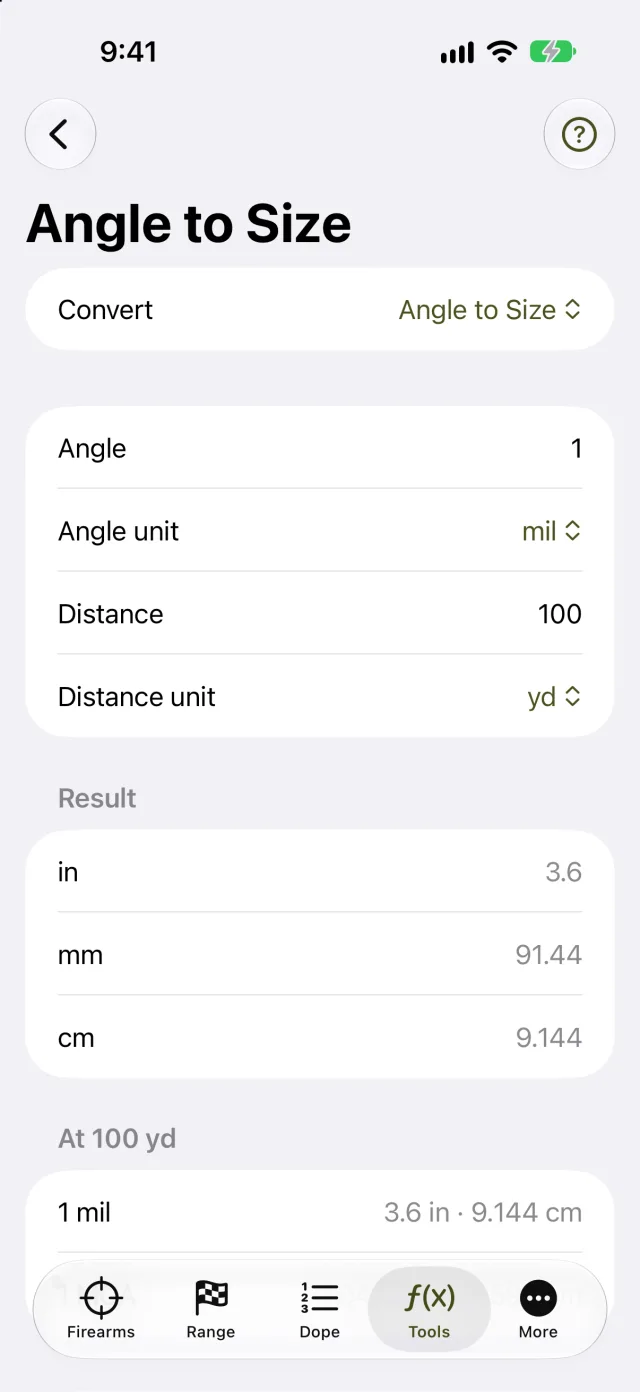
Type the Angle and pick the Angle unit (mil or MOA; IPHY too when Show shooter’s MOA (IPHY) is on).
- Type the Distance and pick the Distance unit (yd or m).
- Read Result: the size in in, mm and cm, up to four decimals.
- The section headed with your distance (for example At 300 yd) lists what one of each unit covers there.
Why it’s useful
Your reticle, your turret and your dope speak in angles; the target is measured in inches or centimeters. Angle to Size bridges the two.
Who uses it, and how:
- Hunters: “a half-mil hold at 300 yards: how far is that on the animal?” (5.4 inches).
- Steel shooters: check whether a correction will still keep you on a plate of a known size.
- New scope owners: see what one click or one reticle mark really moves at 100 yards, 200 yards or 100 meters.
- Metric and imperial users together: one answer in inches, millimeters and centimeters.
What each option means
The formula, in plain words: size = angle x distance x the size of one unit as a share of distance. One mil is 1/1000 of the distance (3.6 in at 100 yd, 10 cm at 100 m); one true MOA is 1.0472 in at 100 yd; one IPHY is 1 in at 100 yd.
Example
You hold half a mil into the wind on your Mountain Rifle at 300 yards. How far is that on the target?
- Open Angle to Size. Type 0.5 in Angle, pick mil; type 300 in Distance (yd).
- Result: in 5.4, mm 137.16, cm 13.716.
- At 300 yd: 1 mil 10.8 in · 27.432 cm; 1 MOA 3.1416 in · 7.9796 cm.
The starting values show the classic check: 1 mil at 100 yd is 3.6 in (91.44 mm, 9.144 cm). With meters, 1 mil at 100 m is exactly 10 cm.
Tips
- Learn your 100-yard numbers. 1 mil = 3.6 in, 1 MOA = 1.05 in; everything else scales with distance (double the distance, double the size).
- For a reticle mark on a second focal plane scope, use Reticle Subtension, which allows for magnification.
- Going the other way (a measured size to an angle)? Use Size to Angle.
What it affects
Nothing is saved. The IPHY switch is remembered for all angle tools.
If something goes wrong
- “Type a distance above 0 to see the result.” Type a distance.
- The numbers look about 5% off from what I expected. You may be mixing true MOA and shooter’s MOA (IPHY). Turn on Show shooter’s MOA (IPHY) and pick the unit your scope uses.
Related
- Next: Reticle Subtension.
- Size to Angle, Mil and MOA, Range Estimate, Unit Converter.
- Learning path: Sighting in a new scope.
- Words used here: mil, MOA, IPHY, hold, subtension.
Gun Diary keeps records you enter and does arithmetic on them. It never predicts a trajectory; confirm every hold by shooting it at the range, and always know your target and what is beyond it.
Guides on this topic
Still stuck? In the app, open More > Help > Contact Support, or More > Settings > Support, which also has Send Error Log (the error log helps us find the problem), or email contact@setriksoftware.com. You can also browse the Help Center or the messages the app can show.