
Quick Entry
Jot down one group in a few taps without starting a session first, or jump to a firearm's Shooting Diary; the group saves as a draft right away.
Quick Entry is the shortest way to get one group into your diary: pick the firearm, tap Add a Group, type the numbers. You don’t have to make a session first; the app makes one for the group’s date when you save. It’s free, and handy when you only shot one group, or you’re catching up on a target you found in your range bag.
Steps
-
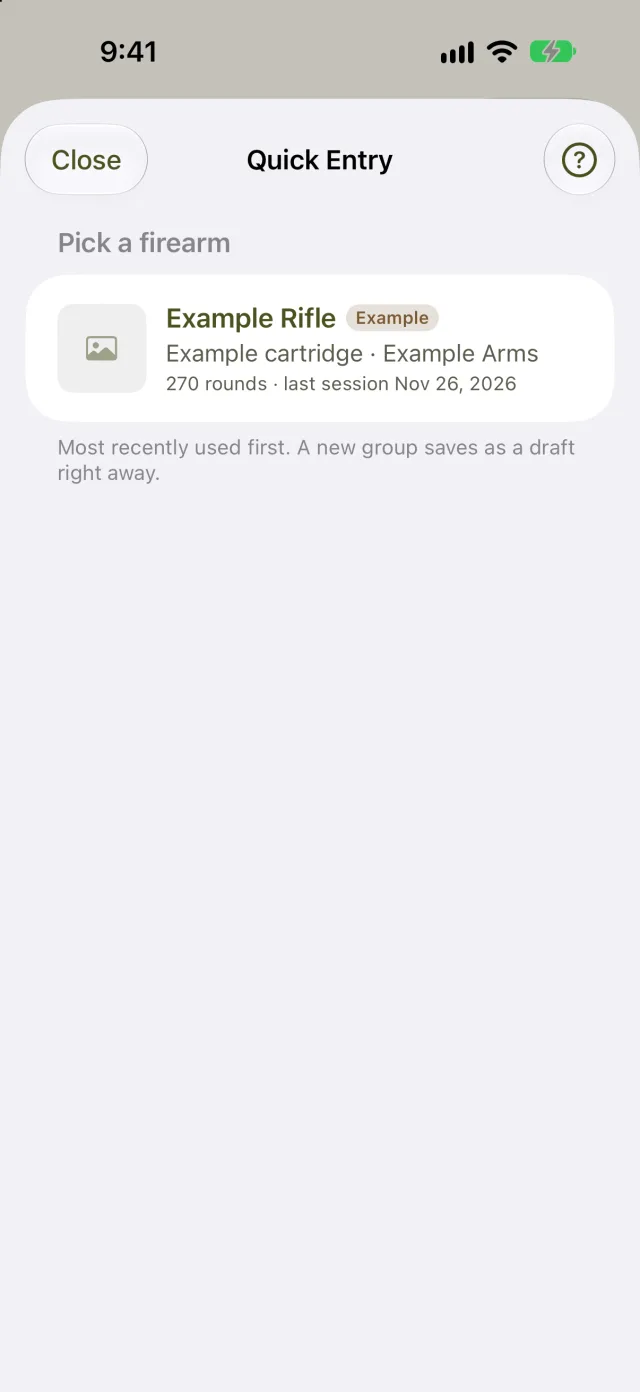
On the Range tab, tap Quick Entry. Your firearms are listed under “Pick a firearm”, the ones you used most recently first.
-
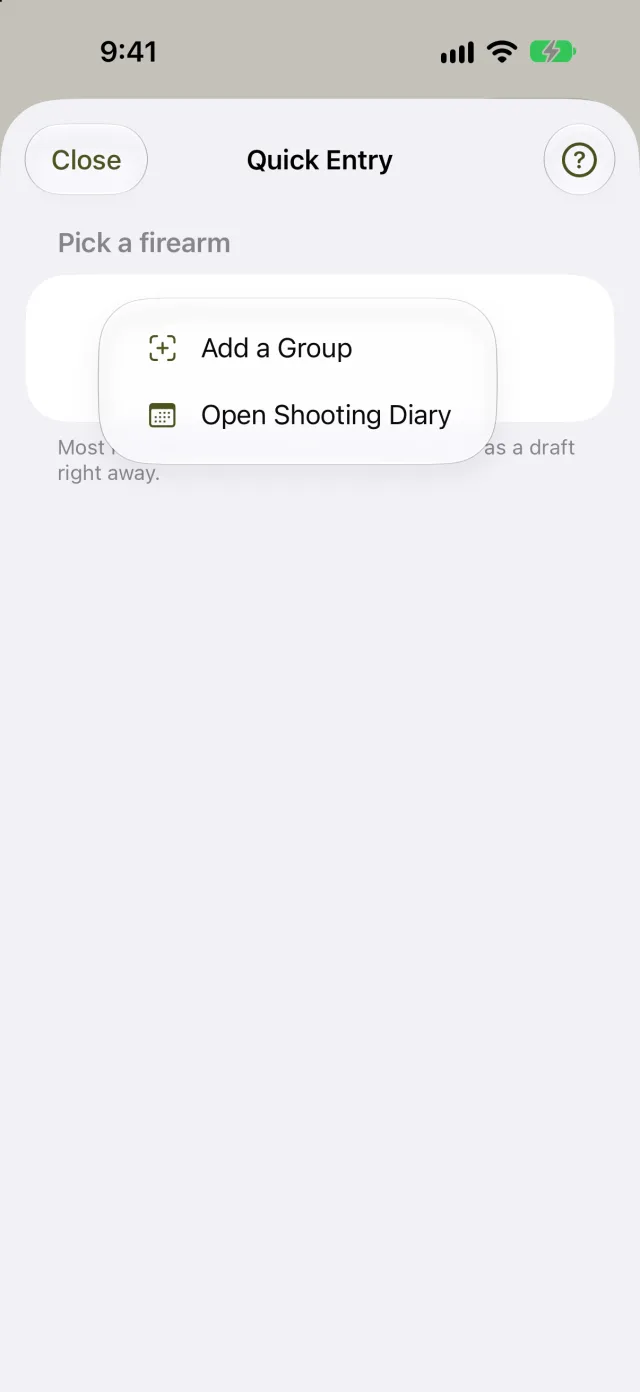
Tap a firearm. A small menu opens:
- Add a Group: the group form opens.
- Open Shooting Diary: closes Quick Entry and opens this firearm’s Shooting Diary.
-
For a group, fill in what you know: Distance, Group size, Shots, and the offset from your aim. Distance, units and the ammunition are copied from this firearm’s last group. See Record a group for every field.
- Leave Session on New session for this date, or pick one of the firearm’s existing sessions.
- Tap Save. Or tap Cancel, then Keep as Draft to finish it later.
- Tap Close to leave Quick Entry.
Why it’s useful
Not every shot needs a whole session write-up. A hunter who fired one confirmation group the evening before opening day, a new owner who took one target home from a friend’s range, a shooter who found an old target and wants its group on record: each needs a group, not a form.
Quick Entry keeps it to the minimum. The firearm you used last is at the top, the last group’s distance and ammunition are already filled in, and the group is saved as a draft the moment the form opens, so even if you’re interrupted it’s waiting in Drafts. Without Gun Diary Pro, it’s also the fastest way to record a group at the bench. With Pro, it complements Range Mode for the times you don’t want a full range session.
What each option means
A Quick Entry group starts with today’s date and time, the firearm’s setup on that date, and the distance, units, shots and ammunition of the firearm’s last group. The footer says: “Most recently used first. A new group saves as a draft right away.”
Example
You find a 100-yard target from last Sunday in the truck.
- Quick Entry > Mountain Rifle > Add a Group.
- Date last Sunday, 3:00 PM. Distance 100 yd (already filled), Group size 0.8 in, Shots 3 (already filled).
- Session: last Sunday’s session S014 is in the list; pick it.
- Save. G034 joins S014.
Tips
- Pick the existing session when the group belongs to a day you already logged; otherwise you’ll get a second session for the same date.
- Rounds aren’t added by groups. If the group’s shots aren’t in a session’s Rounds fired yet, type them on the session screen. See Round counts.
- Add the target photo on the group form so you can measure it later.
- Need to note something rather than record a group? Add it to the session’s notes on the session screen, or use Note in Range Mode.
What it affects
- A new group with the next code, a draft until you save it (listed in Drafts).
- On Save: a new session for that date is made if you left New session for this date: activity Practice, named like “Groups Nov 22, 2026”, with this firearm and the group’s ammunition and lot.
- The group appears in the session, Group History and the firearm’s Shooting Diary.
- Round counters don’t change.
If something goes wrong
- My firearm isn’t listed. Archived and deleted firearms aren’t. Unarchive it first.
- The list is empty. You haven’t added a firearm yet (the Example Rifle is listed until you remove it). Add one on the Firearms tab first; see Add a firearm.
- There’s no “add a note” choice. Quick Entry adds groups. For notes, use the session’s notes or Range Mode’s Note.
- I cancelled and the group is still there. You chose Keep as Draft. Finish it from Drafts, or open it and choose Discard Group.
- A second session appeared for the same day. The group was saved with New session for this date. Open the group, pick the right Session, and delete the empty extra session.
Related
- Record a group, The Range tab, Shooting Diary, Drafts, Range Mode.
- Learning path: New gun owner.
- Words used here: group, draft, session.
Guides on this topic
Still stuck? In the app, open More > Help > Contact Support, or More > Settings > Support, which also has Send Error Log (the error log helps us find the problem), or email contact@setriksoftware.com. You can also browse the Help Center or the messages the app can show.