
Your records and your privacy
Who can see your firearm records (only you), where they're kept, what the error log holds, where serial numbers print, and how to lock Gun Diary with Face ID.
Gun owners often ask this before they type a single serial number: who can see my firearm records? The short answer is nobody but you. This article explains where Gun Diary keeps your diary, what never leaves your devices, where serial numbers print, and how to lock the app with Face ID, since Gun Diary has no lock of its own.
Steps
Where your diary lives
- Everything you type (firearms, serial numbers, purchase details, ammunition, sessions, groups, dope, hunts, photos, documents and notes) is stored on your iPhone or iPad.
- If iCloud is on for Gun Diary, the diary is also kept in your own private iCloud database, so it appears on your other devices signed in to the same Apple Account. It’s private to your Apple Account: Setrik Software, the maker of Gun Diary, can’t see it and never receives it. See Use Gun Diary on iPhone and iPad.
- There’s no account to make and nothing to sign in to. Gun Diary has no server of ours, no ads, no tracking and no analytics.
-
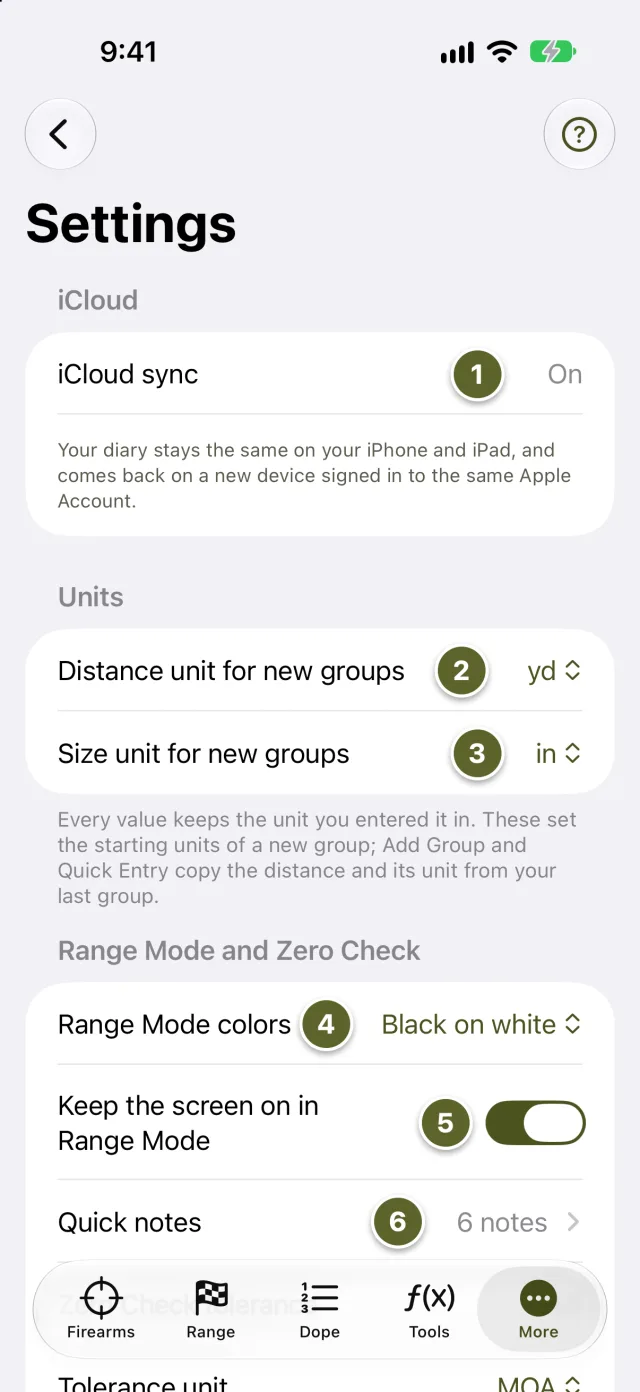
To check iCloud, tap More > Settings and look at iCloud sync (a status line). See Settings.
Lock Gun Diary with Face ID
Gun Diary has no passcode of its own; it uses the lock built into iOS. With it on, Gun Diary asks for Face ID (or Touch ID, or your passcode) every time it opens, even when your phone is already unlocked.
- On your Home Screen, touch and hold the Gun Diary icon.
- Tap Require Face ID (it reads Require Touch ID or Require Passcode on devices without Face ID). This needs iOS 18 or later.
- Confirm with Face ID. From now on, Gun Diary opens only after Face ID.
- To turn it off, touch and hold the icon again and tap Don’t Require Face ID.
Why it’s useful
Serial numbers, purchase prices, insured values and where you hunt are exactly the details you don’t want anyone else to see. Knowing they stay in your own devices and your own iCloud lets you record them fully, which is what makes the lost or stolen report useful on the worst day. Face ID adds the lock that keeps someone who picks up your unlocked phone out of your diary.
Who it matters to:
- Collectors record serial numbers and values for insurance without sending them to any company.
- Hunters keep their spots private: hunt records hold a general area you type in words, never a map position.
- Families sharing an iPad turn on Require Face ID so children can’t open the diary.
- Anyone who hands their phone to a friend at the range keeps the diary locked.
What each option means
What leaves your device, and when:
Where serial numbers print:
- The Lost or Stolen Report always prints the serial number: the police and your insurer need it.
- The Collection Report prints serial numbers unless you switch Include serial number off.
- Every other report leaves serial numbers off unless you switch Include serial number on. See Save and share PDF reports.
Hunt reports print the general area you typed, never a saved place or coordinates.
Example
Chris has six rifles and a shotgun, and doesn’t want the serial numbers anywhere but at home. Chris adds each gun with its serial number and insured value, then touches and holds the Gun Diary icon and taps Require Face ID. Months later Chris shares a firearm history report with a friend: it prints no serial numbers because Include serial number is off by default for that report. When the insurer asks for a list, Chris makes the collection report, which does print them, and sends it only to the insurer.
Tips
- Turn on Require Face ID the day you add your first serial number. It takes ten seconds.
- Check before you share a PDF. Look at Include serial number on the report’s options.
- Backups are files you control. A backup holds everything, serial numbers included; keep it somewhere private, like your own iCloud Drive. See Back up and restore.
- Selling or giving away a phone? Sign out of iCloud and erase it the usual way; your diary stays in your iCloud for your next device.
What it affects
- Require Face ID is an iOS setting for this one app: it doesn’t change your records and isn’t in backups. If Face ID fails, your device passcode opens the app.
- Turning iCloud off for Gun Diary keeps the diary on this device only; see Use Gun Diary on iPhone and iPad.
If something goes wrong
- I don’t see Require Face ID when I hold the icon. Your iPhone or iPad needs iOS 18 or later (iPadOS 18 or later). Update in the Settings app, or rely on your device passcode.
- Settings says “Not signed in to iCloud”. Your diary is on this device only: nobody else has it, but a lost phone means a lost diary. Make backups. See Back up and restore.
- I want to delete everything. See Start over.
- I’m not sure what’s in the error log. It’s errors only. When you tap Send Error Log, the email opens with the log attached; you can read it and remove it before sending. See Contact support and the error log.
Related
- Use Gun Diary on iPhone and iPad, Back up and restore, Start over.
- Save and share PDF reports, Lost or stolen report, Collection report.
- Add a firearm, Settings, Contact support and the error log.
- Learning path: Keeping your collection’s records.
- Words used here: serial number, backup.
Gun Diary keeps records you enter and does arithmetic on them. It never predicts a trajectory; confirm every hold by shooting it at the range, and always know your target and what is beyond it.
Guides on this topic
Still stuck? In the app, open More > Help > Contact Support, or More > Settings > Support, which also has Send Error Log (the error log helps us find the problem), or email contact@setriksoftware.com. You can also browse the Help Center or the messages the app can show.