
Explore the Example Rifle
Walk through the made-up Example Rifle to see how a firearm, its session, groups, target photo, Garage and dope table connect, then remove it when you're done.
The Example Rifle is a made-up rifle that comes with every new diary. It already has a session, three groups, a chronograph string, a target photo, a cleaning, a favorite ammunition and a five-row dope table, so you can open each kind of record and see how they connect before you type anything of your own. Everything about it is fictional: never use its numbers for real shooting.
Steps
-
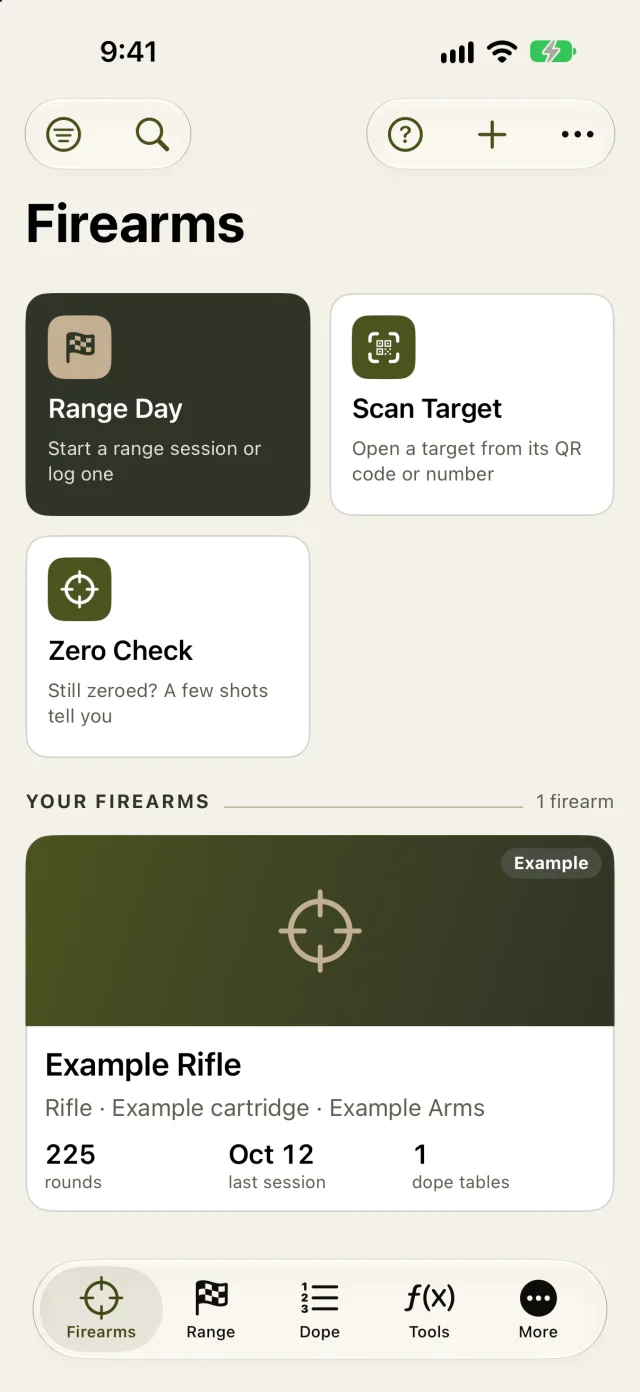
On the Firearms tab, tap the Example Rifle card (it has the Example badge). Its dashboard opens.
-
Look at the top card: code F001, the Example badge, “Example Arms Example bolt action”, “Rifle · Example cartridge“.
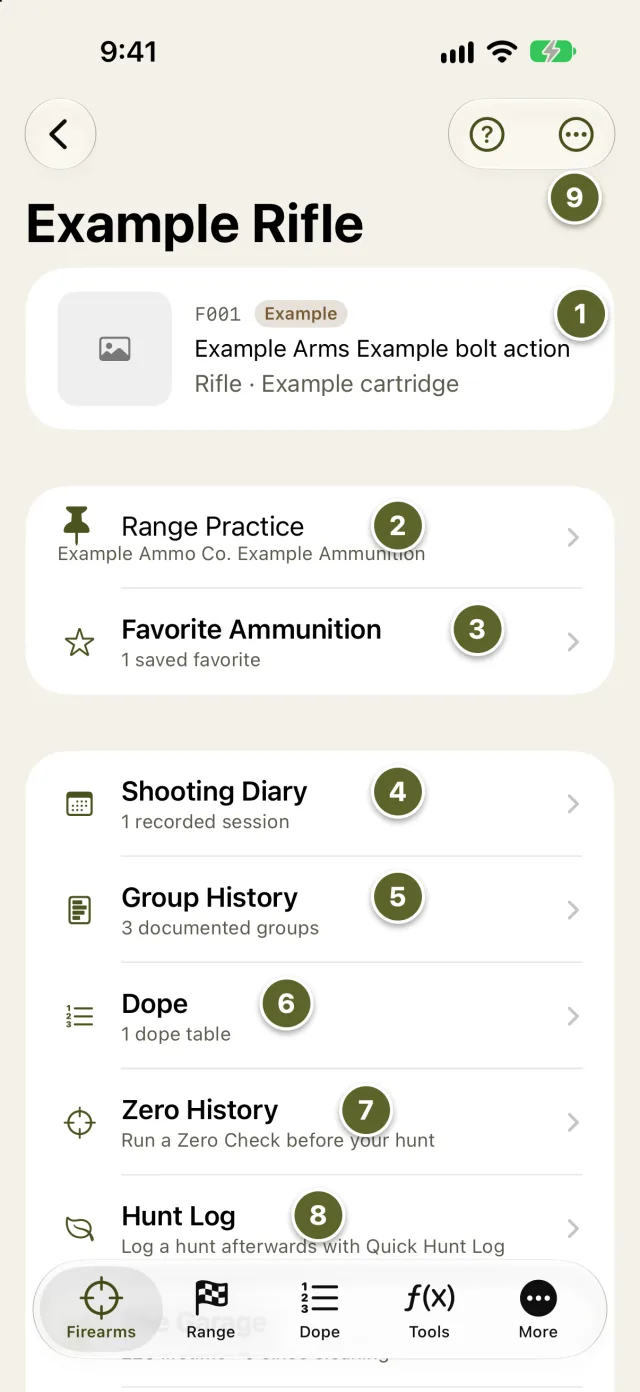
Numbers on the picture: 1 the firearm card, 2 the pinned favorite Range Practice, 3 Favorite Ammunition, 4 Shooting Diary, 5 Group History, 6 Dope, 7 Zero History, 8 Hunt Log, 9 ••• actions.
-
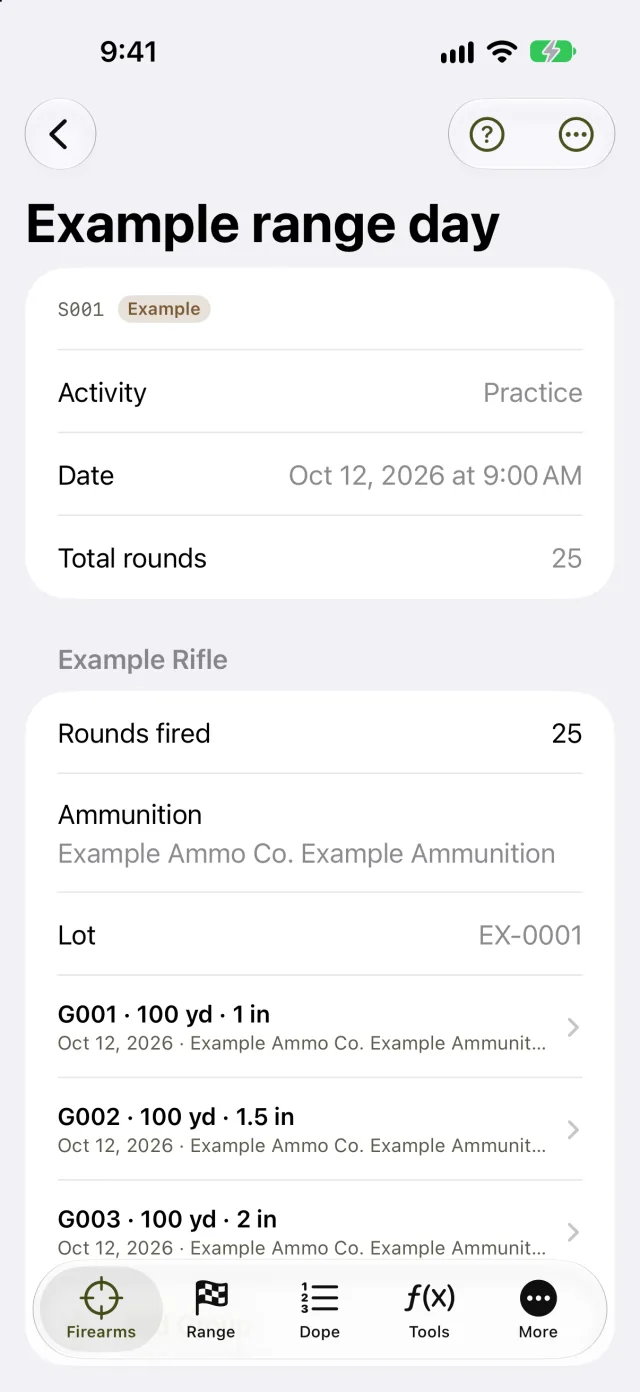
Tap Shooting Diary, then the session “Example range day”. You’ll see the date (Oct 12, 2026), the activity (Practice), the weather (60 °F, 40% humidity, wind 5 mph from 9 o’clock), the 25 rounds fired, and the three groups. Tap < to go back.
-
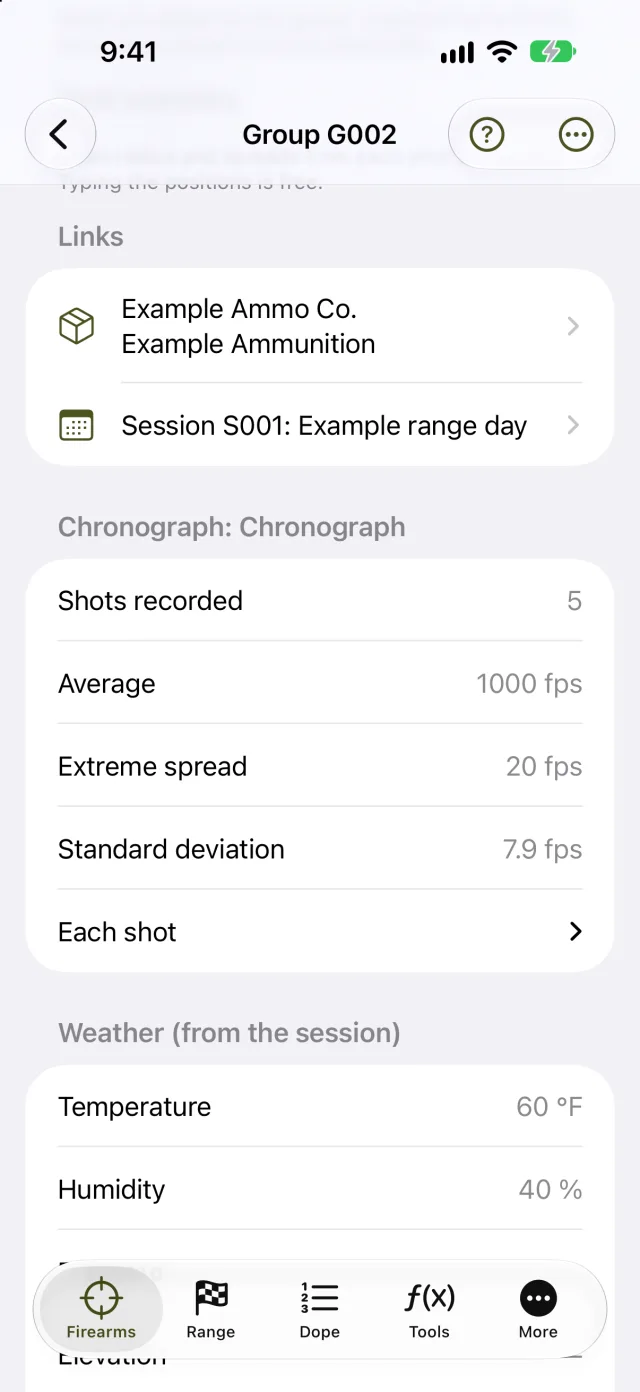
Tap one of the groups (the middle one, 1.5 in, has the most in it). It shows the distance (100 yd), size, 5 shots, the ammunition and its lot (EX-0001), the chronograph string, and the target photo with one marked region.
-
Go back to the dashboard and tap Group History: the three groups side by side, with their averages.
-
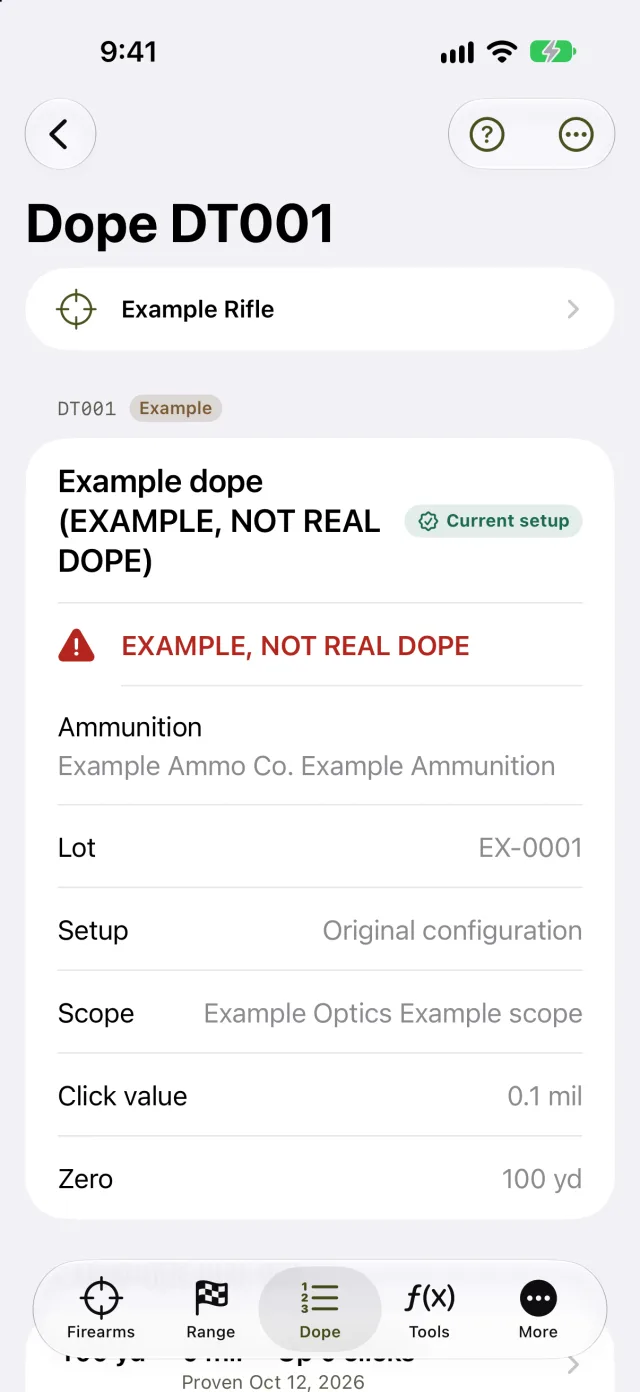
Tap Dope, then the table “Example dope (EXAMPLE, NOT REAL DOPE)”. It has five rows, 100 to 500 yd, with obviously made-up come-ups (0, 1.0, 2.0, 3.0, 4.0 mil) and a 100 yd zero.
-
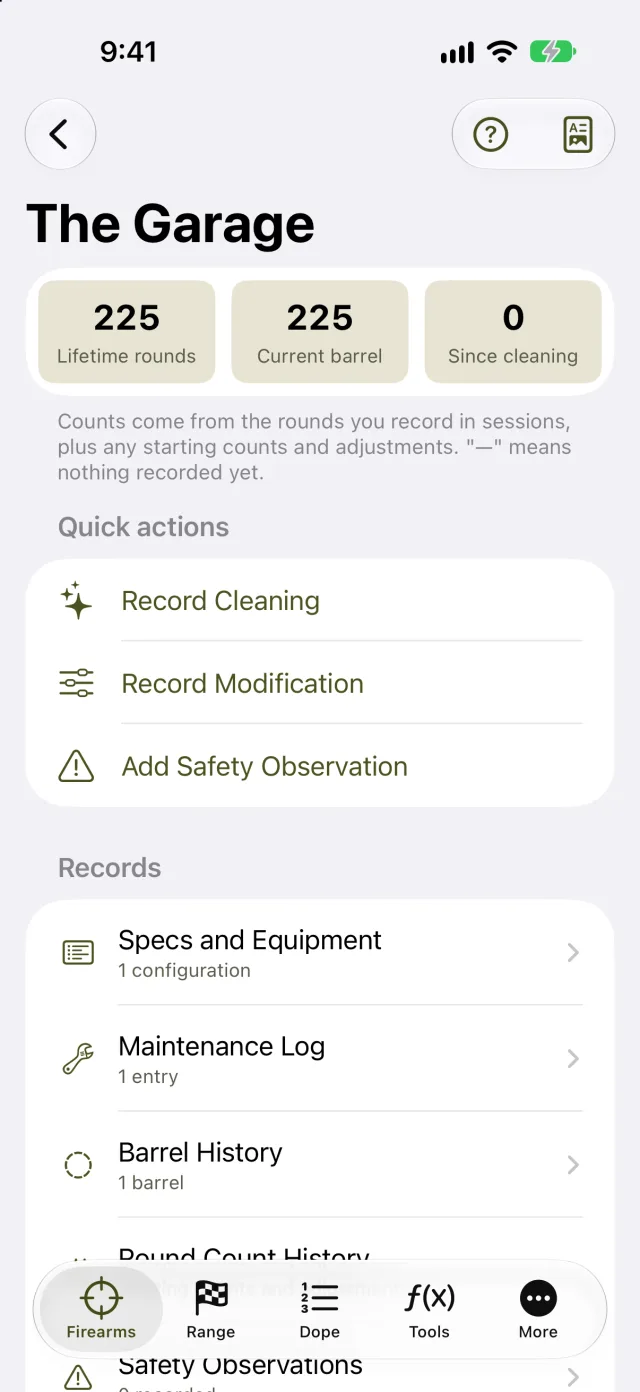
Scroll down the dashboard and tap The Garage: 225 rounds lifetime, 0 since cleaning (the example cleaning is the day after the session), the original configuration with an example scope, rings and trigger, and one barrel.
-
Try the other tabs with the Example in mind: the Dope tab lists the example table, the Range tab lists the example session, and the target photo is in the Target Gallery.
- When you no longer need it: More > Settings > Remove Example Rifle, then Remove Example Rifle again to confirm.
Why it’s useful
Gun Diary links records to each other: a group belongs to a session and a firearm, uses an ammunition and a lot, can sit on a target photo, and can prove a row in a dope table. Reading about that is harder than seeing it. The Example Rifle is a finished record you can poke at without risk.
Who it helps, and how:
- New gun owners: see what a complete range-day record looks like (rounds, weather, groups, a photo) before your first trip, so you know what to note at the range.
- People moving from a paper logbook or a spreadsheet: compare the example session with how you write things down today, and decide what you’ll keep recording.
- Long-range shooters: see where a dope table lives, how rows are laid out by distance, and how a card would be made from it, before you build your own.
- New Pro owners: once you have Pro, try reports, Range Mode and photo tools on the Example first, on records that don’t matter. Pro features ask for Pro on the Example too; there’s no free trial.
- Anyone unsure about a button: try it on the Example first. Deleting an Example record goes to Recently Deleted like any other.
What each Example record holds
| Record | What the Example holds | Where to find it |
|---|---|---|
| Firearm | Example Rifle (F001), Rifle, “Example cartridge”, Example Arms, serial EXAMPLE-000, 200 rounds before the diary | Firearms tab |
| Garage | Original configuration: Optic (Example scope), Mount (Example rings), Trigger (Example trigger); one barrel; a bore cleaning on Oct 13, 2026 | Dashboard > The Garage |
| Ammunition | “Example Ammunition” by Example Ammo Co., lot EX-0001 | More > Ammo Library |
| Favorite | “Range Practice”, pinned to the dashboard | Dashboard > Favorite Ammunition |
| Session | “Example range day”, Oct 12, 2026, Practice, 25 rounds fired, with weather | Dashboard > Shooting Diary; Range tab |
| Groups | Three 5-shot groups at 100 yd: 1.0, 1.5 and 2.0 in | In the session; dashboard > Group History |
| Chronograph | Five shots on the middle group: 1000, 1010, 990, 1005, 995 fps | Open the middle group |
| Target | A drawn paper target with five holes and one region for the middle group | In the session; Range > Target Gallery |
| Dope table | Five rows, 100 to 500 yd, 0 to 4.0 mil, zero 100 yd, marked “EXAMPLE, NOT REAL DOPE” | Dope tab; dashboard > Dope |
Every Example record has the Example badge. The Example dope table and any card made from it print “EXAMPLE, NOT REAL DOPE”.
Example
You want to know what a chronograph string gives you. Open the middle example group: its five velocities average 1000 fps, the extreme spread is 20 fps (1010 minus 990) and the standard deviation is about 7.9 fps. Now you know what to type when you bring your own chronograph to the range, and what the app works out for you.
Tips
- Look, then remove. Most people explore for 10 minutes, then remove the Example so their lists show only their own records.
- Removing is safe. It takes only Example records; your own are untouched. You can bring it back with Restore Example Rifle in Settings.
- It’s not your free firearm. You can add one firearm of your own and still keep the Example.
- Don’t build on it. Adding your own sessions or groups to the Example Rifle mixes real and made-up records; add your own firearm instead.
What it affects
- The Example appears in lists and totals: the Firearms tab, the Range tab’s sessions, the Dope tab, Search, Group History, the gallery, reports and exports, until you remove it.
- It never counts toward the free one-firearm limit.
- Remove Example Rifle takes away the Example firearm, its ammunition, session, groups, target and dope table. Their codes (F001, S001 and so on) are never given to your own records.
If something goes wrong
- There’s no Example Rifle on the Firearms tab. It was removed. More > Settings > Restore Example Rifle.
- The Example Rifle has a filter hiding it. Check the Filter button on the Firearms tab: set Kind to All kinds and Status to In the collection.
- I added my own groups to the Example by mistake. Removing the Example removes everything attached to it. Before you remove it, re-enter what you want to keep under your own firearm, then remove the Example.
- I removed it and now want it back. Restore Example Rifle in Settings makes a fresh copy.
- I see two Example Rifles. Each device made its own Example before iCloud delivered the other device’s diary. Gun Diary removes the extra one by itself the next time it opens, comes back to the front or receives changes from iCloud; your own records are untouched. If you still see two, More > Settings > Remove Example Rifle removes both.
- Tapping Range Mode or a PDF on the Example opens the Pro screen. Pro features need Pro on every firearm, the Example included. See Free and Pro.
Related
- Next: A tour of Gun Diary and Your first day.
- The firearm dashboard, A session, A group record, Dope tables.
- Settings: remove or restore the Example.
- Learning path: New gun owner.
- Words used here: Example Rifle, session, group, lot, configuration, chronograph, extreme spread, standard deviation, dope table, zero.
Gun Diary keeps records you enter and does arithmetic on them. It never predicts a trajectory; confirm every hold by shooting it at the range, and always know your target and what is beyond it.
Still stuck? In the app, open More > Help > Contact Support, or More > Settings > Support, which also has Send Error Log (the error log helps us find the problem), or email contact@setriksoftware.com. You can also browse the Help Center or the messages the app can show.