
Zero history report
Print or export every Zero Check for one firearm: date, distance, result, where the group centered, the clicks you dialed, the cold bore shot and the ammunition, for any dates.
The Zero History report lists every Zero Check you recorded for one firearm: when and at what distance, whether it was still zeroed, where the group centered, the clicks you dialed and where the cold bore shot landed. It shows at a glance whether a rifle holds its zero over time. The PDF is part of Gun Diary Pro; the spreadsheet is free.
Steps
-
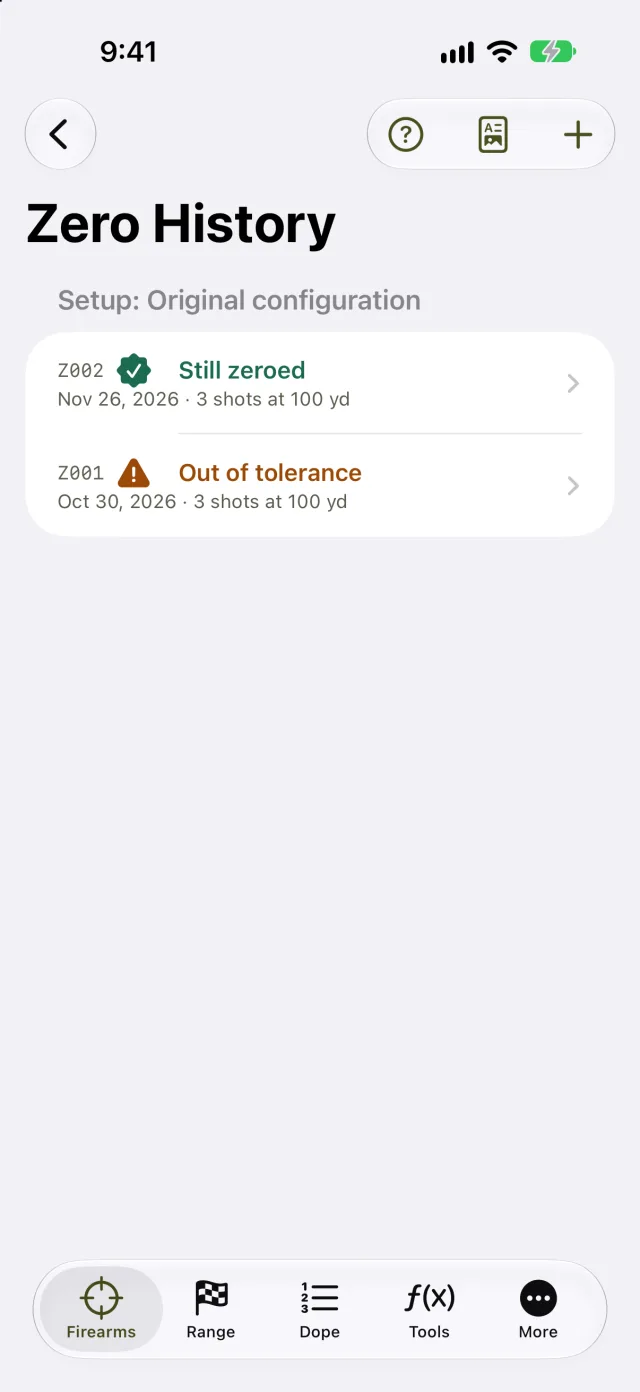
Tap More > Reports > Zero History (under Dope and the field). Or, on the Zero History screen, tap the document button (Zero History Report) at the top right.
-
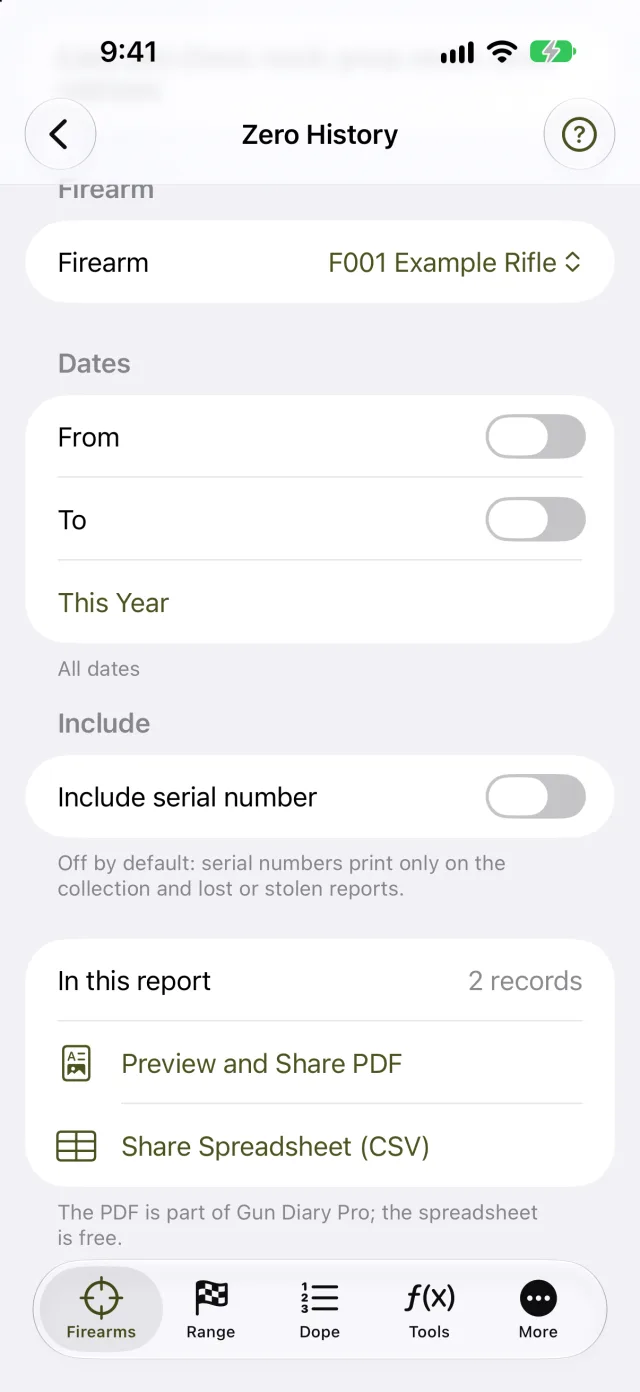
Pick the firearm next to Firearm.
- Under Dates, limit the dates if you want (This Year for this season).
- Switch Include serial number on only if needed.
-
Tap Preview and Share PDF or Share Spreadsheet (CSV).
Why it’s useful
A zero that wanders costs shots in the field. A dated list of every check, with the group center and the cold bore shot, shows whether a rifle holds zero through travel, temperature and seasons, and when something changed.
Who uses it, and how:
- Hunters check the zero before each season and keep the proof: date, result and cold bore shot.
- Long-range shooters track zero shifts after a scope or mount change.
- Anyone traveling with a rifle records a check after each trip and sees whether it moved.
- New scope owners follow the zero through the first months.
- Spreadsheet users chart the group center over time from the CSV.
What’s on the Zero History screen
What the PDF prints
- Title, the firearm, when it was prepared and the date range.
- A table: Code, Date, Distance, Result (Still zeroed, Sight adjusted, Out of tolerance), Group center (how far up or down and left or right of the aim point), Clicks dialed (like “Down 4, Right 2”), Cold bore (where the first shot landed), Ammunition. With none: “No Zero Checks in this range.”
- Notes: each check’s notes, by code.
File: “Zero history – Mountain Rifle.pdf”.
What the spreadsheet holds (one row per Zero Check): Firearm code, Firearm, Code, Date, Zero distance, Distance unit, Tolerance, Tolerance unit, Result, Center up, Center right, Offset unit, Clicks up, Clicks right, Cold bore shot, Shots, Ammunition, Lot, Session, Notes, Zero record ID. Up and right are positive numbers; down and left are negative.
Example
Before deer season you want to see how your Mountain Rifle’s zero has held.
- Zero History > the report button. Firearm: F002 Mountain Rifle. Dates off.
- Preview and Share PDF. Three rows: Z001 Oct 30, 2025, 100 yd, Sight adjusted, group center 1.0 in up and 0.3 in left, clicks “Down 4, Right 1”; Z004 Apr 12, 2026, Still zeroed; Z007 Oct 30, 2026, 100 yd, Still zeroed, cold bore 0.1 in up, 0.1 in right.
- The rifle has held zero all year. Share > Save to Files.
Tips
- Mark the cold bore shot in each Zero Check; it’s the shot that matters for hunting.
- Do a Zero Check after travel or any knock, so the history shows the effect.
- Keep notes short and useful: temperature, rest, anything unusual.
What it affects
Nothing. The report reads Zero Checks and builds a new file.
If something goes wrong
- The Pro screen opens. The PDF is Pro; the spreadsheet is free. Each Zero Check also has its own Zero Record PDF (Pro).
- “No Zero Checks in this range.” Turn the dates off, or check the firearm.
- “Pick a firearm for this report”. Tapping a share button with no firearm picked shows this under Firearm. Pick one there.
- The cold bore column is blank. No shot in that check was marked as cold bore.
Related
- Next: Zero history: the screen and each check.
- Zero Check: record a check.
- Dope table report, Reports.
- Learning paths: Sighting in a new scope, Before and after the hunt.
- Words used here: zero, cold bore, point of impact.
Gun Diary keeps records you enter and does arithmetic on them. It never predicts a trajectory; confirm every hold by shooting it at the range, and always know your target and what is beyond it.
Still stuck? In the app, open More > Help > Contact Support, or More > Settings > Support, which also has Send Error Log (the error log helps us find the problem), or email contact@setriksoftware.com. You can also browse the Help Center or the messages the app can show.