
Merge duplicate ammunition
Combine two records of the same ammunition into one, so all its lots, sessions, groups, favorites, boxes on hand and photos sit together.
It’s easy to end up with the same ammunition twice, for example “Ridgeline Match 140” added at home and “Ridgeline match” added in a hurry at the range. Merging moves everything from the duplicate into the record you keep, so your history, Group History and Ammo comparison see one ammunition instead of two.
Steps
- Decide which record to keep (usually the one with the better details or more history). Open it: More > Ammo Library > tap it.
-
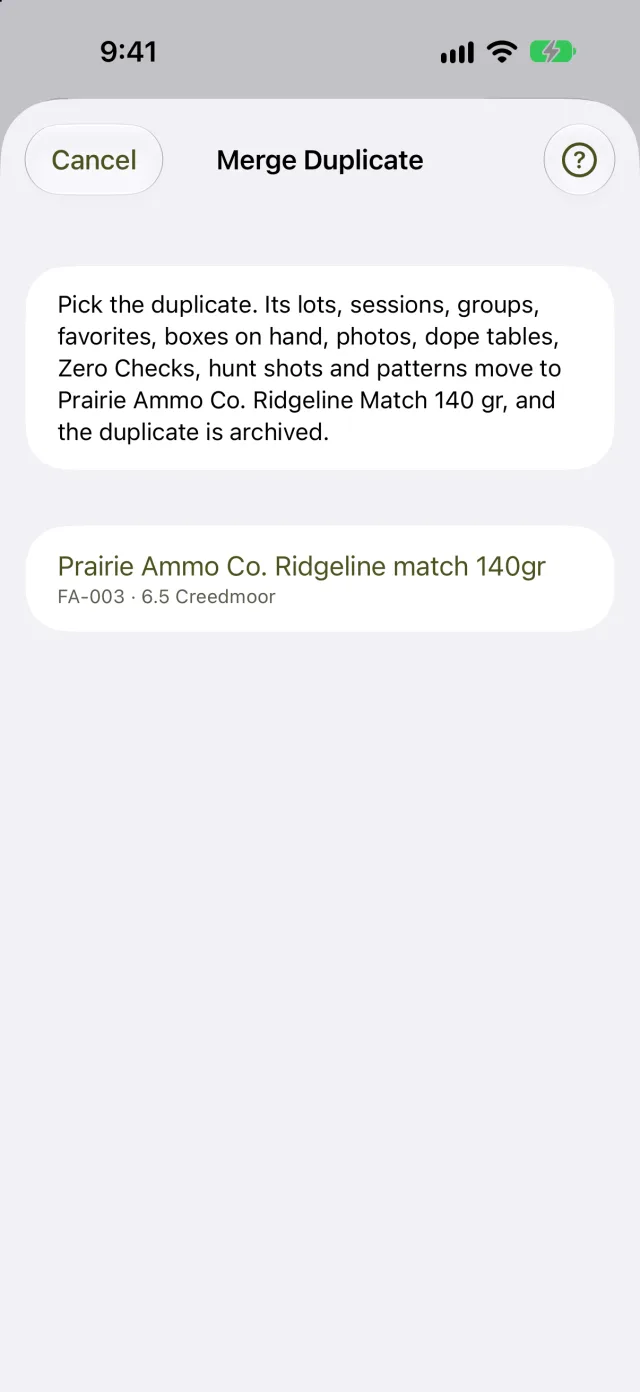
Tap ••• > Merge a Duplicate into This. The Merge Duplicate screen opens.
-
Read the line at the top: it names the ammunition everything will move to.
- Tap the duplicate in the list.
-
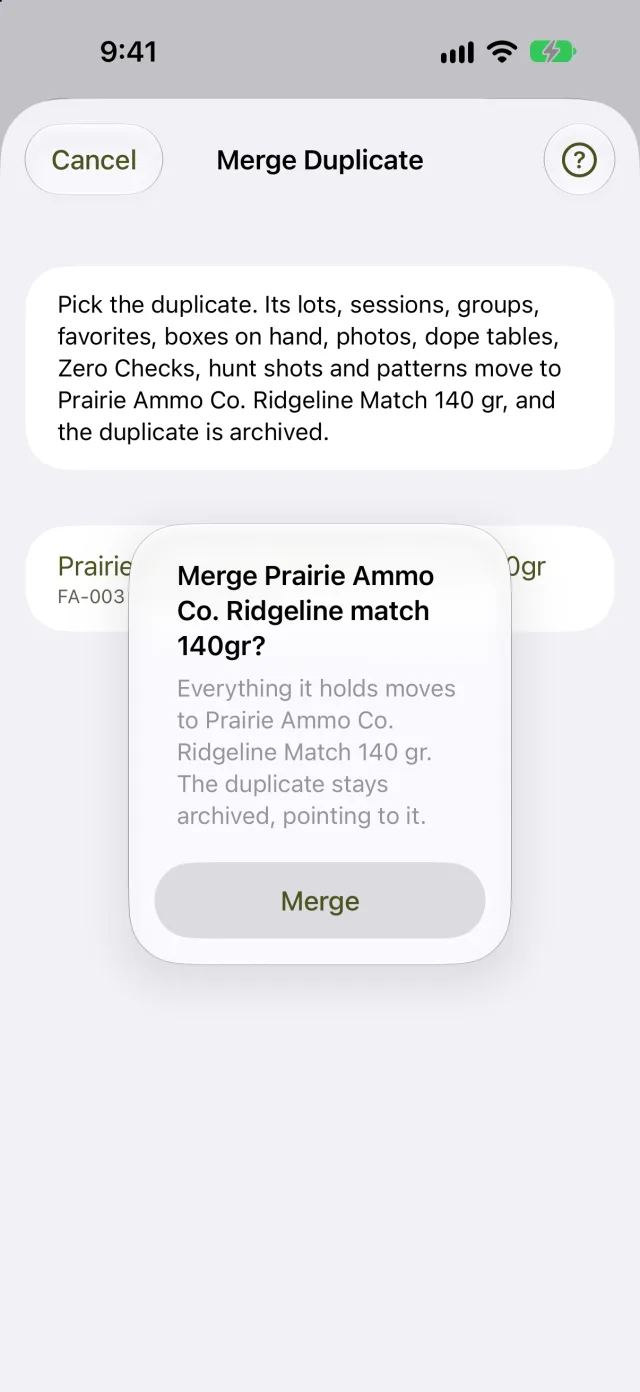
Gun Diary asks “Merge” with the duplicate’s name. Tap Merge.
-
The screen closes. The record you kept now lists the duplicate’s lots, sessions and favorites. The duplicate is archived, so it no longer shows in the library’s normal list.
To leave without merging, tap Cancel on the Merge Duplicate screen, or tap outside the confirmation.
Why it’s useful
Comparisons and history only work when one real ammunition is one record. Two records split your groups into two rows in Ammo comparison, two entries in Group History’s Ammunition view, and two lists of sessions.
Who uses it, and how:
- Anyone who added a box twice: once from the library and once with Add Custom Product from inside a session.
- People moving from a notebook or spreadsheet who typed the same ammunition a few slightly different ways while catching up.
- Ammunition testers who want every group of one ammunition averaged together before comparing.
- Long-range shooters who made a second record for a new lot, and now want it as a lot of the first record instead: merge, and both lots end up on one ammunition.
- Households sharing one diary on several devices where two people added the same box.
What each option means
What moves: the duplicate’s lots (with their box photos and boxes on hand), sessions and groups that recorded it, favorite revisions that point to it, its boxes on hand, its photos, its links to Reference Library documents, and the dope tables, Zero Checks, hunt shots and patterns that name it (so a dope table is never left pointing at an archived duplicate). What stays behind: the duplicate’s own details, your own fields and notes; the record you keep keeps its own.
Example
In the library you see “Ridgeline Match” (FA-002, 3 sessions, lot 24A-118) and “Ridgeline match 140” (FA-005, 1 session from last Saturday, no lot).
- You open FA-002, tap ••• > Merge a Duplicate into This.
- You tap “Ridgeline match 140”, then Merge.
- FA-002’s Used in now lists 4 sessions. In Ammo comparison for the Mountain Rifle, its row now averages the groups from all four sessions. FA-005 is archived and no longer shows in the library’s normal list.
Tips
- Keep the better-described record. Details aren’t combined: the record you open is the one that stays, with its own maker, cartridge, weight and notes.
- Copy notes first. If the duplicate has notes or your own fields you want, copy them into the one you keep before merging.
- Check the bullet weight before you merge. Two records that differ in weight or bullet type are different ammunition, not duplicates.
- Merge before comparing. Run Ammo comparison after tidying up the library.
What it affects
- Sessions and groups that used the duplicate now show the record you kept.
- Favorites that pointed to the duplicate now point to the kept one.
- Lots and boxes on hand move with their history.
- Dope tables, Zero Checks, hunt shots and patterns that named the duplicate now name the kept ammunition; your dope stays with it.
- Group History, Ammo comparison, reports and exports count everything under the kept ammunition.
- The duplicate is archived and points to the kept one. It no longer shows in the library, pickers or Search.
- Recently Used keeps the more recent of the two dates.
If something goes wrong
- There’s no undo. A merge can’t be reversed with a button. If you merged the wrong record, add a new ammunition and move the lots you need to it (Lots, Move to Another Ammunition); sessions and groups have to be changed one by one.
- The duplicate isn’t in the list. It may be in Recently Deleted: restore it first, then merge.
- The Example ammunition isn’t in the list (or yours isn’t, on the Example). Made-up and real records are never merged; delete the Example records from the Example Rifle‘s dashboard when you’re done with them.
- The kept record lost the duplicate’s notes. Notes and your own fields aren’t moved; add them to the kept record by hand.
- Ammo comparison still shows two rows. With Lots chosen, each lot is its own row. Choose Ammunition.
Related
- An ammunition record, Lots, The Ammo Library.
- Ammo comparison, Group History.
- Words used here: lot, archive, code.
Still stuck? In the app, open More > Help > Contact Support, or More > Settings > Support, which also has Send Error Log (the error log helps us find the problem), or email contact@setriksoftware.com. You can also browse the Help Center or the messages the app can show.