
Recently Deleted
Everything you delete waits here for 30 days: restore it with a swipe, or delete it for good before then.
When you delete something in Gun Diary, it isn’t gone at once: it goes to Recently Deleted and waits there for 30 days. Until then you can restore it with a swipe, exactly as it was. After 30 days it’s removed for good. You can also delete something for good sooner.
Steps
-
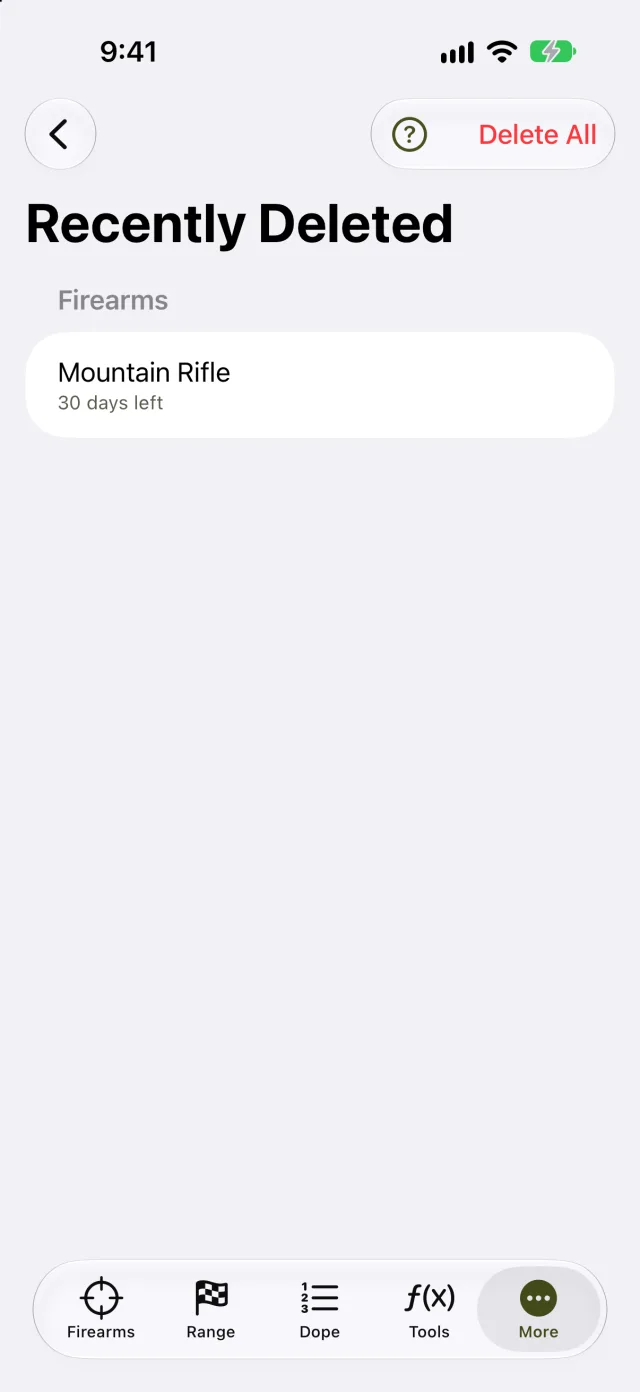
Tap More > Recently Deleted.
-
Deleted records are grouped by kind (Firearms, Groups, Sessions, Ammunition, Dope Tables and so on). Under each one you see how many days are left, like “27 days left”.
-
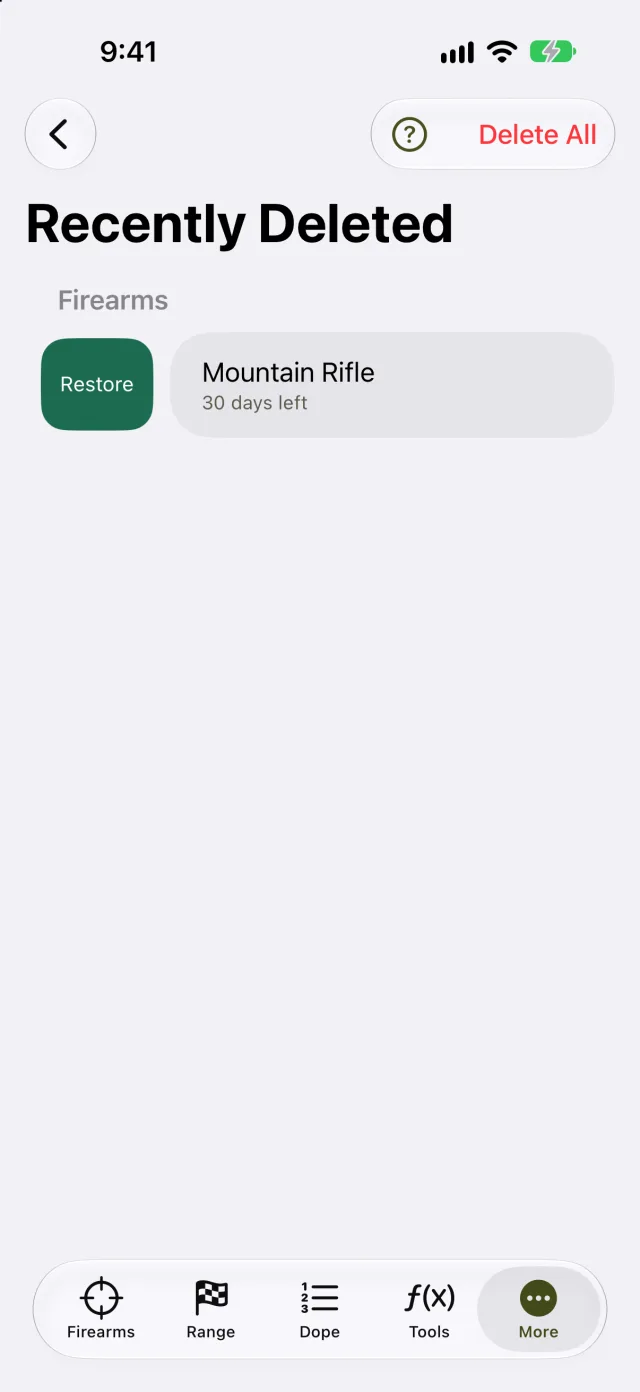
To restore one, swipe right on it and tap Restore. It goes back where it was, with its links.
-
To delete one for good now, swipe left and tap Delete Now, then Delete Permanently in “Delete … for good?”. This can’t be undone.
- To delete everything here for good, tap Delete All (top right), then the red button that counts them, like “Delete 4 Records Permanently”, in “Delete everything here for good?”. This can’t be undone.
Why it’s useful
Deleting the wrong session or firearm is easy, especially when tidying up on a small screen. A 30-day safety net means a mistake costs you a swipe, not a re-typed season of records. And because iCloud sync copies a deletion to all your devices, Recently Deleted is the first place to look when something disappears everywhere.
Who uses it, and how:
- Anyone who deleted by mistake: restore within 30 days, with every link intact.
- Someone cleaning up a test: delete practice records, check the lists, then Delete All when you’re sure.
- Collectors: a firearm deleted by mistake comes back with all its sessions, groups, dope tables and documents.
- Privacy-minded users: delete a record for good right away with Delete Now, instead of waiting 30 days.
What’s on the Recently Deleted screen
What goes with what: deleting a firearm takes its records along (the delete screen tells you how many groups, sessions, dope tables, zero records and harvests), and restoring the firearm brings them all back. Deleting a dope table takes its rows (and their history) and proven holds. Restoring a session makes its rounds count again.
Example
Tidying up, you delete session S014 thinking it was a duplicate. The round count of your rifle drops by 40. You realize it was the real one. More > Recently Deleted > Sessions shows “S014 Practice” with 30 days left. You swipe right and tap Restore: the session, its groups and its 40 rounds are back.
Tips
- Look here first when something is missing, before restoring a backup.
- Delete for good only when you’re sure. There’s no undo after Delete Permanently. Make a backup first if you might want it later.
- Days count from the day you deleted, so an item deleted today shows 30 days left.
What it affects
- While deleted: the record is hidden from lists, Search, reports, counts and dope cards. A deleted session’s rounds stop counting.
- Restoring: everything comes back as it was, links included. One exception: a restored configuration comes back without its groups, because they moved to another configuration when it was deleted; move them back with Rename, Redate or Delete (see Specs, equipment and configurations).
- Backups and exports leave out deleted records. A backup made today won’t include what’s in Recently Deleted.
- Deleting for good (now, with Delete All, or after 30 days) removes the record and anything that belongs only to it. Its code (like G017) is never used again.
- Deletions and restores sync to your other devices.
If something goes wrong
- The record isn’t here. It may be older than 30 days (removed for good), discarded as a new record with Discard Group or Discard Session (never saved), or deleted with something else: look under its firearm or session. If it’s gone, restore it from a backup (Back up and restore).
- I restored a group but its firearm is still deleted. Restore the firearm too; a group shows with its firearm.
- “This can’t be undone.” That’s true: once deleted permanently, only a backup made before the deletion has it.
- Something came back on its own. It was restored on another device signed in to the same iCloud account.
- I want to clear the whole diary. See Start over.
Related
- Next: Change history and locking.
- Drafts, Back up and restore, The More tab, Start over.
- Learning path: Keeping your records safe.
- Words used here: recently deleted, backup, icloud sync.
Guides on this topic
Still stuck? In the app, open More > Help > Contact Support, or More > Settings > Support, which also has Send Error Log (the error log helps us find the problem), or email contact@setriksoftware.com. You can also browse the Help Center or the messages the app can show.