
Why most range logbooks get abandoned
Most shooters who start a log mean to keep it. The first trip gets a full page, the second gets half, and by the fourth the notebook stays in the range bag. The usual reason is that the template asks for too much at the wrong moment. Filling in weather, setup details and a paragraph of notes while you're also filling magazines, spotting shots and keeping an eye on the line is a lot. The fix isn't fewer details. It's writing each detail at the moment it's easiest to get right.
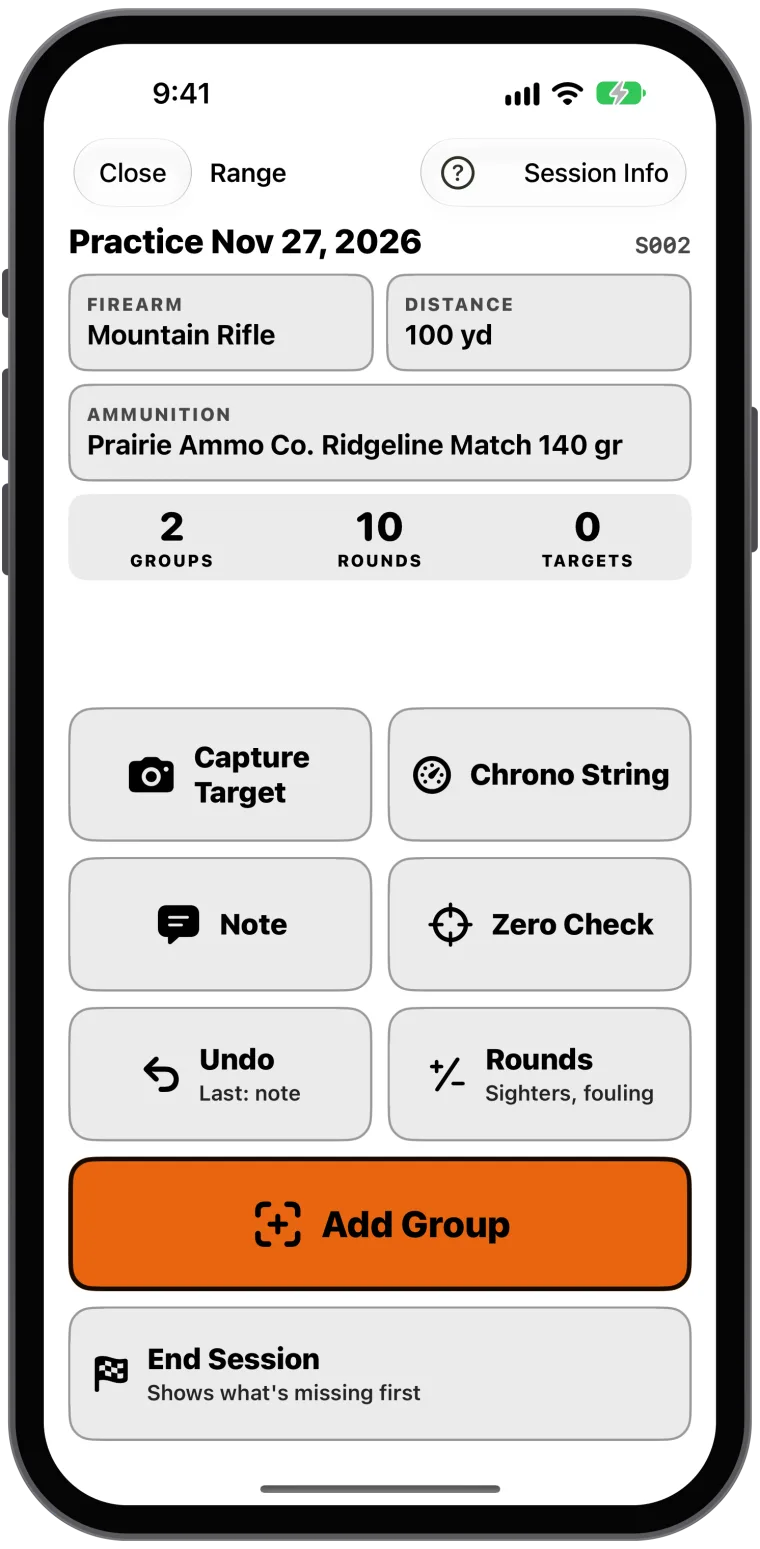
A good shooting log template has two parts, even if they sit on the same page. One part is what can only be captured at the range: group sizes, rounds fired, anything you noticed shot by shot. The other part is what you can fill in later from memory, photos or receipts: the firearm's setup, the ammunition details, a fuller write-up. Once you see the log that way, you stop trying to finish it at the bench, and you stop skipping it altogether.
The 8 fields worth having on a shooting log template
Whether you print a sheet, keep a shooting range log book in the truck, or use an app, the same handful of fields does most of the work. Each one answers a question you'll ask later, usually months from now, when you're trying to work out why a group changed or which ammunition a rifle shot well. Leave one out and that question has no answer.
What to record for each range trip
Date and place
The day, the range or field, and what kind of trip it was: practice, sight-in, zero check, a match.
Firearm and setup
Which firearm, and anything about its setup that changed since last time, such as a new scope or mount.
Ammunition and lot
The maker and product from the box, and the lot number printed on it.
Rounds fired
One total per firearm for the trip, sighters and fouling shots included.
Distance and groups
Each group's distance, size, number of shots and how you measured it.
Where it hit
How far each group's center landed from where you aimed, up or down and left or right.
Weather
Temperature, wind and anything else you'd want to know when comparing this day with another.
Notes
Called flyers, a malfunction, sights adjusted, mirage: short and in your own words.
A pistol shooting log book needs the same fields, just with shorter distances, often 7 or 15 yards, and perhaps drill times if you practice them. A shotgunner might swap groups for patterns. The structure holds either way: what you shot, with what, how it went, and what was different about the day.
What to write at the bench, and what to finish at home
At the bench, the fields that disappear are the ones to catch: group sizes before the target comes down, rounds fired before you lose count, and a word or two about any shot that felt wrong. A photo of each target covers a lot of ground, because you can measure from it later. Our guide on shot group analysis shows how to measure one, from paper or a photo. Everything else on the shooting log template can wait. Setup details don't change mid-session, ammunition details are on the box in your bag, and a fuller note reads better written at the kitchen table than with gloves on.
Range Mode for one hand.
Picture a cold morning at the bench in gloves. Typing a paragraph isn't going to happen, but tapping in one group size and taking a photo of the target takes seconds. That evening, with the target photo and the box on the table, the rest of the page fills in easily. The log is complete, and it got done because nothing asked for more than the moment allowed.
A shooting log template that fills itself in
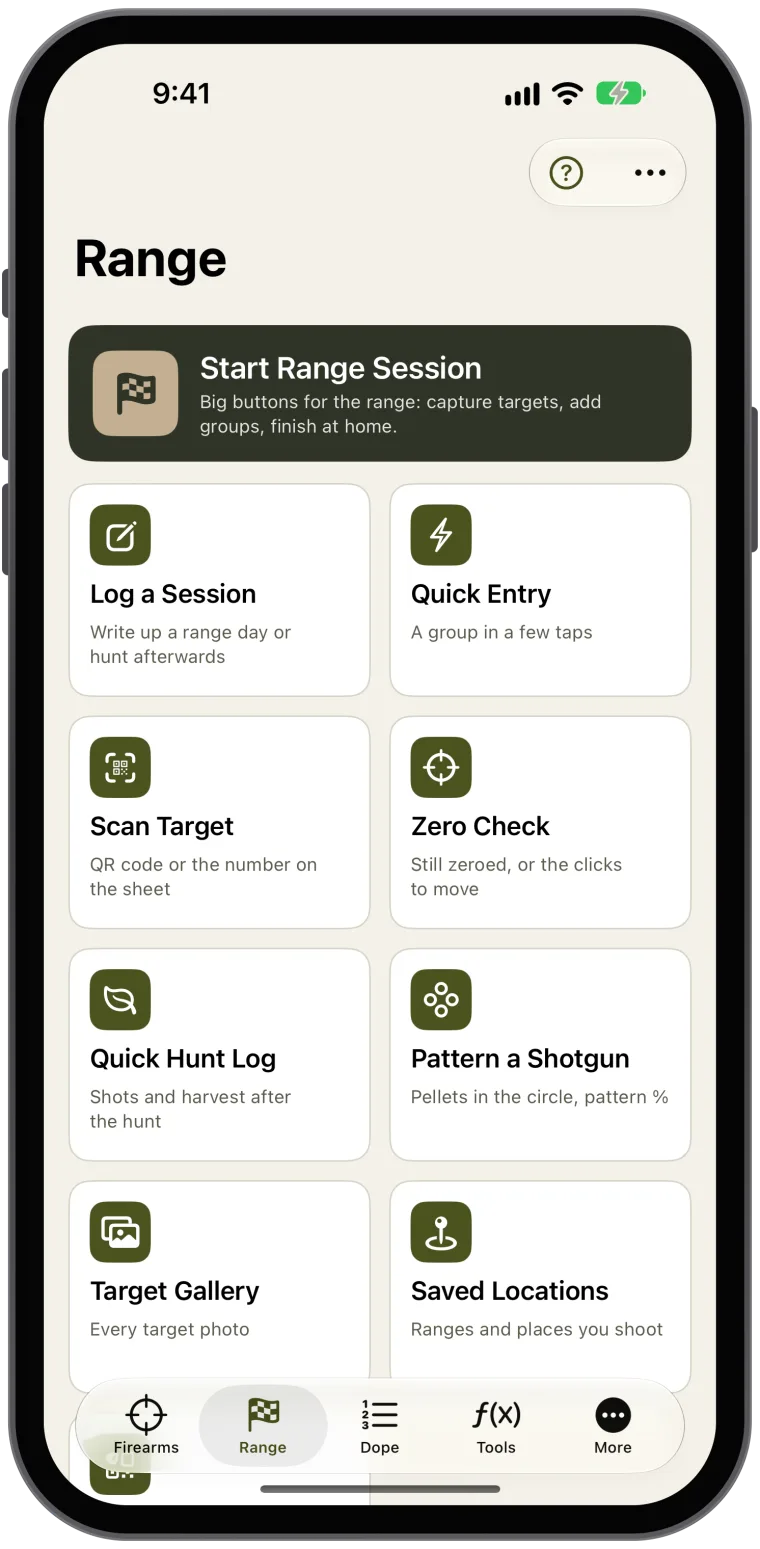
Gun Diary is built around that same split. At home, Log a Session is the full form, free: activity, date, place, each firearm's rounds fired, ammunition and lot, weather, photos, tags and notes. When you only shot one group, Quick Entry gets it into your diary in a few taps and saves it as a draft right away. With Gun Diary Pro, Range Mode turns the bench part into big buttons and a big number pad: add a group with two taps plus the number, capture the target, and log a chronograph string.
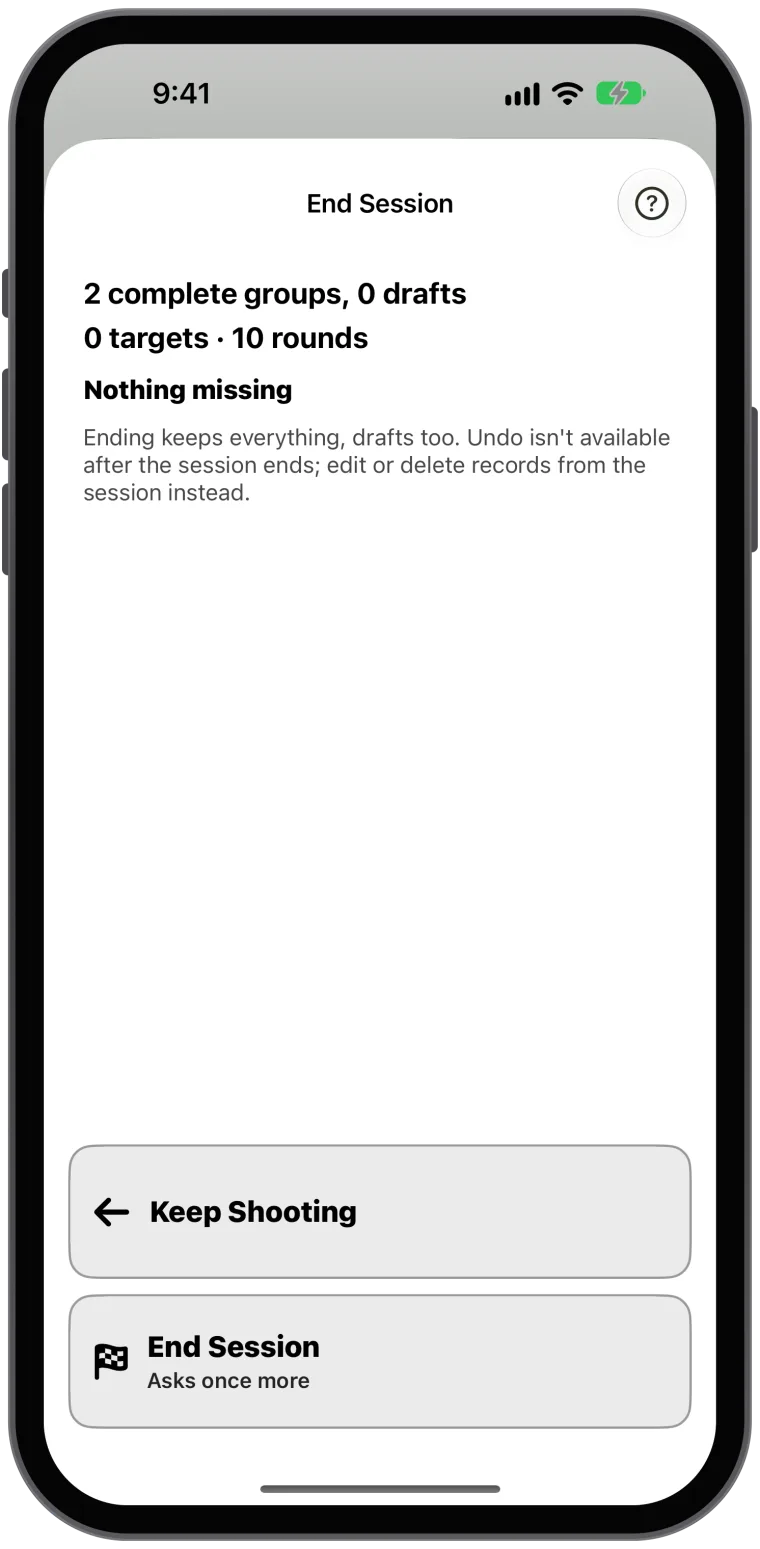
In Range Mode, notes are one tap, such as Called flyer, Cold bore, Wind gust or Malfunction, or your own words through the iPhone's dictation. Rounds are counted for you from the groups and strings you add. When you pack up, End Session lists anything still blank, like a group with no size, so you know what to finish at home. Unfinished groups and sessions wait in Drafts. Everything works with no signal at the range; only filling in current weather needs a connection. A malfunction note is a log entry, not a diagnosis.
Keeping the log useful a year from now
A log kept from any shooting log template is only worth keeping if you can find things in it later. Paper works until you need to compare twenty trips; an app can filter every group by firearm, ammunition, lot or distance in a moment. In Gun Diary, each firearm's Shooting Diary lists every session it was in, and each session keeps its groups, targets, weather and notes together. Your records stay on your iPhone or iPad and in your own iCloud, with no account and nothing sent to us. The screenshots here show the app's demo diary, with a made-up rifle and made-up ammunition.
The bottom line
So, what makes a shooting log template you'll actually use?
Keep the fields short, and split the work by when it's easiest. A shooting log template that asks for date, firearm, ammunition and lot, rounds, groups, where they hit, weather and notes covers almost every question you'll ask later. Catch the numbers that vanish at the bench, finish the rest at home the same day, and keep target photos with each trip. Whether that's a printed sheet, a shooting range log book or your phone, the best log is the one that still has entries next season.
Gun Diary keeps the records you enter. It never predicts bullet drop, wind or a trajectory; your dope is what you proved on paper. Always follow safe firearm handling.
Every group remembers the rifle it was shot with
Dated setups, barrels, cleanings, repairs and paperwork, and round counts that add themselves up.
See The GarageComing soon to the App Store