
Add a proven distance to a dope table
Type a distance you proved at the range, with its come-up, date, conditions and the groups that proved it; or replace an older value at the same distance.
After you’ve confirmed a distance at the range (the group landed on your aim with a certain amount dialed), add it to the table as a proven row. This form is also used to edit a row and to replace a row with a newly proven value.
Steps
-
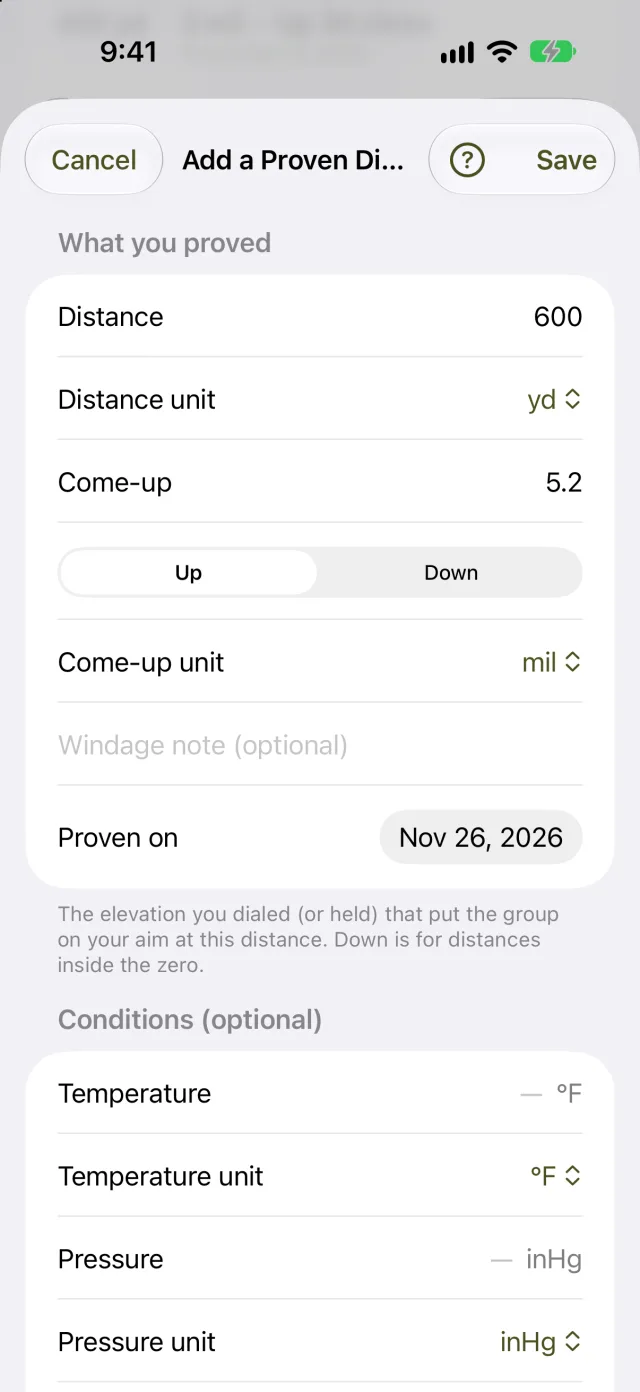
Open the dope table and tap Add a Proven Distance (under the come-ups).
-
Under What you proved:
- Distance: for example 300. Distance unit starts at the table’s unit.
- Come-up: the elevation you dialed (or held) that put the group on your aim, for example 1.2. Type it as a plain number.
- Direction: Up (the usual case) or Down for distances inside your zero.
- Come-up unit: mil or MOA; starts at the table’s unit.
- Windage note (optional): a short note such as “0.2 L” or “held 1 mil R, 8 mph”. It prints in the card’s Wind column.
- Proven on: the day you shot it (today unless you change it).
- Conditions (optional): Temperature, Pressure and Altitude, each with its unit. Fill them in if you know them; they help you understand why a row shifts in another season.
- Under Proof: groups that showed it, tap the groups that proved this distance (the firearm’s 60 most recent finished groups are listed). A check mark shows each one picked. Their sessions are linked too.
- Notes: anything else (wind, light, position).
- Tap Save. The row appears in its place on the table, with “Proven” and the date, and “proof attached” when you picked a group.
If the distance is already on the table, the footer under What you proved says so before you save, for example: “This replaces the current 300 yd value (1.1 mil). The old value stays in the row’s history with its date.” Saving makes your new value the current one; the old one moves to the row’s history. See A dope row.
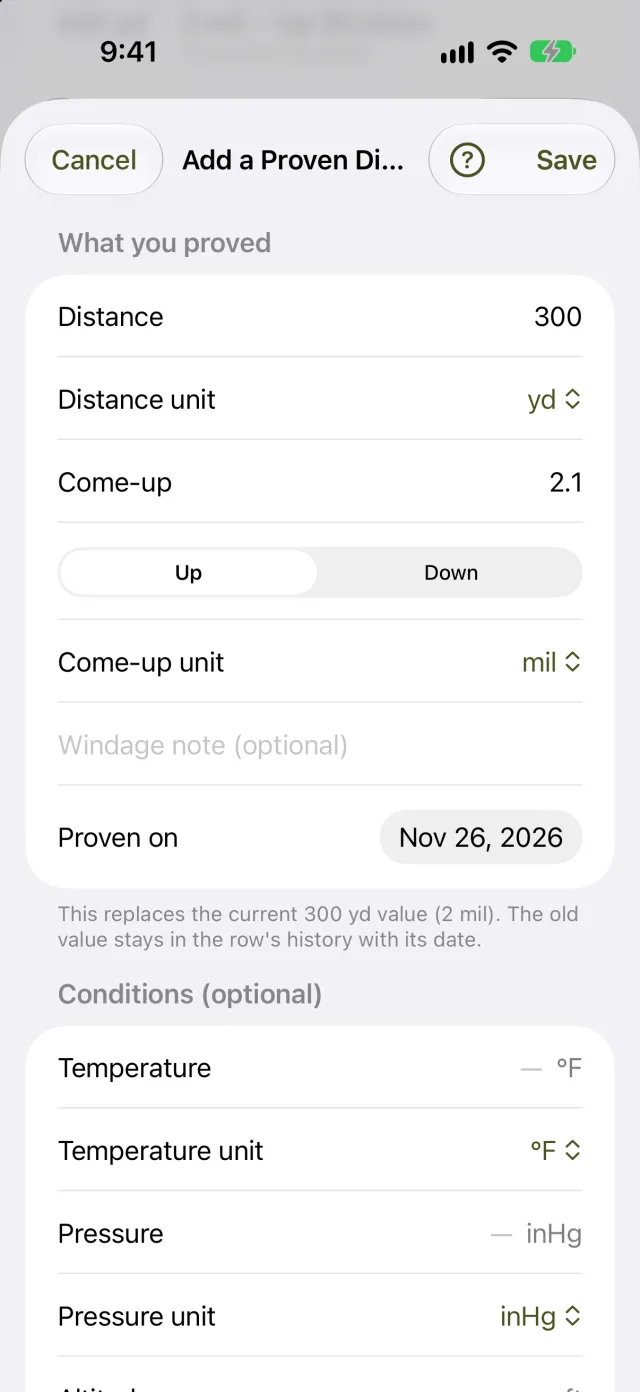
To edit a row (fix a typo), open the row, tap ••• and Edit Row. The same form opens, titled Edit Row, filled in. Editing changes the row in place, without history.
To replace a row with a value you proved again, open the row, tap ••• and Replace with a Newly Proven Value. The form, titled Replace Value, starts with the row’s distance; type the new come-up and date. The old value goes to history.
Why it’s useful
Writing a come-up down the moment you’ve proven it is how a dope table gets built: one distance at a time, each with the day, the conditions and the group behind it. Months later you’ll know exactly which numbers are solid and where they came from.
Who uses it, and how:
- New long-range shooters: add each distance as you work outward from your zero, 100 yd at a time.
- Hunters: prove the distances you’d really shoot in your country (say 200, 300, 400 yd) and add them before the season.
- Shooters who record groups in Gun Diary: link the group as proof, so the row’s record opens the target and its numbers.
- Shooters who shoot in very different seasons: the conditions on each row show why a summer row and a winter row differ.
- Rimfire and short-range shooters: rows inside the zero (25 yd on a 50 yd zero) use Down.
What each option means
Example
Morgan dialed 1.2 mil at 300 yd and put a three-shot group right on the aim point. At home, on DT002:
- Add a Proven Distance. Distance 300, yd. Come-up 1.2, Up, mil. Windage note (optional): “0.1 L”. Proven on: Sep 2, 2026.
- Temperature 68 °F, Pressure 29.9 inHg, Altitude 1,200 ft.
- Under proof, Morgan taps group G014 from that day.
- Save. The table shows “300 yd · 1.2 mil · Up 12 clicks”, “Proven Sep 2, 2026 · proof attached · 0.1 L”.
In October Morgan re-proves 300 yd at 1.3 mil. Add a Proven Distance with 300 yd shows “This replaces the current 300 yd value (1.2 mil). The old value stays in the row’s history with its date.” Morgan saves; the 300 yd row now reads 1.3 mil, and its history keeps 1.2 mil, proven Sep 2.
Tips
- Have a group with an offset? Save a group as dope works out the come-up for you from what you dialed and where the group landed.
- Type exactly what you dialed when the group was on your aim. If it was a little high or low, correct for it (or use Save as Confirmed Dope from the group).
- Use Edit for typos, Replace for new results. Replace keeps the old value in history; Edit doesn’t.
- Add the zero distance too, with a come-up of 0. It anchors the in-between rows just past your zero.
- Never add a distance you haven’t shot. Gun Diary draws in-between rows for you, marked est.; a typed row is always treated as proven.
What it affects
- The table: the row takes its place by distance, and the in-between rows around it are redrawn.
- History: adding at a proven distance (or Replace) moves the old value to that row’s history, with the date it was replaced.
- Cards and reports: the row prints on every card and report of this table; a card’s date line covers the first and last proven dates.
- Calculators: the dope calculators use the new row at once.
- The groups you picked are listed under the row’s Proof.
If something goes wrong
- “Type the distance you proved” or “Type the come-up (0 at the zero distance)”. Tapping Save says what’s missing under that field. The distance is from 1 to 5,000 (“Distance must be from 1 to 5,000”) and the come-up at most 100 mil or 343.8 MOA (“Must be at most 100 mil”, “Must be at most 343.8 MOA”), typed without a minus sign: pick Up or Down instead.
- “No groups recorded for this firearm yet”. There are no finished groups for this firearm. You can still save the row without proof, or record the group first: see Record a group.
- My group isn’t in the proof list. It’s a draft (finish it first), or it’s older than the 60 most recent groups, or it belongs to another firearm.
- I meant to add a new value but changed the old one. Edit changes in place. Use Replace with a Newly Proven Value next time; to undo, edit the row back to the old value.
- My MOA row shows in mil on the table. The table shows everything in its come-up unit. The row itself keeps MOA; open it to see.
Related
- Next: A dope row, In-between rows.
- A dope table, Save a group as dope, Record a group.
- Learning path: Building your dope card.
- Words used here: come-up, zero, mil, MOA, point of aim, group.
Gun Diary keeps records you enter and does arithmetic on them. It never predicts a trajectory; confirm every hold by shooting it at the range, and always know your target and what is beyond it.
Guides on this topic
- Long Range Shooting Notebook: Moving It to Your Phone Without Losing a Page
- Dope Book Shooting Notes: What Goes in a Rifle Dope Book
Still stuck? In the app, open More > Help > Contact Support, or More > Settings > Support, which also has Send Error Log (the error log helps us find the problem), or email contact@setriksoftware.com. You can also browse the Help Center or the messages the app can show.