
Getting started
From the Example Rifle to your first dope
Gun Diary has no account to create. Open it and the Example Rifle is there to explore. Then add your own firearm and the ammunition you shoot, log your first range session, and save the distances you prove as dope.
One firearm free, forever. The Example Rifle never counts.
Every screen has a ? that opens its own help article.
Coming soon to the App Store
One firearm free, forever · For iPhone and iPad · Requires iOS 26 or later
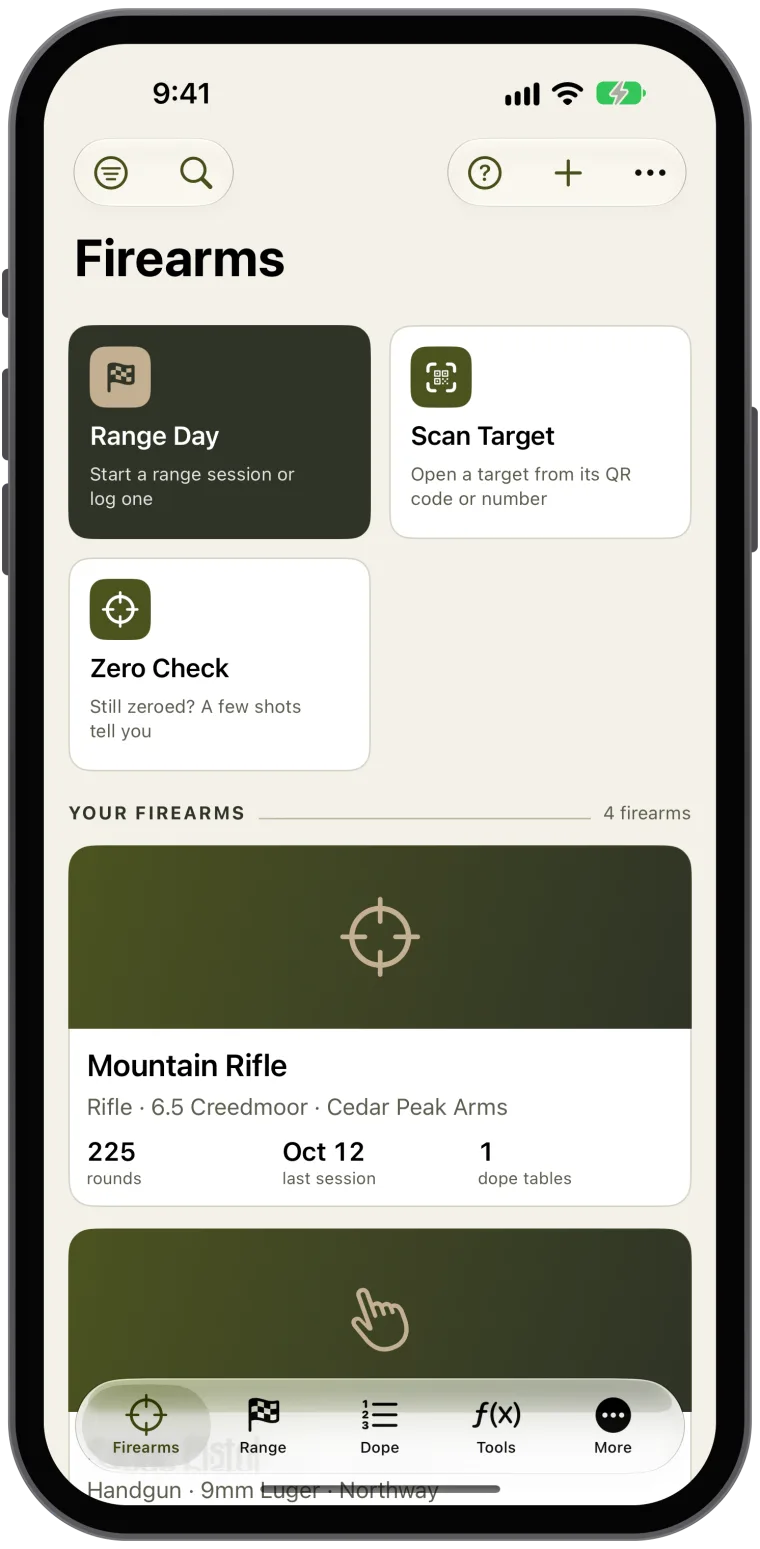
Step 1 · Explore
Look around the Example Rifle
On the Firearms tab, tap the Example Rifle.
Open its Shooting Diary, one group, its Dope and The Garage: you see how a session, its groups, the ammunition, the round counters and a dope table connect before you type anything.
Its numbers are made up (“EXAMPLE, NOT REAL DOPE”): never shoot with them.
Remove it in More › Settings › Remove Example Rifle; restore it there any time. See explore the Example Rifle.
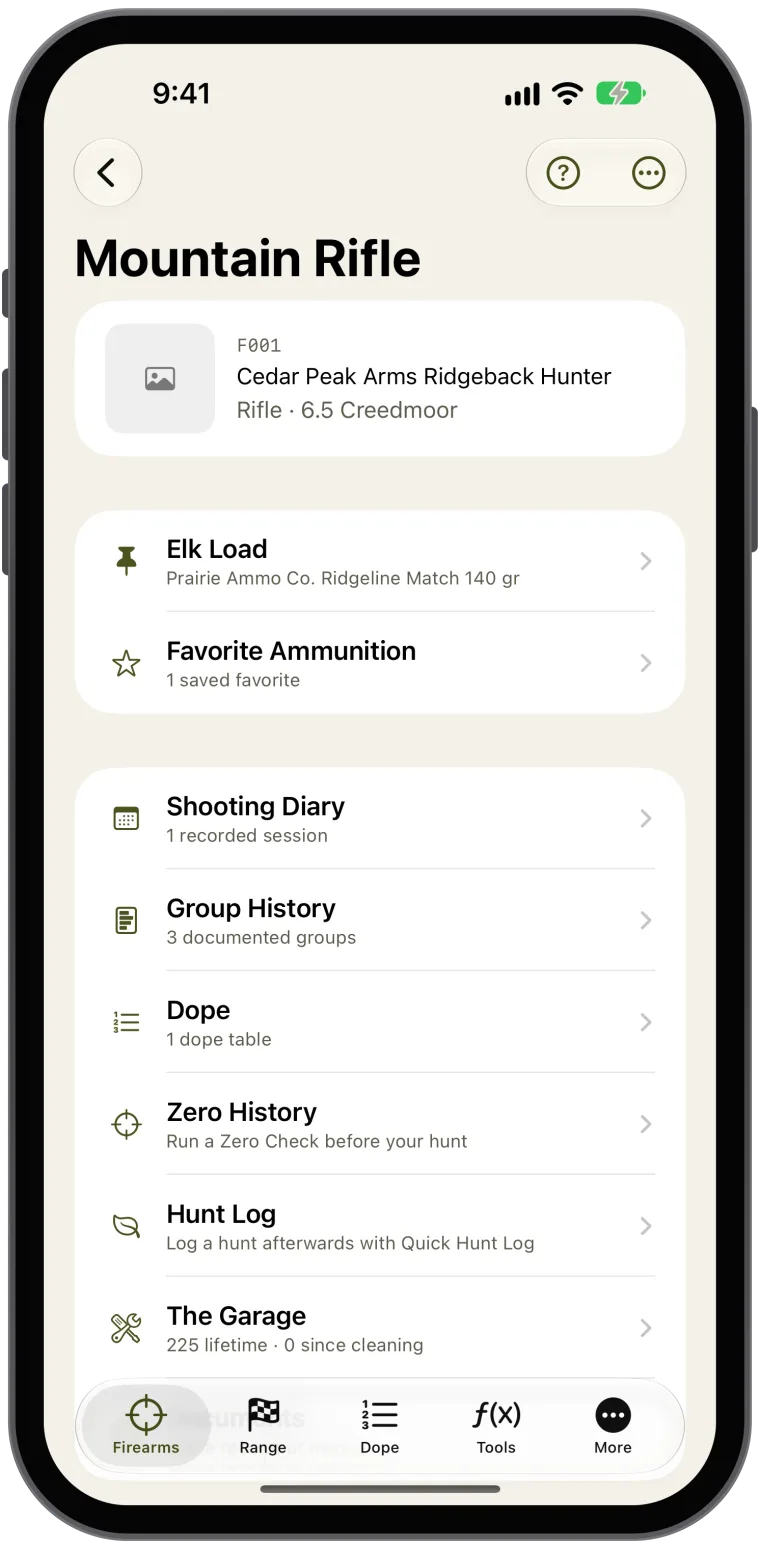
Step 2 · Add your firearm
Add your firearm and its scope
On the Firearms tab, tap +.
Type a name, like “Mountain Rifle”, and pick the kind. Add the maker, model, cartridge and Rounds already fired if you know them.
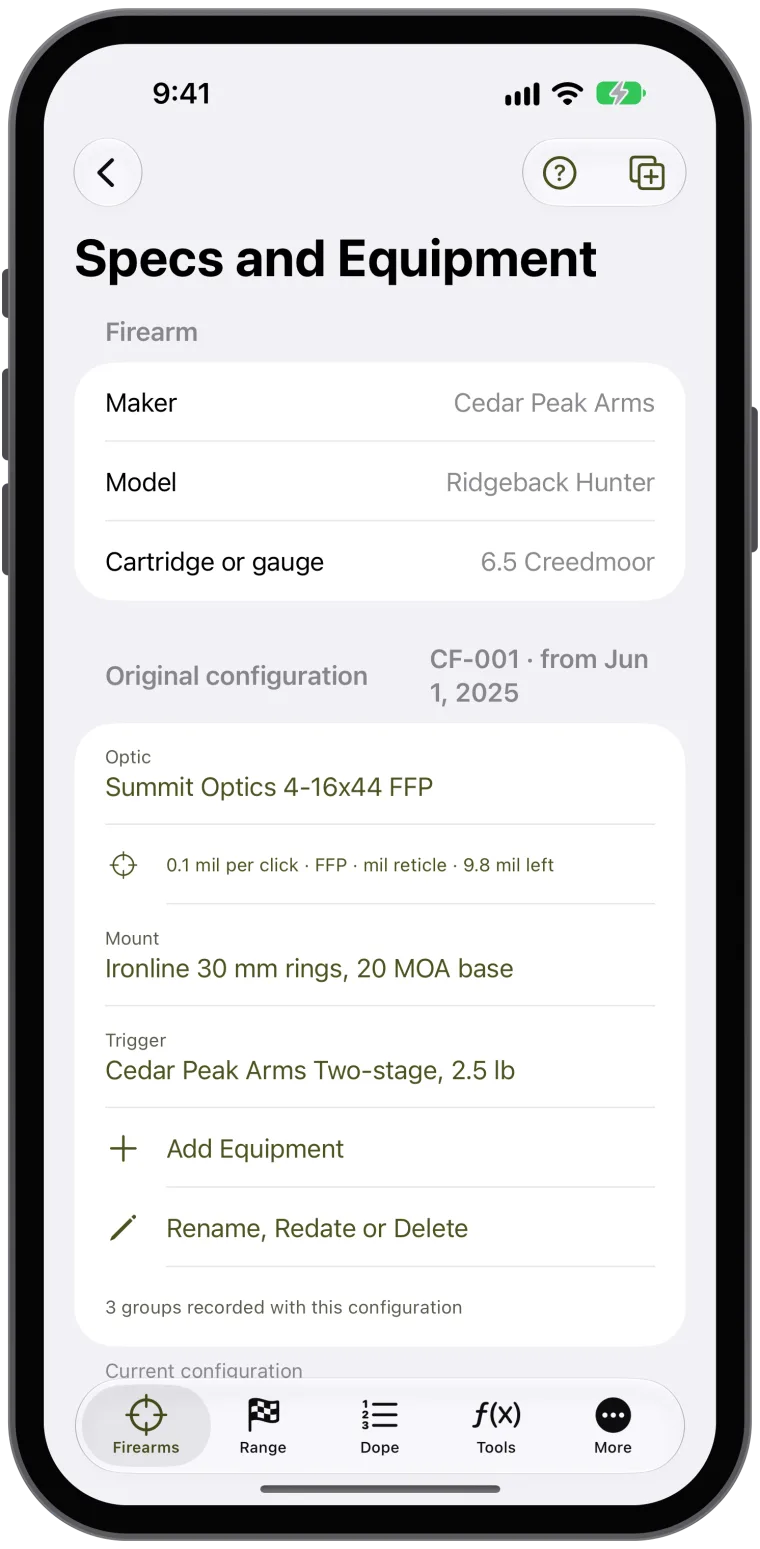
In The Garage › Specs and Equipment, add your scope and set its Click value, reticle units and focal plane. Zero Check and the calculators use them.
Step 3 · Add your ammunition
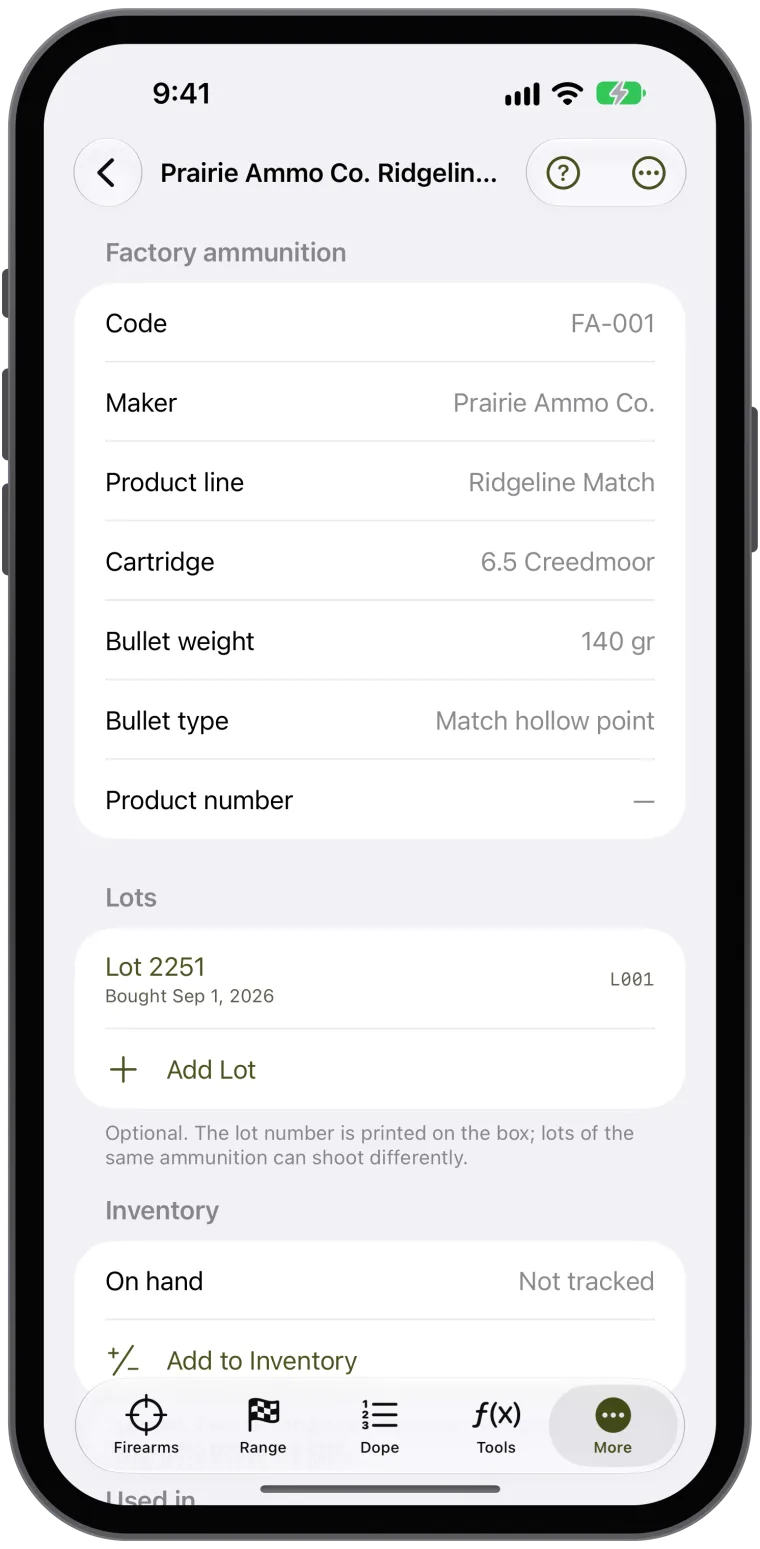
Add the ammunition you shoot
More › Ammo Library › Add Ammunition.
Enter the maker, product line, cartridge and bullet weight as printed on the box.
Open it and use Add Lot for the lot number on the box: the record you’ll most wish you had later.
Step 4 · Shoot
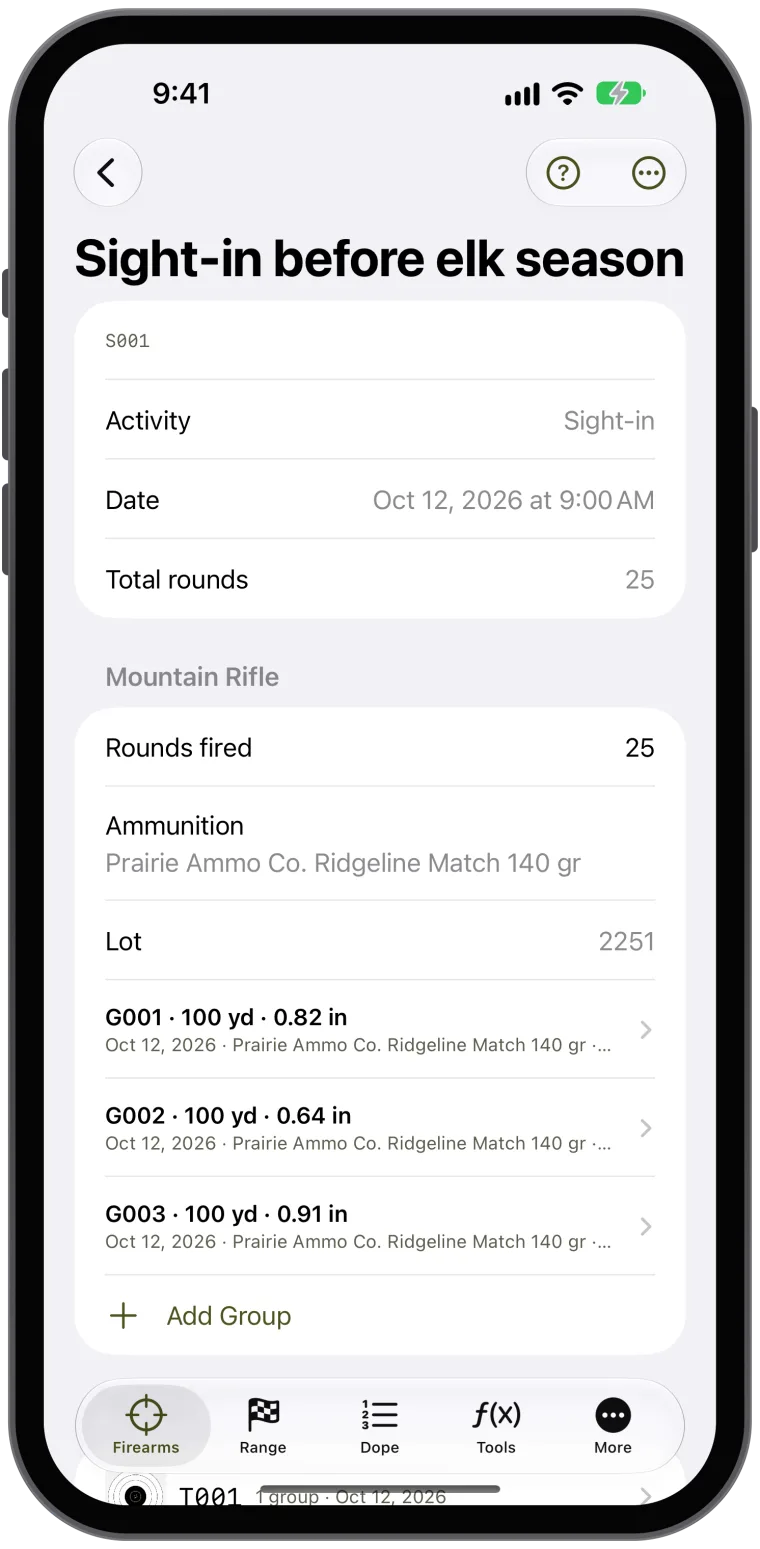
Log the session and your groups
On the Range tab, tap Log a Session (or Start Range Session for Range Mode, Pro).
Turn on your firearm, enter its Rounds fired and pick its ammunition. Round counts add themselves up.
Open the session and tap Add Group: distance, size, shots, where it hit and any chronograph readings, plus a photo of the target.
Step 5 · Prove your dope
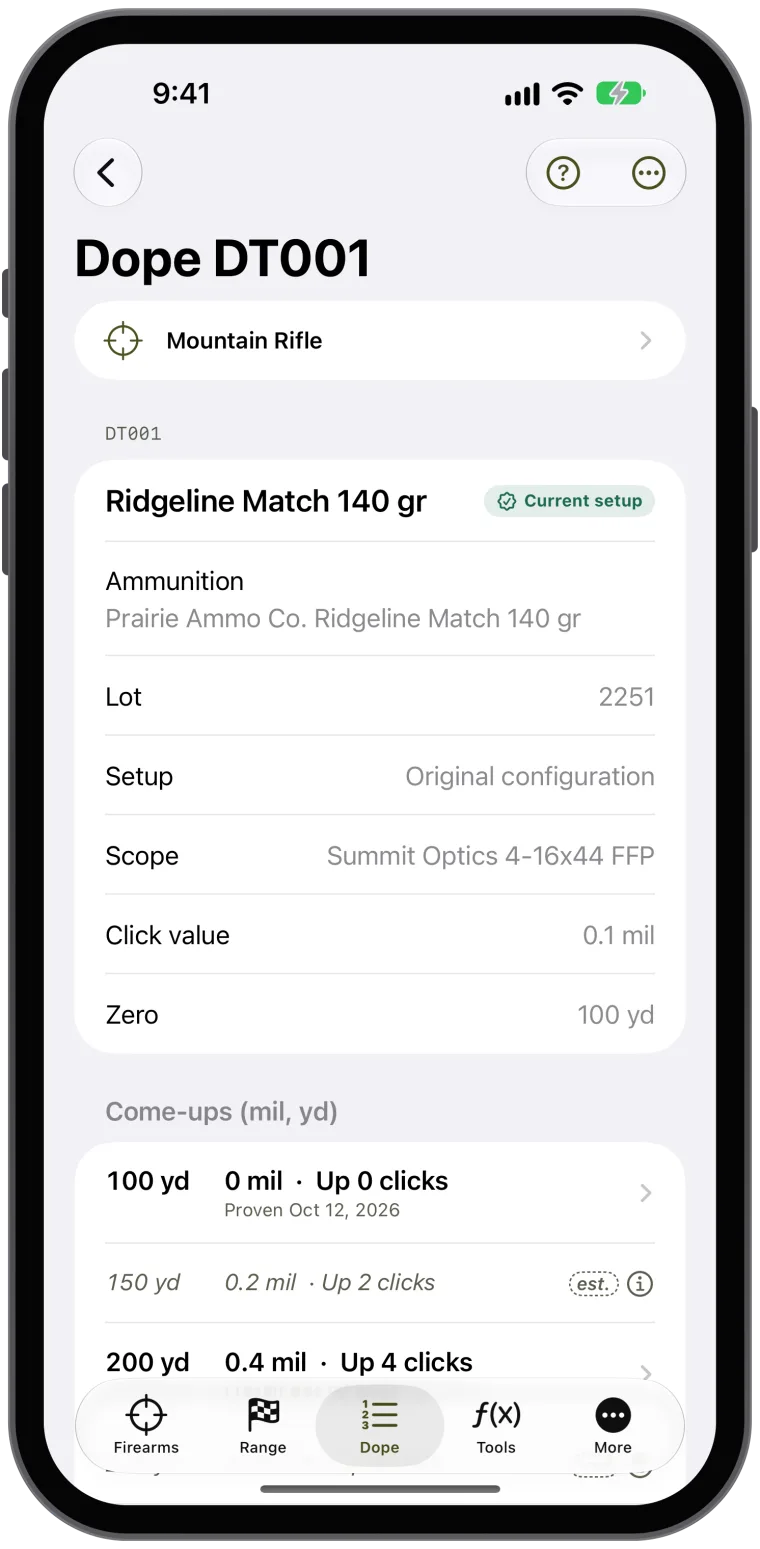
Save a proven distance as dope
Open a group that hit your aim at a distance and tap Save as Dope.
Confirm the come-up you dialed. The dope table keeps the date and the groups that proved it.
Print it as a dope card: the pocket card is free.
Then make your first backup: More › Backup and Export › Make a Backup.
First questions
Do I need to sign up?
No. There’s no account. Your diary syncs through the iCloud account already on your iPhone or iPad. Check More › Settings › iCloud sync.
Is there a guided first day?
Yes: your first day with Gun Diary takes you step by step, with why each step comes when it does. New to shooting? Try the new gun owner learning path.
Where is the full manual?
The Gun Diary Help Center has a step-by-step article for every screen, learning paths and a glossary, and the ? in the app opens the right one. Help opens right inside the app; tap Done to go back.
Something isn’t working. What do I do?
In the app, open More › Help › Contact Support, or email contact@setriksoftware.com. See support.
Start with the Example Rifle
See how records connect before you type anything. One firearm free, forever.
Coming soon to the App Store