
"Calculator #10: Reticle Subtension"
See what a reticle mark covers at a distance, in its own unit and in inches and centimeters, including second focal plane scopes set to another magnification.
Reticle Subtension (calculator #10) shows what one mark in your reticle covers at a distance: as an angle and in inches and centimeters. On a second focal plane scope the marks only read true at one magnification, so it also works out what they cover at the magnification you’re actually set to.
Steps
-
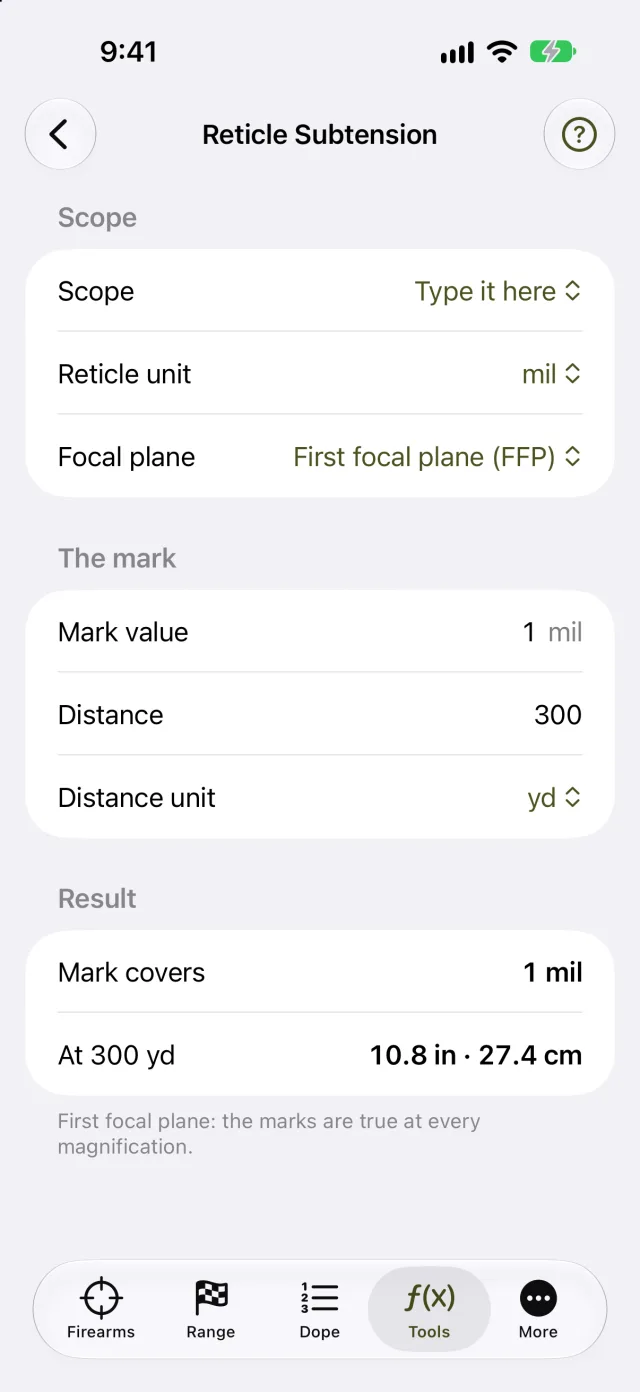
On the Tools tab, under Angles and clicks, tap Reticle Subtension.
-
Under Scope, pick your scope in Scope to fill in the reticle unit, focal plane and true magnification from its optic settings. Or set them yourself: Reticle unit (mil or MOA) and Focal plane.
-
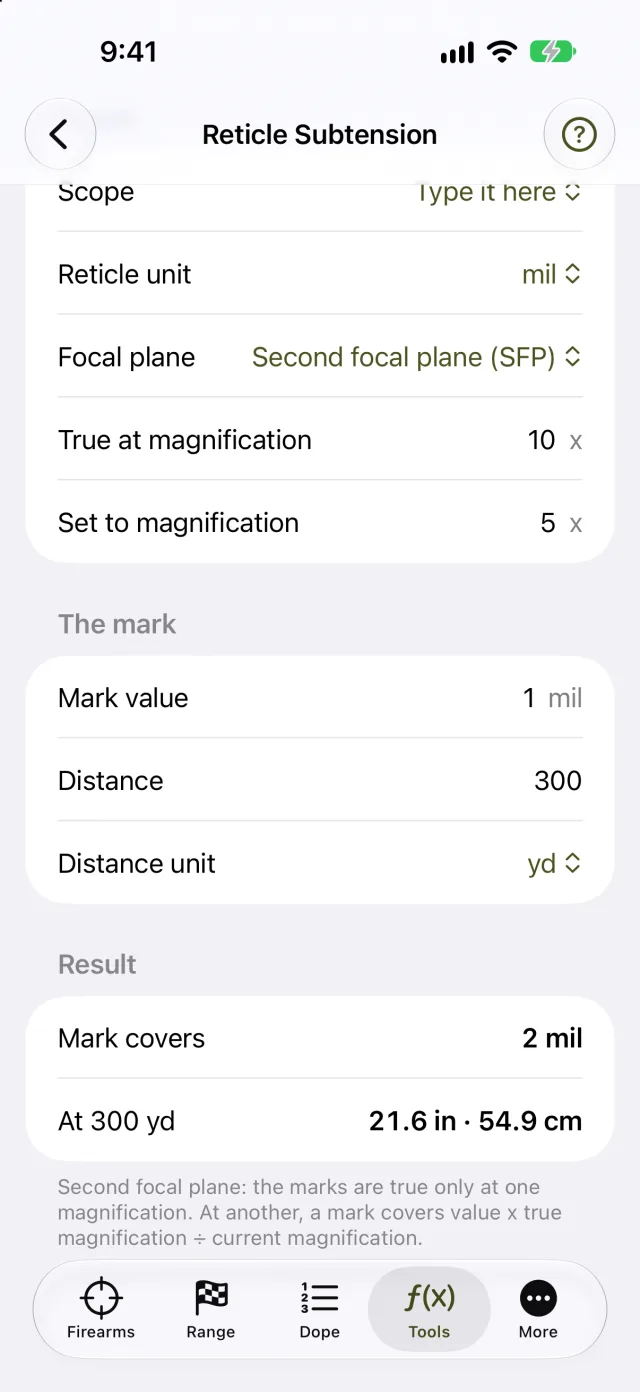
For a second focal plane scope, two more rows appear: True at magnification (the power where the marks read as printed, from the scope’s manual) and Set to magnification (where your scope is set now).
-
Under The mark, type the Mark value (what the mark is worth as printed, in the reticle unit), then the Distance and Distance unit.
- Read Result: Mark covers (the mark’s real value at this magnification) and the row headed with your distance (for example At 300 yd), in inches and centimeters.
Why it’s useful
Reticles are drawn in angles, but you aim at things measured in inches. Knowing that a 1 mil gap covers 10.8 inches at 300 yards tells you whether a hold will stay on a target, how wide a lead mark is, or how much of an animal a post covers. Second focal plane scopes add a trap: turn the power down and every mark gets bigger, so a hold that was right at 10x is wrong at 5x.
Who uses it, and how:
- Hunters with second focal plane scopes: most hunting scopes are SFP. See what your holdover marks are worth at the power you hunt on.
- Long-range shooters with first focal plane scopes: quick size checks at any distance; FFP marks are true at every power.
- Anyone with a BDC or “Christmas tree” reticle: type each mark’s printed value to see what it covers at each distance.
- Shooters planning holds on steel: will the hold keep you on the plate?
What each option means
The formula, in plain words:
- First focal plane: the mark covers its printed value at every magnification.
- Second focal plane: mark covers = printed value x true magnification ÷ current magnification. Halve the power, and the mark covers twice as much.
- Then size = angle x distance (1 mil is 1/1000 of the distance; 1 MOA is 1.0472 in at 100 yd).
The footer under the result says which rule applies.
Example
First focal plane (the starting values). A 1 mil mark at 300 yards: Mark covers 1 mil, At 300 yd 10.8 in · 27.4 cm.
Second focal plane, turned down. Your Mountain Rifle wears an SFP mil scope whose marks are true at 10x, and you’re hunting on 5x.
- Focal plane: Second focal plane (SFP). True at magnification 10, Set to magnification 5.
- Mark value 1, Distance 100 yd.
- Mark covers: 2 mil. At 100 yd: 7.2 in · 18.3 cm.
At 5x, each 1 mil mark is really worth 2 mil. A hold of “2 marks” would put you 4 mil over, not 2.
Tips
- On an SFP scope, hold at the true magnification (usually the highest) whenever you can. Then the marks mean what they say.
- Set up the scope once in Optic settings: reticle unit, focal plane and true magnification, and pick it from Scope.
- For holds from your dope, use Holdover from Your Dope, which does this scaling for SFP scopes too.
What it affects
Nothing is saved.
If something goes wrong
- “Type the mark value and a distance.” One of them is blank, or the distance is 0.
- The True at magnification rows are missing. They show only for Second focal plane (SFP).
- My SFP result didn’t change. Leave neither magnification blank or 0; without both, the marks are shown as printed.
- Picking my scope didn’t fill the magnification. Its optic settings have no true magnification. Add it in the Garage.
Related
- Next: Holdover from Your Dope.
- Optic settings, Angle to Size, Range Estimate, Hold-On Distances.
- Words used here: reticle, subtension, first focal plane, second focal plane, hold, mil, MOA.
Gun Diary keeps records you enter and does arithmetic on them. It never predicts a trajectory; confirm every hold by shooting it at the range, and always know your target and what is beyond it.
Guides on this topic
Still stuck? In the app, open More > Help > Contact Support, or More > Settings > Support, which also has Send Error Log (the error log helps us find the problem), or email contact@setriksoftware.com. You can also browse the Help Center or the messages the app can show.