
A favorite ammunition
Open one favorite to see its current ammunition, its dated revisions and the sessions that used it; change its ammunition, pin, retire or remove it.
A favorite’s own screen shows what it points to now, every ammunition it pointed to before (its revisions, each with a date), and the sessions that used it. When you switch ammunition, you add a revision instead of editing the old one, so your past sessions keep saying what you really shot.
Steps
-
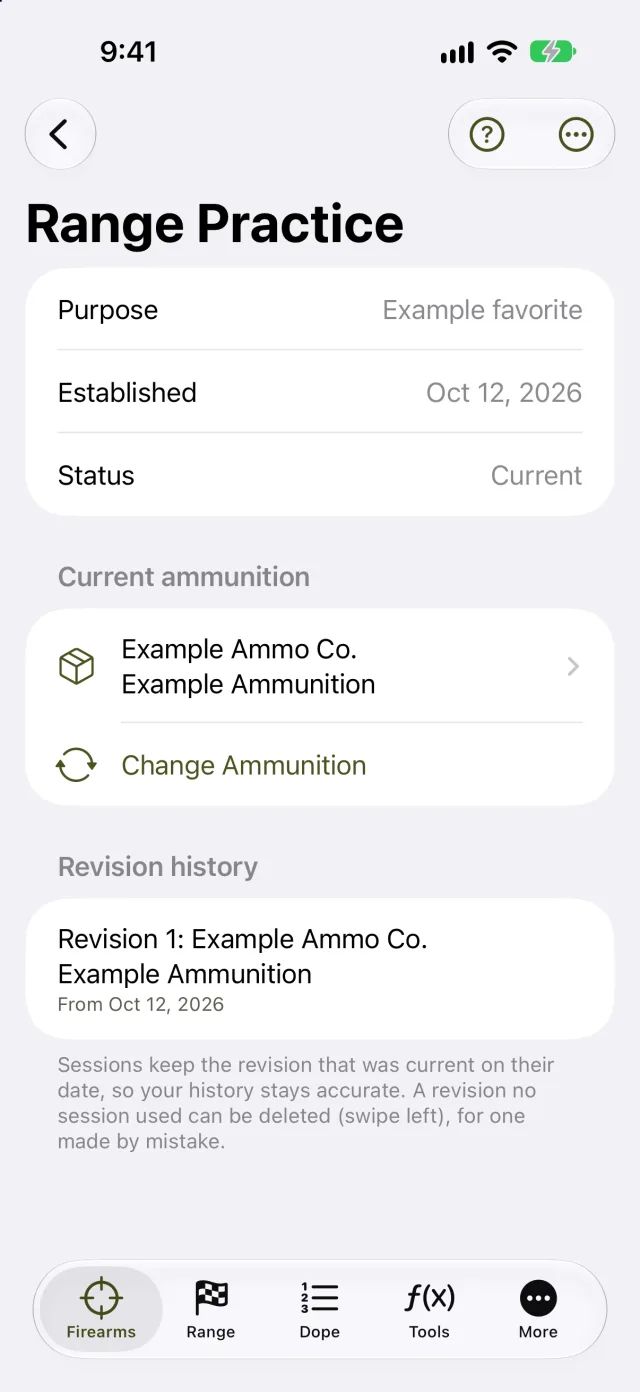
Open the favorite: the firearm’s dashboard > tap the favorite, or Favorite Ammunition > tap it.
-
Read the top: Purpose, Established (the date it was made), Status (Current or Retired) and notes.
- Under Current ammunition, tap the ammunition to open its record.
-
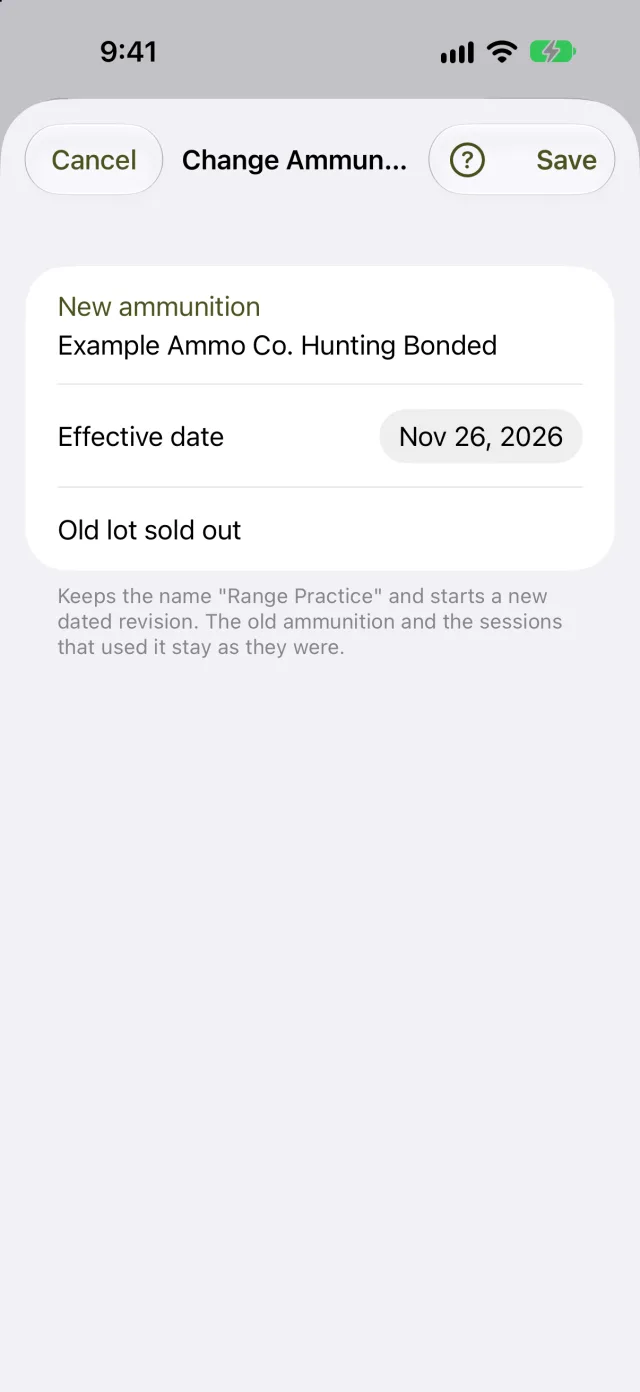
To switch to a different ammunition, tap Change Ammunition:
- Tap New ammunition and pick it.
- Set the Effective date (the day you started using it; default today).
- Type Why (optional), like “old lot sold out”.
- Tap Save. A new revision is added and becomes current.
-
Under Revision history, read each revision, newest first: “Revision 2: Ridgeline Match” with “From Oct 20, 2026” and the reason. To delete a revision made by mistake, swipe it left and tap Delete, then Delete Revision (only for a revision no session used, and never the only one).
- Under Sessions using it, tap a session to open it.
- Tap ••• for the other actions:
- Edit Favorite: name, Intended purpose, Pin to dashboard, notes.
- Pin to Dashboard / Unpin.
- Retire / Restore: retiring moves it to Retired favorites and out of the session menu.
- Remove Favorite: asks first, then removes only the favorite.
Why it’s useful
Ammunition changes: a product is discontinued, a lot runs out, you find something that groups better. If a favorite were simply edited, every old session would suddenly claim you shot the new box. Revisions keep the truth: each session records the revision in effect on its date.
Who uses it, and how:
- Hunters who switch hunting ammunition between seasons: last season’s hunts still show last season’s box.
- Competitors moving to a new lot or product mid-season: the “Match” favorite carries on, and results before and after the change stay separate.
- Carry pistol owners who change their defensive ammunition: the date and reason are on record.
- Anyone reviewing history can see when and why they changed, in one list.
- Collectors or people selling a firearm retire its favorites rather than deleting them.
What each option means
Example
Your “Elk Hunting” favorite on the Mountain Rifle pointed to Summit Hunter since Sep 1, 2025. This year Summit Hunter is out of stock and you switch to “Ridgeline Bonded”:
- Open “Elk Hunting” > Change Ammunition.
- New ammunition: Ridgeline Bonded. Effective date: Oct 20, 2026. Why (optional): “Summit Hunter discontinued”. Save.
- Revision history now reads “Revision 2: Ridgeline Bonded, From Oct 20, 2026 · Summit Hunter discontinued” above “Revision 1: Summit Hunter, From Sep 1, 2025”.
- Last year’s elk hunt session still says Summit Hunter. A session you record on Oct 25 with “Elk Hunting” records Ridgeline Bonded.
Tips
- Set the effective date to the first day you shot the new ammunition, not the day you typed it in. Sessions are matched by their date.
- Always fill in Why. A year from now, “lot 25C was 20 fps faster” is gold.
- Delete a revision only to fix a mistake. Gun Diary won’t let you delete one a session used.
- Retire rather than remove a favorite of a firearm you sold.
What it affects
- Change Ammunition: the favorite’s current ammunition, its dashboard row and the session menu. Sessions on or after the effective date that pick the favorite record the new ammunition; earlier ones keep theirs.
- Pin: the order on the firearm’s dashboard.
- Retire: it moves under Retired favorites and leaves the session menu and the dashboard.
- Remove: “The ammunition and its history stay exactly as they are. Only the favorite is removed; you can restore it from More > Recently Deleted for 30 days.”
- Delete revision: “No session used it. The record it pointed to isn’t touched. This can’t be undone.”
If something goes wrong
- I can’t swipe to delete a revision. A session used it, or it’s the only revision. That’s to protect your history.
- A session shows the old ammunition. The session’s date is before the new revision’s effective date. Change the effective date, or pick the ammunition directly in that session.
- Current ammunition says “No record”. Its ammunition was deleted. Use Change Ammunition to point it at another, or restore the ammunition from Recently Deleted.
- I removed a favorite by mistake. Restore it from More > Recently Deleted within 30 days.
- There’s no ammunition row in Edit Favorite. That’s on purpose: use Change Ammunition so the change gets a date.
Related
- Favorite ammunition, Pick an ammunition, An ammunition record.
- Firearm dashboard, Recently Deleted.
- Words used here: favorite, revision, archive.
Still stuck? In the app, open More > Help > Contact Support, or More > Settings > Support, which also has Send Error Log (the error log helps us find the problem), or email contact@setriksoftware.com. You can also browse the Help Center or the messages the app can show.