
What a long range shooting notebook really holds
Open most long range shooting notebooks and you'll find the same things: distances down the margin, the elevation you dialed beside each one, a date if you were disciplined, and scribbles about the wind and the light. Some pages have a target taped in. What's usually missing is the part that matters most a year later: which scope, which mount and which factory ammunition and lot each number belongs to. Those numbers were true for one setup on one day, and a notebook doesn't always say which. Our rifle dope book guide lists what each entry needs so it always does.
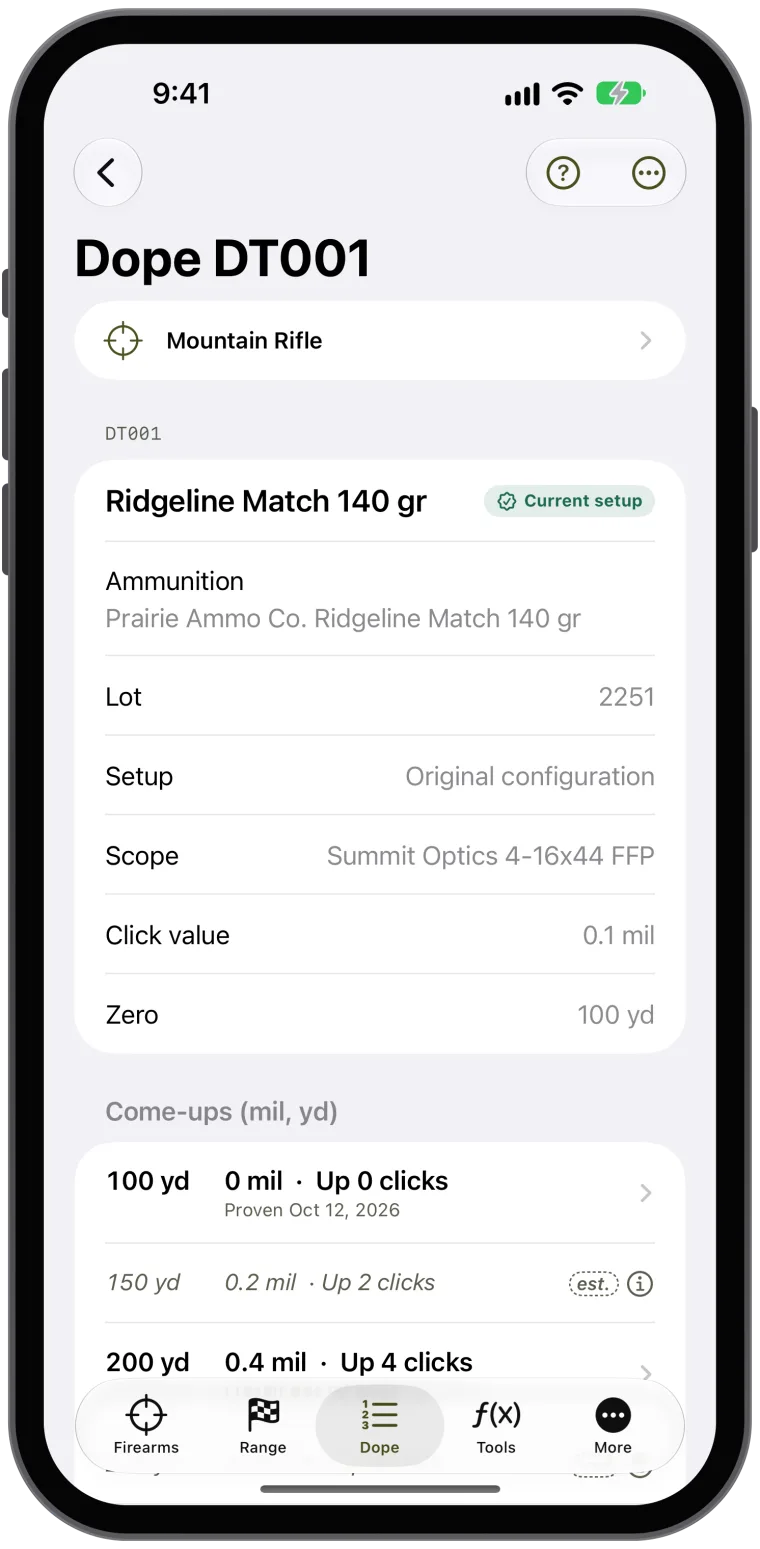
That's the first reason to move it. In Gun Diary, every number lives in a dope table that belongs to one firearm, one setup and one ammunition, and each row keeps the date you proved it. The second reason is copies. A paper notebook exists once, in one range bag. On your phone it can live in your own iCloud as well, and in a backup file you keep somewhere else. Nothing about the move needs an account, and nothing is sent to us.
Moving your long range shooting notebook a page at a time
There's no spreadsheet or photo import for dope, so the move is typing, and that's a good thing: it makes you look at every number before it goes in. The app's confirmed dope tables and dope cards only hold numbers you proved by shooting them, each with its date. Set aside an evening, start with the rifle you shoot most, and work one setup at a time.
Four steps for each page of the notebook
Add the firearm
One firearm is free, forever, with every diary unlimited for it.
Start a dope table
One table for the setup and the ammunition the page was shot with.
Type each proven distance
Distance, come-up, unit and the original date in Proven on, plus conditions and notes if the page has them.
Keep the paper
File the notebook at home; it's still a record of where those numbers came from.
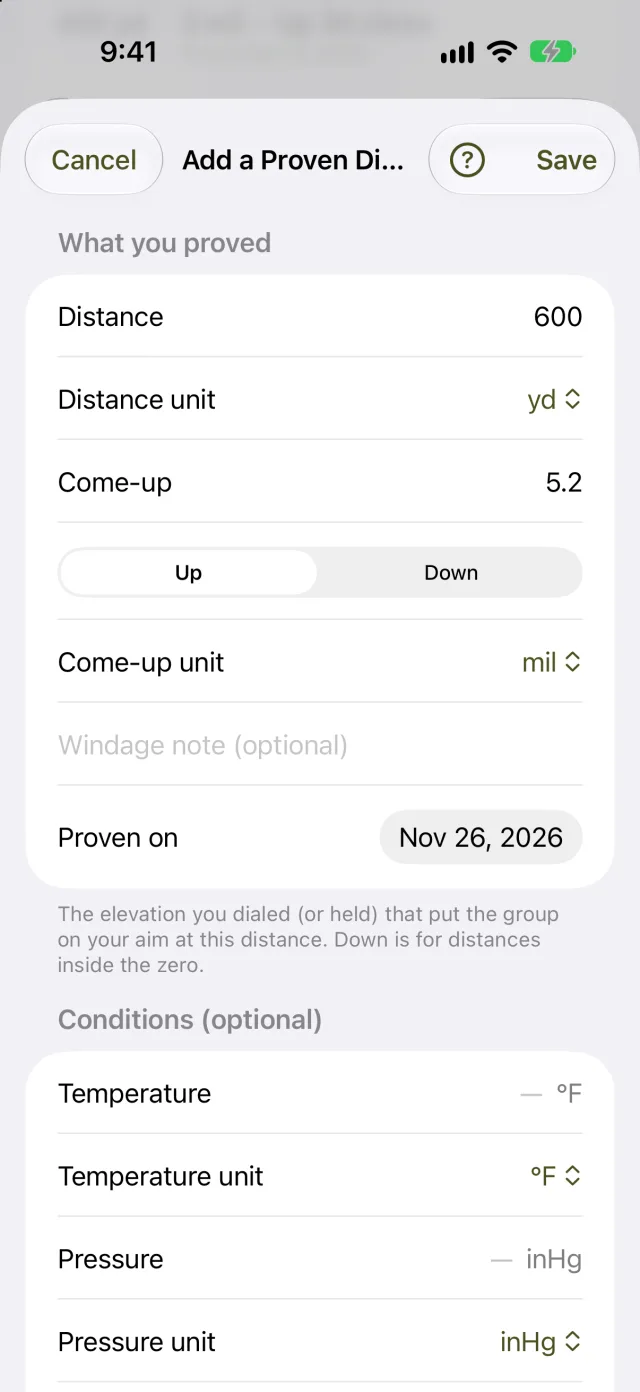
Take a page that says 400 yd, a come-up and "Oct, cold, light wind left." Add a Proven Distance takes the distance, the come-up and its unit, and the Proven on date, which starts at today, so change it to the day on the page. Put the wind and the light in Notes, and the temperature under Conditions if you wrote it down. The help article on adding a proven distance covers every field.
That rule is what keeps a digital long range shooting notebook honest. A number you can't place, from a scope you no longer own or a guess you never confirmed, doesn't belong in a table of proven rows. Leave it on paper. Prove it again at the range, then add it with today's date and, if you like, the group that showed it. A shorter table you trust beats a long one you have to second-guess.
Range Mode for one hand.
Keeping it through your next phone
Moving a long range shooting notebook onto a phone is only half the job; the other half is making sure it survives the phone. If iCloud is on and your new iPhone or iPad is signed in to the same Apple Account, Gun Diary brings the diary back by itself after a few minutes on Wi-Fi, and an iPad at the bench shows the same tables. Apple's guide to moving to a new iPhone with iCloud covers the phone itself, and the help article on using Gun Diary on iPhone and iPad covers the diary.
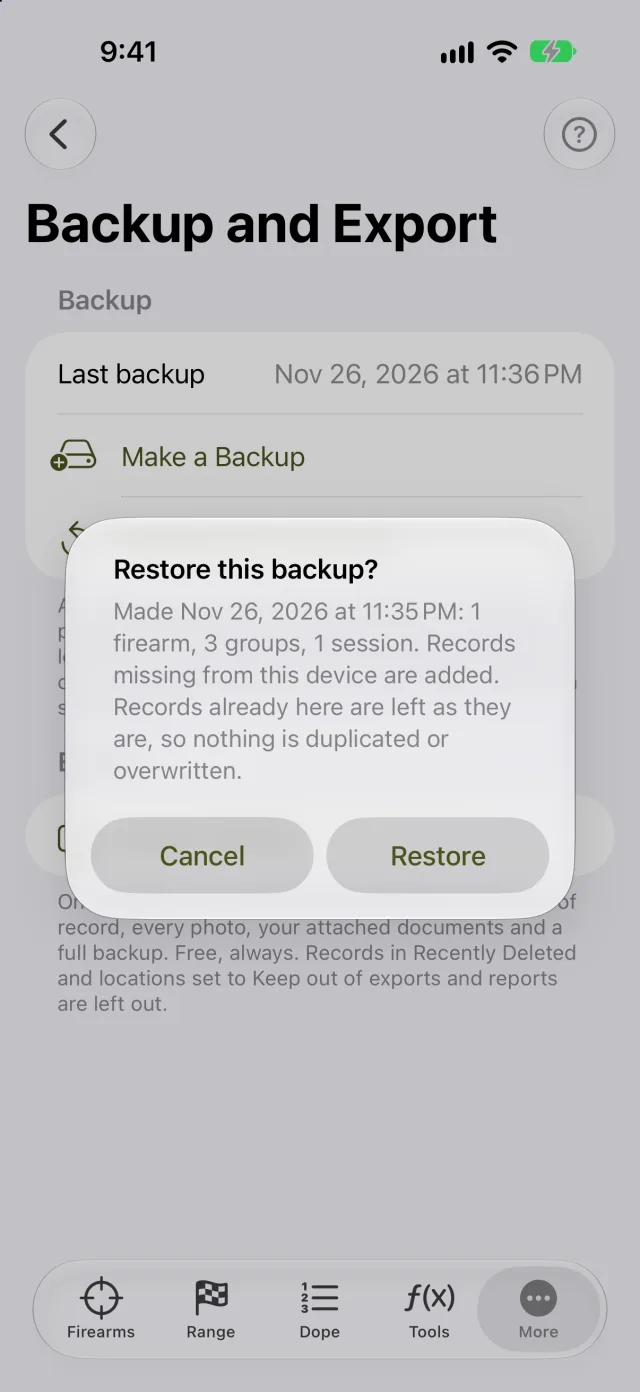
Sync isn't a backup, though, because a deletion syncs too. Before you switch phones, make a full backup from More, then Backup and Export, and save it to iCloud Drive. If the diary doesn't arrive on the new phone, restore that file; it adds what's missing and never duplicates. If you have Pro, tap Restore Purchases instead of buying it again. Our guide to keeping a gun log book that lasts explains which copy guards against what.
The bottom line
So, should you move your long range shooting notebook to your phone?
If it holds numbers you still use, yes, a page at a time and only the rows you can date and place. You end up with tables tied to the right setup, a copy in your own iCloud and a backup you control. In the field, a printed pocket dope card from your proven rows can take the place of the old shooting range notebook, and the pocket card is free. The screenshots here show the app's demo diary, with made-up firearms and dope, never numbers for your rifle.
Gun Diary keeps the records you enter. It never predicts bullet drop, wind or a trajectory; your dope is what you proved on paper. Always follow safe firearm handling.
Pro, once
Unlimited firearms, every dope card size, Range Mode and PDF reports: $69.99 once, never renews.
See pricingComing soon to the App Store